Free Shipping on Domestic Orders $75+

Pentax LX Front Lens Board Removal

What you need

  1. Pentax LX Front Lens Board Removal, Remove rewind knob: step 1, image 1 of 2 Pentax LX Front Lens Board Removal, Remove rewind knob: step 1, image 2 of 2
    • Place a thin tool in the rewind fork and unscrew the topside knob.

    • Remove the washer under the rewind knob.

    Ask FixBot

    Add Comment

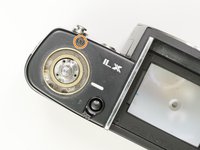
  2. Pentax LX Front Lens Board Removal, Remove exposure compensation dial: step 2, image 1 of 3 Pentax LX Front Lens Board Removal, Remove exposure compensation dial: step 2, image 2 of 3 Pentax LX Front Lens Board Removal, Remove exposure compensation dial: step 2, image 3 of 3
    • Remove three #000 5.5 mm screws.

    • Remove exposure compensation dial assembly.

    • Remove washer.

    • Remove rubber seal.

    Ask FixBot

    Add Comment

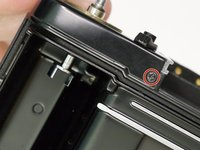
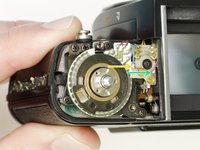
  3. Pentax LX Front Lens Board Removal, Remove rewind side top cover: step 3, image 1 of 2 Pentax LX Front Lens Board Removal, Remove rewind side top cover: step 3, image 2 of 2
    • Remove one #00 X mm screw.

    • Remove one #00 2.5 mm screw.

    Ask FixBot

    Add Comment

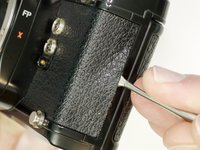
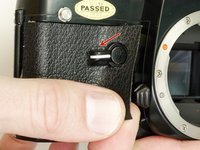
  4. Pentax LX Front Lens Board Removal, Remove front leatherette: step 4, image 1 of 2 Pentax LX Front Lens Board Removal, Remove front leatherette: step 4, image 2 of 2
    • Use isopropyl alcohol to soften the adhesive along the edge of the leatherette.

    • Use a dull spudger or scraper to peel off the covering.

    • Turn the self timer lever to the 9 o'clock position.

    • Loosen the entire right side leatherette in the same manner, then work it over and around the self timer lever to remove.

    • Installation Notes: Use contact cement to reattach the leatherette. This should be the very last step in reassembly, after the camera has been fully tested.

    Ask FixBot

    Add Comment

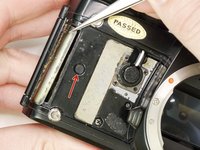
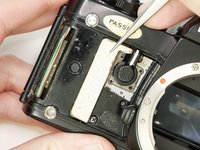
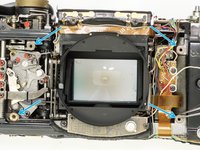
  5. Pentax LX Front Lens Board Removal, Remove two cover plates: step 5, image 1 of 2 Pentax LX Front Lens Board Removal, Remove two cover plates: step 5, image 2 of 2
    • Remove the two cover plates under the leatherette.

    • They may stick to the covering adhesive and come off on their own.

    • This small plug may also be loose.

    Ask FixBot

    Add Comment

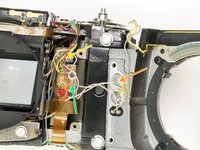
  6. Pentax LX Front Lens Board Removal, Unsolder relay board: step 6, image 1 of 2 Pentax LX Front Lens Board Removal, Unsolder relay board: step 6, image 2 of 2
    • Unsolder one gray wire.

    • Unsolder two yellow wires.

    • Unsolder one blue wire.

    • Unsolder one red wire.

    Ask FixBot

    Add Comment

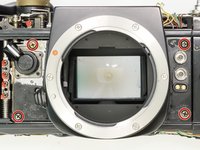
  7. Pentax LX Front Lens Board Removal, Remove front lens board: step 7, image 1 of 3 Pentax LX Front Lens Board Removal, Remove front lens board: step 7, image 2 of 3 Pentax LX Front Lens Board Removal, Remove front lens board: step 7, image 3 of 3
    • Unscrew four #00 X mm screws.

    • Unsolder one white wire.

    • Unsolder one pink wire.

    • Unsolder one light green wire.

    • Check the mounting points for shim washers. If they are loose, note the position and remove.

    • Installation Notes: Check the function of the self timer and the depth of field preview lever after install.

    Ask FixBot

    Add Comment

Conclusion

To reassemble your device, follow these instructions in reverse order.

Cancel: I did not complete this guide.

One other person completed this guide.

Sam Gustafson

Member since: 09/01/22

11,000 Reputation

78 Guides authored

0 Guide Comments

Add Comment

View Statistics:

Past 24 Hours: 6

Past 7 Days: 17

Past 30 Days: 50

All Time: 1,011