Free Shipping on Domestic Orders $75+

Pantech Matrix Camera Button Replacement

Views: 575

View statistics:

Past 24 Hours:
3
Past 7 Days:
15
Past 30 Days:
92
All Time:
575
Comments: 0

No one has left comments on this guide. Will you be first?

Go to guide comments
Completed: 1

1 person has marked this guide "completed." Will you be next?

Favorites: 0

No one has favorited (and subscribed to) this guide. Will you be the first?

Time Required: 10 - 15 minutes
Difficulty: Moderate
Pantech Matrix Camera Button Replacement

Introduction

Go to step 1 ↓

The camera button of Pantech Matrix C740 functions as the mechanism by which the camera is activated; however, faulty functioning of the camera button may cause the device to not allow picture-taking. Therefore, this guide serves as an aid in the replacement of the camera button for the Pantech Matrix C740.

What you need

Tools

    1. Pantech Matrix Camera Button Replacement, Phone Orientation: step 1, image 1 of 1
      • Place phone with screen side facing toward you.

      Ask FixBot
      Add Comment

    2. Pantech Matrix Camera Button Replacement, Phone Orientation: step 2, image 1 of 1
      • Flip phone over so screen side is now facing down.

      Ask FixBot

      Add Comment

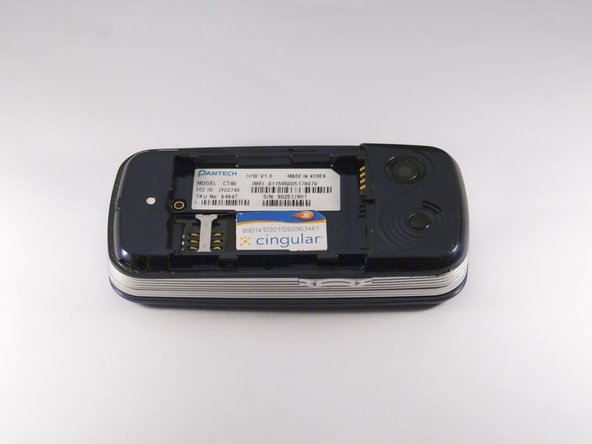
    3. Pantech Matrix Camera Button Replacement, Remove Back Cover: step 3, image 1 of 2 Pantech Matrix Camera Button Replacement, Remove Back Cover: step 3, image 2 of 2
      • Gently slide the backside phone cover off exposing the battery underneath.

      Ask FixBot

      Add Comment

    4. Pantech Matrix Camera Button Replacement, Lift Battery: step 4, image 1 of 1
      • Carefully lift the battery up from where the spudger is pointed.

      Ask FixBot

      Add Comment

    5. Pantech Matrix Camera Button Replacement, Remove Battery: step 5, image 1 of 1
      • Remove the battery from its dock.

      Ask FixBot

      Add Comment

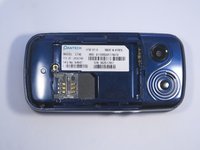
    1. Pantech Matrix Camera Button Replacement, Slide SIM Card Out: step 6, image 1 of 3 Pantech Matrix Camera Button Replacement, Slide SIM Card Out: step 6, image 2 of 3 Pantech Matrix Camera Button Replacement, Slide SIM Card Out: step 6, image 3 of 3
      • Slide the SIM Card out of its dock.

      Ask FixBot

      Add Comment

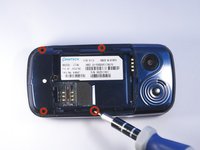
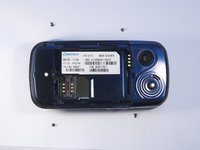
    1. Pantech Matrix Camera Button Replacement, Remove Phone Screws: step 7, image 1 of 2 Pantech Matrix Camera Button Replacement, Remove Phone Screws: step 7, image 2 of 2
      • Use a Phillips screwdriver to remove the four 2mm Phillips #000 screws from each corner of the device.

      Ask FixBot

      Add Comment

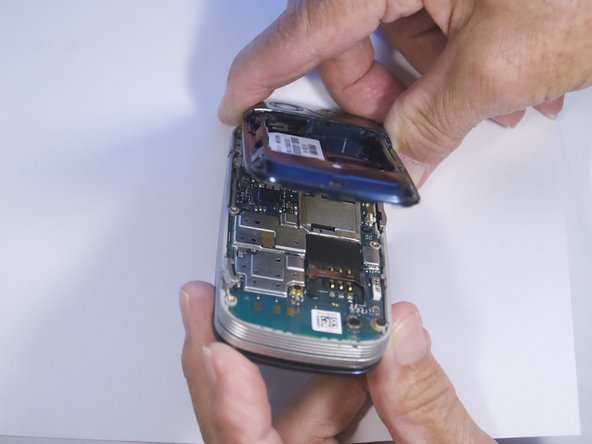
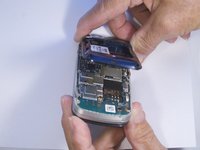
    2. Pantech Matrix Camera Button Replacement, Identify and Remove Phone Casing: step 8, image 1 of 2 Pantech Matrix Camera Button Replacement, Identify and Remove Phone Casing: step 8, image 2 of 2
      • Rotate the phone so the base is facing you.

      • Use spudger to separate phone casing and inside as shown.

      • Remove the casing carefully and set aside.

      Ask FixBot

      Add Comment

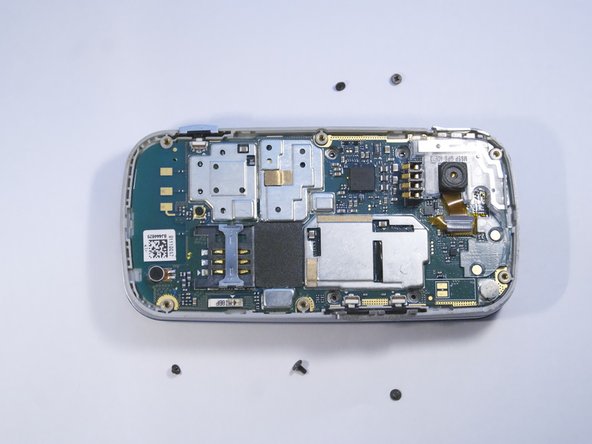
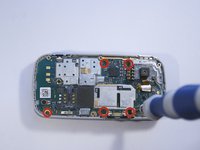
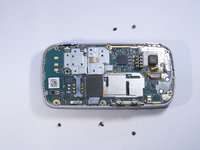
    3. Pantech Matrix Camera Button Replacement, Remove Camera Screws: step 9, image 1 of 2 Pantech Matrix Camera Button Replacement, Remove Camera Screws: step 9, image 2 of 2
      • Place phone with exposed motherboard facing you.

      • Use a Phillips screwdriver to remove the five 2mm Phillips #000 screws holding the camera in place.

      Ask FixBot

      Add Comment

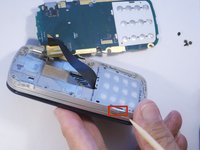
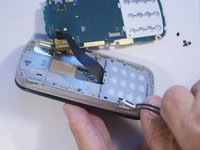
    4. Pantech Matrix Camera Button Replacement, Identify and Remove Camera Button: step 10, image 1 of 2 Pantech Matrix Camera Button Replacement, Identify and Remove Camera Button: step 10, image 2 of 2
      • Carefully remove the motherboard to expose the camera button.

      • Grasp the camera button with a polypus and pull gently to remove the camera button.

      Ask FixBot

      Add Comment

Conclusion

To reassemble your device, follow these instructions in reverse order.

Cancel: I did not complete this guide.

One other person completed this guide.

Zeel Patel

Member since: 10/13/14

1,096 Reputation

9 Guides authored

0 Guide Comments

Add Comment

View Statistics:

Past 24 Hours: 3

Past 7 Days: 15

Past 30 Days: 92

All Time: 575