Free Shipping on Domestic Orders $75+

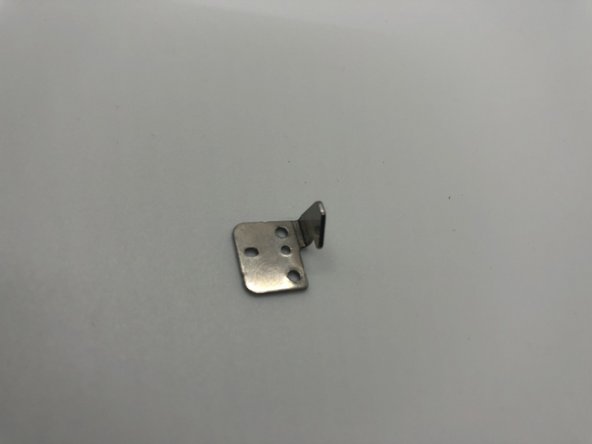
Panasonic VDR-D220 DVD Disk Latch Replacement

What you need

  1. Panasonic VDR-D220 DVD Disk Latch Replacement, Disk Latch: step 1, image 1 of 2 Panasonic VDR-D220 DVD Disk Latch Replacement, Disk Latch: step 1, image 2 of 2
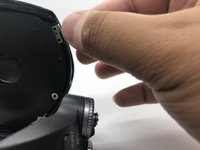
    • The DVD's door can be opened by pressing the top-left of the DVD's door.

    • If this doesn’t work, you may need to manually eject.

    • Use the plastic spudger with light force to carefully pry open the door.

    • Open the disk ejection slot gently.

    Ask FixBot

    Add Comment

  2. Panasonic VDR-D220 DVD Disk Latch Replacement: step 2, image 1 of 3 Panasonic VDR-D220 DVD Disk Latch Replacement: step 2, image 2 of 3 Panasonic VDR-D220 DVD Disk Latch Replacement: step 2, image 3 of 3
    • Remove the two 5mm screws on the top-right corner of the disk slot using Phillips #0 screwdriver.

    Ask FixBot

    Add Comment

  3. Panasonic VDR-D220 DVD Disk Latch Replacement: step 3, image 1 of 2 Panasonic VDR-D220 DVD Disk Latch Replacement: step 3, image 2 of 2
    • Carefully remove the chip.

    • The disk is completely replaced/removed.

    Ask FixBot

    Add Comment

Conclusion

To reassemble your device, follow these instructions in reverse order.

Cancel: I did not complete this guide.

0 Guide Comments

Add Comment

View Statistics:

Past 24 Hours: 0

Past 7 Days: 5

Past 30 Days: 32

All Time: 473