Free Shipping on Domestic Orders $75+

Panasonic SDR-H85 LCD Replacement

What you need

    1. Panasonic SDR-H85 LCD Replacement, Battery: step 1, image 1 of 3 Panasonic SDR-H85 LCD Replacement, Battery: step 1, image 2 of 3 Panasonic SDR-H85 LCD Replacement, Battery: step 1, image 3 of 3
      • Gently slide the battery ejection button which is located underneath the battery and slide the battery out.

      • Once the battery is removed, you can safely dispose it and replace with a new one. Dispose battery at an authorized battery recycling center.

      Ask FixBot

      Add Comment

    1. Panasonic SDR-H85 LCD Replacement, LCD Screen: step 2, image 1 of 2 Panasonic SDR-H85 LCD Replacement, LCD Screen: step 2, image 2 of 2
      • Use a Phillips #00 screwdriver to remove two screws from behind the corners of the display screen.

      Ask FixBot

      Add Comment

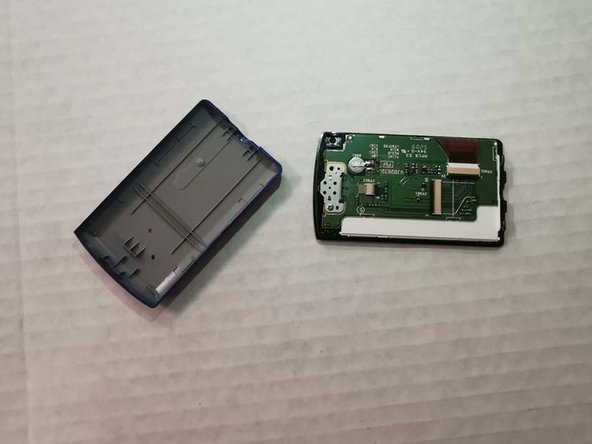
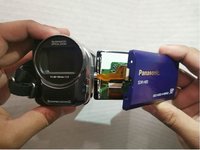
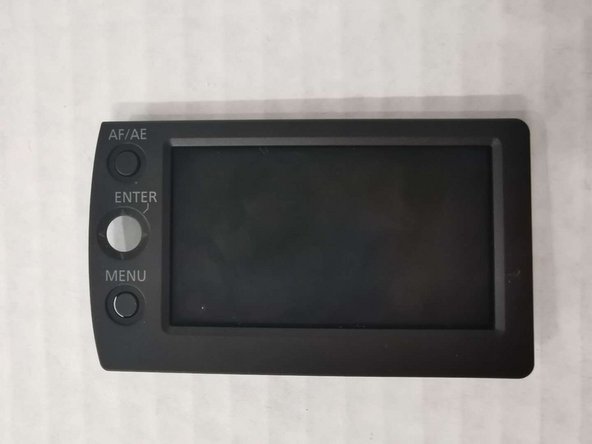
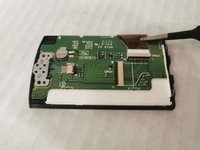
    2. Panasonic SDR-H85 LCD Replacement: step 3, image 1 of 2 Panasonic SDR-H85 LCD Replacement: step 3, image 2 of 2
      • Open the case carefully. Make sure to disconnect the parts.

      Ask FixBot

      Add Comment

    3. Panasonic SDR-H85 LCD Replacement: step 4, image 1 of 1
      • Use a Phillips #00 screwdriver to remove one screw on the green panel.

      Ask FixBot

      Add Comment

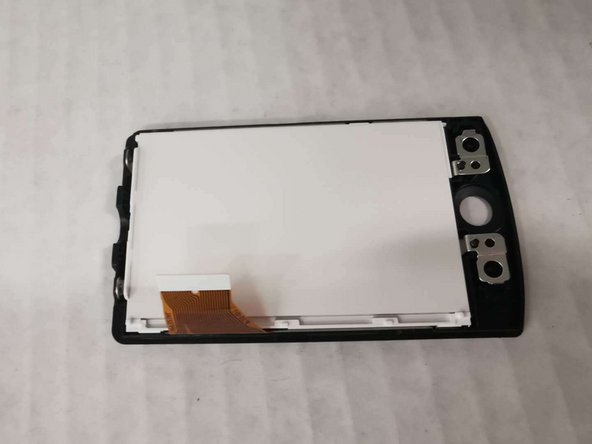
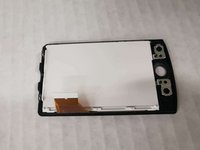
    4. Panasonic SDR-H85 LCD Replacement: step 5, image 1 of 3 Panasonic SDR-H85 LCD Replacement: step 5, image 2 of 3 Panasonic SDR-H85 LCD Replacement: step 5, image 3 of 3
      • Disconnect the panel from the screen part.

      Ask FixBot

      Add Comment

Conclusion

To reassemble your device, follow these instructions in reverse order.

Cancel: I did not complete this guide.

Ying Liu

Member since: 01/14/20

109 Reputation

1 Guide authored

0 Guide Comments

Add Comment

View Statistics:

Past 24 Hours: 2

Past 7 Days: 7

Past 30 Days: 41

All Time: 1,030