Free Shipping on Domestic Orders $75+

Panasonic Lumix DMC-ZS25 Flash Replacement

What you need

  1. Panasonic Lumix DMC-ZS25 Flash Replacement, Flash: step 1, image 1 of 2 Panasonic Lumix DMC-ZS25 Flash Replacement, Flash: step 1, image 2 of 2
    • Using a small screwdriver, remove the four 3.4mm screws from the right and left sides of your Panasonic Lumix Camera.

    Ask FixBot

    Add Comment

  2. Panasonic Lumix DMC-ZS25 Flash Replacement: step 2, image 1 of 1
    • Using a small screwdriver, remove the two 2.6mm screws located next to the battery, on the outer casing.

    Ask FixBot

    Add Comment

  3. Panasonic Lumix DMC-ZS25 Flash Replacement: step 3, image 1 of 1
    • Using the plastic opening tool, open the outer cover of your device.

    • The easiest way to open your device is by placing the tool in the HDMI port.

    Ask FixBot

    Add Comment

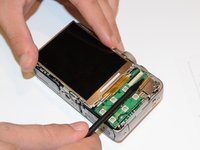
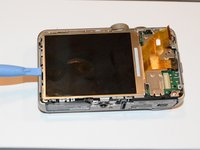
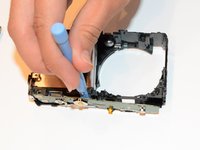
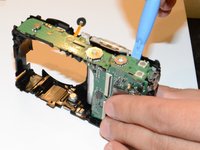
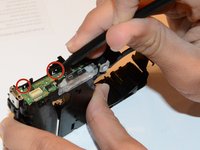
  4. Panasonic Lumix DMC-ZS25 Flash Replacement: step 4, image 1 of 3 Panasonic Lumix DMC-ZS25 Flash Replacement: step 4, image 2 of 3 Panasonic Lumix DMC-ZS25 Flash Replacement: step 4, image 3 of 3
    • Using the spudger, pull upward on the screen cable to release it.

    Ask FixBot

    Add Comment

  5. Panasonic Lumix DMC-ZS25 Flash Replacement: step 5, image 1 of 1
    • Using the plastic opening tool, lift the button board until it clicks.

    Ask FixBot

    Add Comment

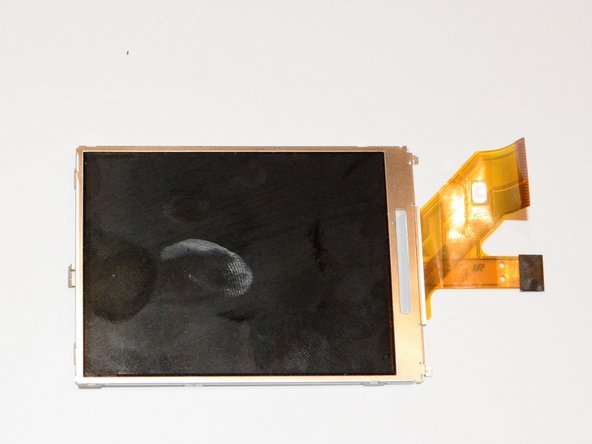
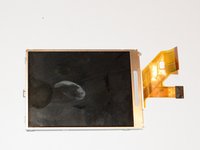
  6. Panasonic Lumix DMC-ZS25 Flash Replacement: step 6, image 1 of 2 Panasonic Lumix DMC-ZS25 Flash Replacement: step 6, image 2 of 2
    • Using the plastic opening tool, lift the screen until it clicks.

    Ask FixBot

    Add Comment

  7. Panasonic Lumix DMC-ZS25 Flash Replacement: step 7, image 1 of 1
    • Using a small screwdriver, remove the two 4.2mm screws located on the corner of the inner cover, under the screen.

    Ask FixBot

    Add Comment

  8. Panasonic Lumix DMC-ZS25 Flash Replacement: step 8, image 1 of 1
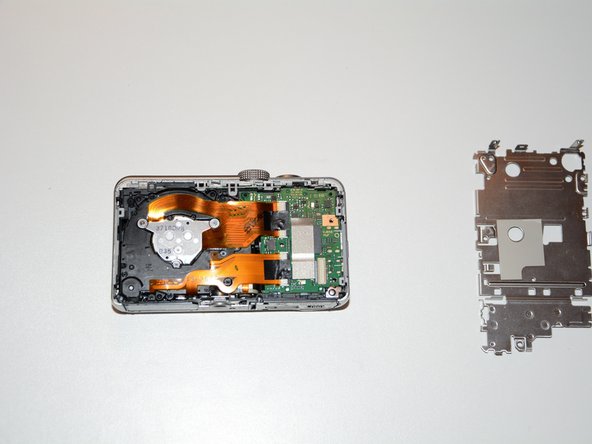
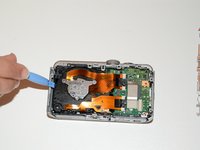
    • Using the plastic opening tool, remove the inner cover.

    Ask FixBot

    Add Comment

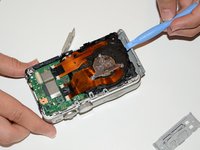
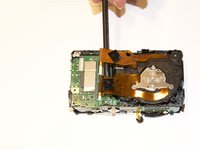
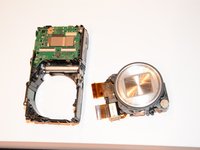
  9. Panasonic Lumix DMC-ZS25 Flash Replacement: step 9, image 1 of 2 Panasonic Lumix DMC-ZS25 Flash Replacement: step 9, image 2 of 2
    • Using your hands or the opening tool, separate the device into two pieces, as shown.

    Ask FixBot

    Add Comment

  10. Panasonic Lumix DMC-ZS25 Flash Replacement: step 10, image 1 of 2 Panasonic Lumix DMC-ZS25 Flash Replacement: step 10, image 2 of 2
    • Using the spudger, remove the black side cover.

    Ask FixBot

    Add Comment

  11. Panasonic Lumix DMC-ZS25 Flash Replacement: step 11, image 1 of 1
    • Using your hands, remove the front cover.

    Ask FixBot

    Add Comment

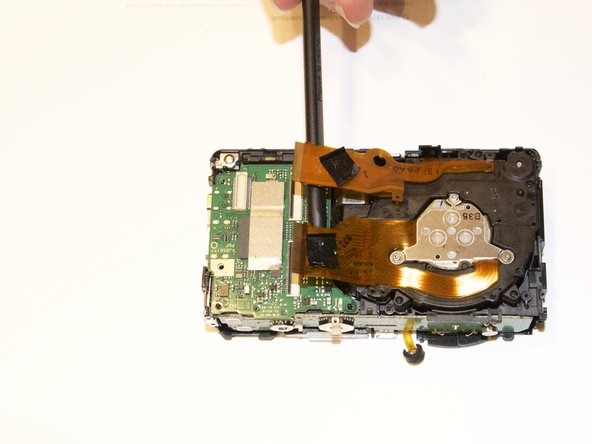
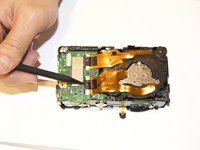
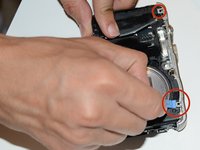
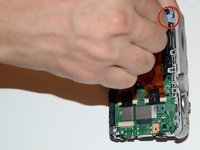
  12. Panasonic Lumix DMC-ZS25 Flash Replacement: step 12, image 1 of 3 Panasonic Lumix DMC-ZS25 Flash Replacement: step 12, image 2 of 3 Panasonic Lumix DMC-ZS25 Flash Replacement: step 12, image 3 of 3
    • Using the spudger, unlock the screen cables from the circuit board.

    • Lift up the black clip to release the cables.

    Ask FixBot

    Add Comment

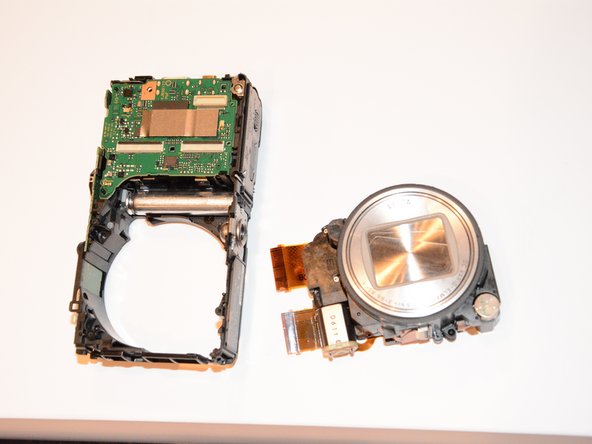
  13. Panasonic Lumix DMC-ZS25 Flash Replacement: step 13, image 1 of 1
    • Using your hands, remove the lens.

    Ask FixBot

    Add Comment

  14. Panasonic Lumix DMC-ZS25 Flash Replacement: step 14, image 1 of 1
    • Using the plastic opening tool, pull up on the edge of the circuit board until it clicks.

    • Remove the board.

    Ask FixBot

    Add Comment

  15. Panasonic Lumix DMC-ZS25 Flash Replacement: step 15, image 1 of 1
    • Using a small screwdriver, remove the 3.7 mm screw near the green chip inside the camera, as shown. This will release the top of the camera.

    Ask FixBot

    Add Comment

  16. Panasonic Lumix DMC-ZS25 Flash Replacement: step 16, image 1 of 3 Panasonic Lumix DMC-ZS25 Flash Replacement: step 16, image 2 of 3 Panasonic Lumix DMC-ZS25 Flash Replacement: step 16, image 3 of 3
    • Using the opening tool, pull up on the edge of the top cover to unlock it.

    Ask FixBot

    Add Comment

  17. Panasonic Lumix DMC-ZS25 Flash Replacement: step 17, image 1 of 2 Panasonic Lumix DMC-ZS25 Flash Replacement: step 17, image 2 of 2
    • Using the opening tool, remove the top board.

    Ask FixBot

    Add Comment

  18. Panasonic Lumix DMC-ZS25 Flash Replacement: step 18, image 1 of 2 Panasonic Lumix DMC-ZS25 Flash Replacement: step 18, image 2 of 2
    • Place the tip of the spudger at the edge of the top board, and work around three sides to loosen it.

    Ask FixBot

    Add Comment

    • Using the opening tool, lift up the top board. Now you will be able to safely remove the flash.

    Ask FixBot

    Add Comment

  19. Panasonic Lumix DMC-ZS25 Flash Replacement: step 20, image 1 of 1
    • Remove the old flash, and put in the replacement.

    Ask FixBot

    Add Comment

Conclusion

To reassemble your device, follow these instructions in reverse order.

Cancel: I did not complete this guide.

Abbas Khan

Member since: 01/21/15

482 Reputation

4 Guides authored

Team

USF Tampa, Team 9-5, Brown Winter 2015 Member of USF Tampa, Team 9-5, Brown Winter 2015

USFT-BROWN-W15S9G5

3 Members

7 Guides authored

0 Guide Comments

Add Comment

View Statistics:

Past 24 Hours: 1

Past 7 Days: 6

Past 30 Days: 24

All Time: 736