Free Shipping on Domestic Orders $75+

Panasonic KX-TGA600M Keypad Replacement

What you need

  1. Panasonic KX-TGA600M Keypad Replacement, Battery: step 1, image 1 of 2 Panasonic KX-TGA600M Keypad Replacement, Battery: step 1, image 2 of 2
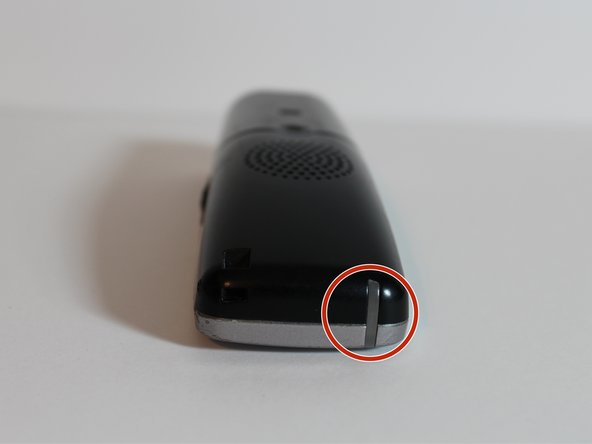
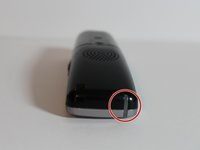
    • On the back of the phone, remove battery cover.

    • Push down on the marked indentation and pull downwards.

    Ask FixBot

    Add Comment

  2. Panasonic KX-TGA600M Keypad Replacement: step 2, image 1 of 1
    • Pull out to remove the battery.

    Ask FixBot

    Add Comment

  3. Panasonic KX-TGA600M Keypad Replacement, Keypad: step 3, image 1 of 1
    • Once battery is removed, use the Phillips #00 screwdriver to remove the two silver screws at the bottom left and right corners on the back of the phone.

    Ask FixBot

    Add Comment

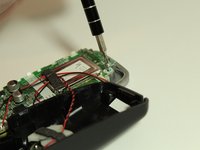
  4. Panasonic KX-TGA600M Keypad Replacement: step 4, image 1 of 3 Panasonic KX-TGA600M Keypad Replacement: step 4, image 2 of 3 Panasonic KX-TGA600M Keypad Replacement: step 4, image 3 of 3
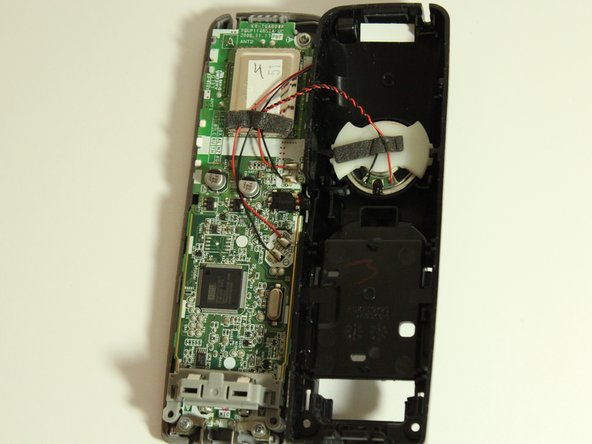
    • Pull the phone apart. The plastic opening tool may be needed.

    • The clear light piece will fall out, so make sure you place it next to the screws.

    Ask FixBot

    Add Comment

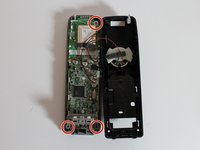
  5. Panasonic KX-TGA600M Keypad Replacement: step 5, image 1 of 3 Panasonic KX-TGA600M Keypad Replacement: step 5, image 2 of 3 Panasonic KX-TGA600M Keypad Replacement: step 5, image 3 of 3
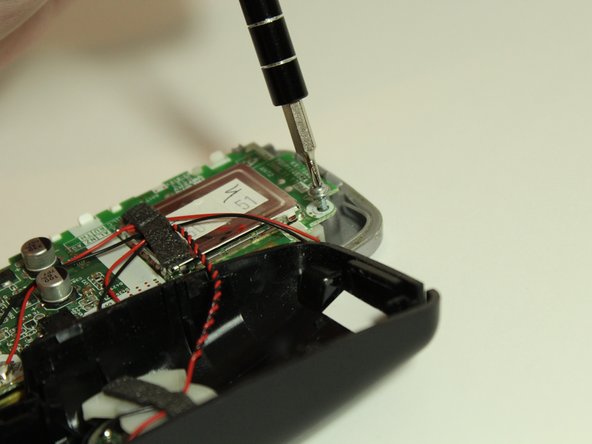
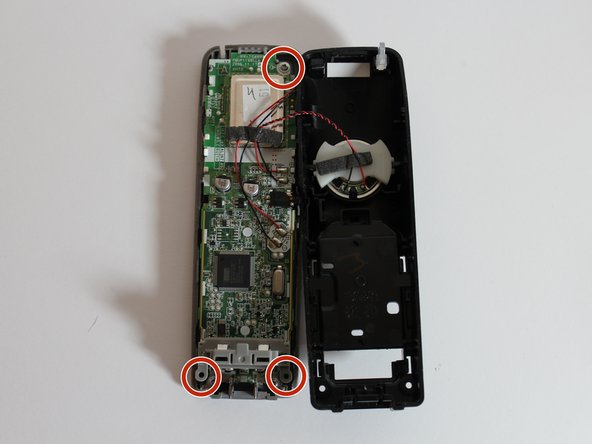
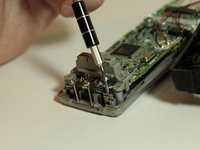
    • Use the Phillips #00 screwdriver to remove the three screws holding the circuit-board in place.

    • The screws are located in the top right corner, bottom left corner, and bottom right corner.

    Ask FixBot

    Add Comment

  6. Panasonic KX-TGA600M Keypad Replacement: step 6, image 1 of 1
    • Once the screws are out, remove the charging contacts beneath the two bottom corner screws.

    Ask FixBot

    Add Comment

  7. Panasonic KX-TGA600M Keypad Replacement: step 7, image 1 of 1
    • Remove the circuit board.

    Ask FixBot

    Add Comment

  8. Panasonic KX-TGA600M Keypad Replacement: step 8, image 1 of 1
    • Pull back the black silicone keypad.

    Ask FixBot

    Add Comment

Conclusion

To reassemble your device, follow these instructions in reverse order.

Cancel: I did not complete this guide.

2 other people completed this guide.

1 Guide Comment

Incomplete explanation with what materials to clean

asalmoom - Reply Share

Add Comment

View Statistics:

Past 24 Hours: 0

Past 7 Days: 4

Past 30 Days: 30

All Time: 954