Free Shipping on Domestic Orders $75+

Panasonic KX-E603 Ink Cartridge Replacement

What you need

  1. Panasonic KX-E603 Ink Cartridge Replacement, Ink Cartridge: step 1, image 1 of 2 Panasonic KX-E603 Ink Cartridge Replacement, Ink Cartridge: step 1, image 2 of 2
    • Open the lid of the typewriter.

    Ask FixBot
  2. Panasonic KX-E603 Ink Cartridge Replacement: step 2, image 1 of 2 Panasonic KX-E603 Ink Cartridge Replacement: step 2, image 2 of 2
    • To release the green locking lever, pull it towards you.

    Ask FixBot
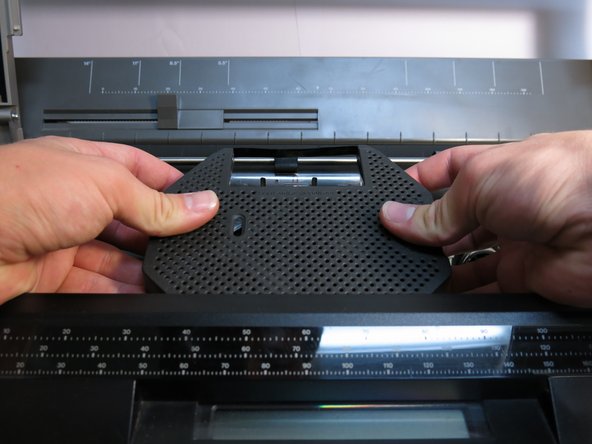
  3. Panasonic KX-E603 Ink Cartridge Replacement: step 3, image 1 of 2 Panasonic KX-E603 Ink Cartridge Replacement: step 3, image 2 of 2
    • Gently lift to remove the old ink cartridge.

    Ask FixBot
Finish Line

2 other people completed this guide.

Mitch Aiken

Member since: 03/28/15

166 Reputation

1 Guide authored

Team

Cal Poly, Team 17-1, Forte Spring 2015 Member of Cal Poly, Team 17-1, Forte Spring 2015

CPSU-FORTE-S15S17G1

4 Members

6 Guides authored

0 Guide Comments

Add Comment

View Statistics:

Past 24 Hours: 1

Past 7 Days: 11

Past 30 Days: 75

All Time: 777