
Panasonic DVD-RV31 Player Right Function Board Replacement

Kevin and 6 other contributors
Last updated on Jan 28, 2014
Views: 2.5K
View statistics:
- Past 24 Hours:
- 3
- Past 7 Days:
- 17
- Past 30 Days:
- 93
- All Time:
- 2,549
Comments: 1
1 comment on steps.
Completed: 1 2
1 person has marked this guide "completed." Will you be next?
2 people have marked this guide "completed." Including you — great job!
Favorites: 3 4
3 people have favorited (and subscribed to) this guide. Will you be next?
4 people have favorited (and subscribed to) this guide — including you!
Action Shots
Be an action hero! This guide needs images that better demonstrate how to perform specific actions.
Introduction
Go to step 1 ↓Use this guide to remove the right function board from the front panel of the DVD player.
What you need
Tools

-
-
-
Eject the disk tray from the DVD player before removing power supply.
 Ask FixBot
-
-
-
Evenly lift upward on the disk tray front cover (not slanted, as pictured). This will allow for easier disassembly of the player.
-
-
-
-
-
Remove the three screws running along the back edge of case cover.
-
Remove the two screws from each side of the case cover.
-
-
-
Grab edges of the cover with your hands. Pull outward slightly, then straight up.
-
-
-
-
-
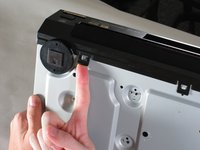
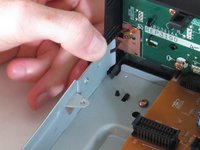
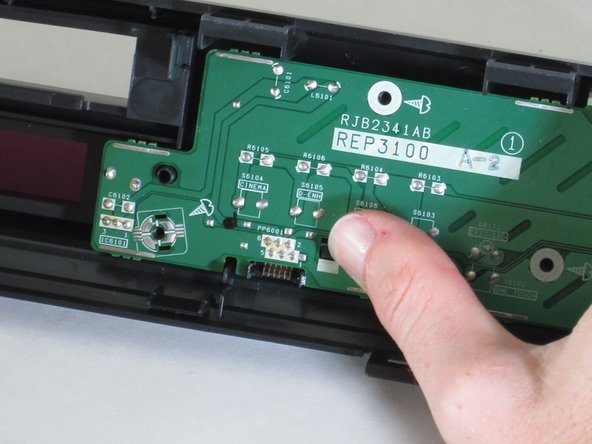
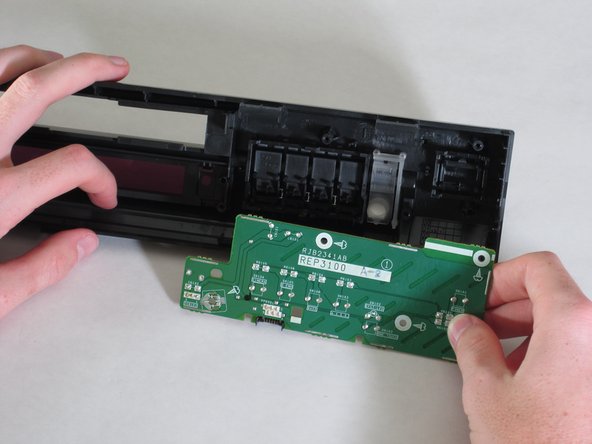
Lift up the five tabs securing the front panel to the chassis. There are three on the bottom, and two on the inside edges of the panel. Panel should then lift off the player.
-
-
-
-




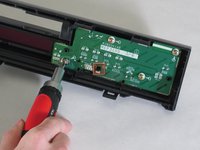
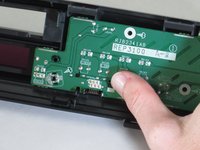
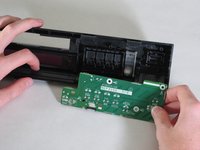
To reassemble your device, follow these instructions in reverse order.
Cancel: I did not complete this guide.
One other person completed this guide.

Team

Cal Poly, Team 18-20, Garner Spring 2011 Member of Cal Poly, Team 18-20, Garner Spring 2011
CPSU-GARNER-S11S18G20
4 Members
132 Guides authored
