Free Shipping on Domestic Orders $75+

Panasonic DMP-BD89 Exterior Cover Replacement

What you need

  1. Panasonic DMP-BD89 Exterior Cover Replacement, Disk Tray Cover: step 1, image 1 of 2 Panasonic DMP-BD89 Exterior Cover Replacement, Disk Tray Cover: step 1, image 2 of 2
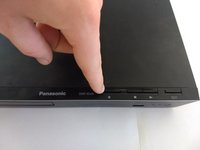
    • First, before powering off, press the eject button to open the tray.

    Ask FixBot

    Add Comment

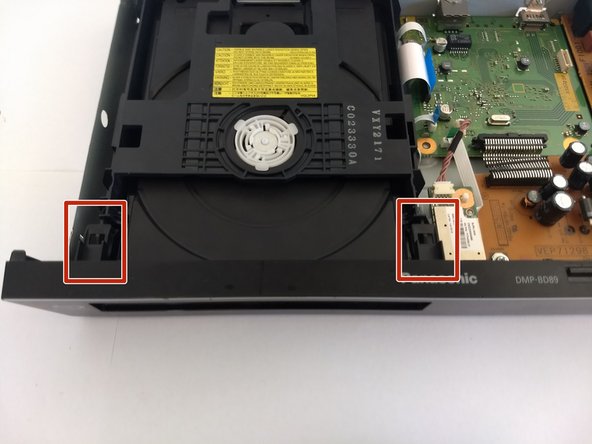
  2. Panasonic DMP-BD89 Exterior Cover Replacement: step 2, image 1 of 3 Panasonic DMP-BD89 Exterior Cover Replacement: step 2, image 2 of 3 Panasonic DMP-BD89 Exterior Cover Replacement: step 2, image 3 of 3
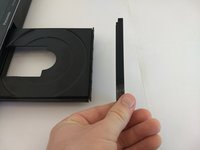
    • Remove the front cover of the tray.

    • Do so by gently pushing it out, away from the player, ensuring the pictured tabs clear the tray.

    • Then slide it vertically up and away.

    Ask FixBot

    Add Comment

  3. Panasonic DMP-BD89 Exterior Cover Replacement: step 3, image 1 of 2 Panasonic DMP-BD89 Exterior Cover Replacement: step 3, image 2 of 2
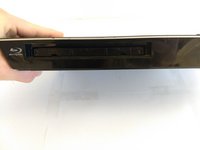
    • Press eject button to close the tray.

    • Make sure to unpower and unplug device before continue work on other fixes.

    Ask FixBot

    Add Comment

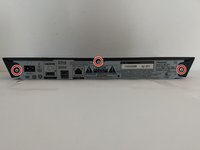
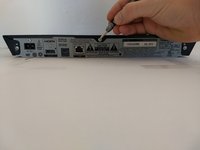
  4. Panasonic DMP-BD89 Exterior Cover Replacement, Exterior Cover: step 4, image 1 of 2 Panasonic DMP-BD89 Exterior Cover Replacement, Exterior Cover: step 4, image 2 of 2
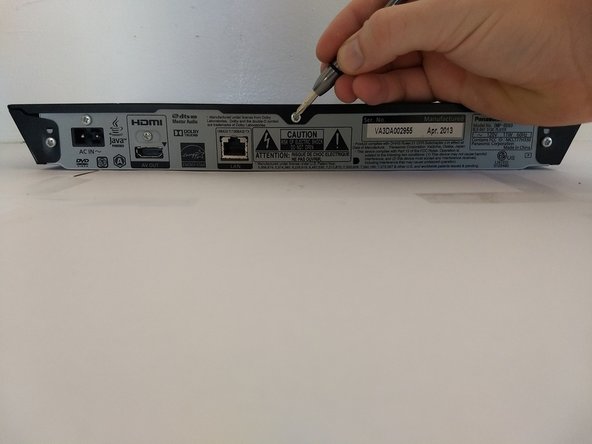
    • Using a Phillips #1 screwdriver, unscrew the back three screws.

    Ask FixBot

    Add Comment

  5. Panasonic DMP-BD89 Exterior Cover Replacement: step 5, image 1 of 1
    • Slide the top panel horizontally to remove it.

    Ask FixBot

    Add Comment

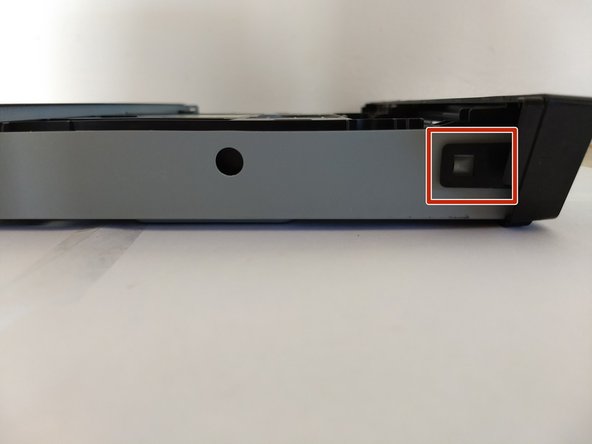
  6. Panasonic DMP-BD89 Exterior Cover Replacement: step 6, image 1 of 3 Panasonic DMP-BD89 Exterior Cover Replacement: step 6, image 2 of 3 Panasonic DMP-BD89 Exterior Cover Replacement: step 6, image 3 of 3
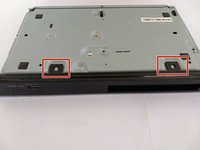
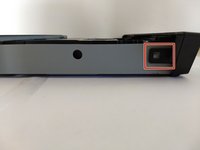
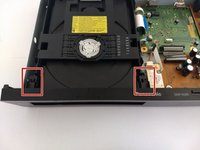
    • Locate 6 tabs across the device.

    • 2 are on the bottom, 1 is on the left and right, and 2 are are on the inside.

    Ask FixBot

    Add Comment

  7. Panasonic DMP-BD89 Exterior Cover Replacement: step 7, image 1 of 1
    • Pop the 6 markers out.

    • Then take off the cover.

    Ask FixBot

    Add Comment

Conclusion

To reassemble your device, follow these instructions in reverse order.

Cancel: I did not complete this guide.

David Sun

Member since: 10/17/17

213 Reputation

2 Guides authored

0 Guide Comments

Add Comment

View Statistics:

Past 24 Hours: 2

Past 7 Days: 4

Past 30 Days: 13

All Time: 544