
Palm Treo 650 Keyboard Replacement

cgood and 9 other contributors
Last updated on Jul 7, 2025
Views: 5.2K
View statistics:
- Past 24 Hours:
- 2
- Past 7 Days:
- 13
- Past 30 Days:
- 83
- All Time:
- 5,225
Comments: 0
No one has left comments on this guide. Will you be first?
Go to guide commentsCompleted: 2 3
2 people have marked this guide "completed." Will you be next?
3 people have marked this guide "completed." Including you — great job!
Favorites: 2 3
2 people have favorited (and subscribed to) this guide. Will you be next?
3 people have favorited (and subscribed to) this guide — including you!
Inconsistent Images
Updating the images on this guide to be more consistent with the prerequisites would increase its awesomeness.
Incorrect Tools
Help make this guide better by using the correct tools in images and/or text.
Better Introduction
Improve this guide by completing or revising its introduction.
Introduction
Go to step 1 ↓This guide will help you take apart, clean, and (if necessary) replace the palm treo keyboard.
What you need
Tools
-
Spudger4.9


-
-
-
Position the phone so the screen faces down.
-
Remove the stylus found on the back of the phone.
 Ask FixBot
-
-
-
Hold the button in the middle of the phone's back to remove the battery cover.
-
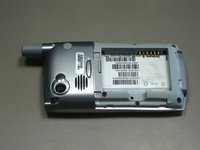
Slide the cover down to remove it, and set the cover aside.
-
-
-
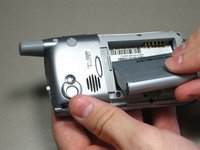
Lift the edge of the battery, separating contact points, and pull out as pictured.
-
-
-
-
-
Remove the round, rubber cover to expose a screw that will be removed in the next step.
-
-
-
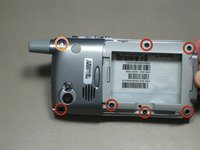
Remove the six 6.9 mm screws as pictured with a T5 Torx screwdriver.
-
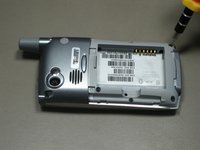
Remove the single 9.8 mm screw next to the antenna on the back plate, using a Phillips #00 screwdriver.
-
-
-
-






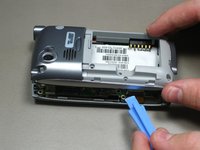
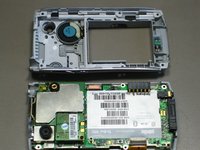


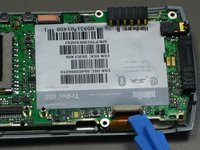
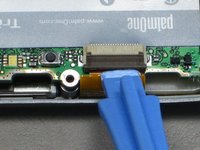
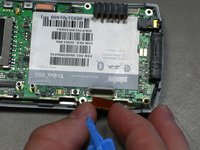


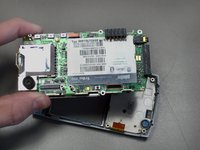
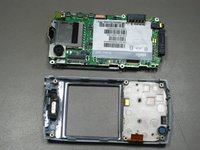


To reassemble your device, follow these instructions in reverse order. Take your e-waste to an R2 or e-Stewards certified recycler.
Cancel: I did not complete this guide.
2 other people completed this guide.

Team

Cal Poly, Team 19-3, Maness Fall 2009 Member of Cal Poly, Team 19-3, Maness Fall 2009
CPSU-MANESS-F09S19G3
4 Members
108 Guides authored
