Up to 20% off select tools
Free Shipping on Domestic Orders $75+

Palm Treo 650 Camera Replacement

Views: 2.8K

View statistics:

Past 24 Hours:
5
Past 7 Days:
28
Past 30 Days:
103
All Time:
2,845
Comments: 0

No one has left comments on this guide. Will you be first?

Go to guide comments
Completed: 0

No one has marked this guide "completed." Will you be the first?

Favorites: 2

2 people have favorited (and subscribed to) this guide. Will you be next?

Time Required: 10 minutes
Difficulty: Moderate
Inconsistent Images

Updating the images on this guide to be more consistent with the prerequisites would increase its awesomeness.

Incorrect Tools

Help make this guide better by using the correct tools in images and/or text.

Palm Treo 650 Camera Replacement

What you need

Tools

Introduction

Go to step 1 ↓

This guide will help you access and replace the Treo's camera if it is no longer functional.

    1. Palm Treo 650 Camera Replacement, Battery and Stylus: step 1, image 1 of 1
      • Position the phone so the screen faces down.

      • Remove the stylus found on the back of the phone.

      Ask FixBot

      Add Comment

    2. Palm Treo 650 Camera Replacement: step 2, image 1 of 1
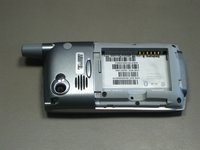
      • Hold the button in the middle of the phone's back to remove the battery cover.

      • Slide the cover down to remove it, and set the cover aside.

      Ask FixBot

      Add Comment

    3. Palm Treo 650 Camera Replacement: step 3, image 1 of 2 Palm Treo 650 Camera Replacement: step 3, image 2 of 2
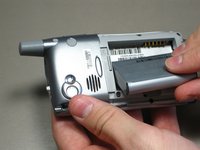
      • Lift the edge of the battery, separating contact points, and pull out as pictured.

      Ask FixBot

      Add Comment

    1. Palm Treo 650 Camera Replacement, Case: step 4, image 1 of 1
      • Remove the round, rubber cover to expose a screw that will be removed in the next step.

      Ask FixBot

      Add Comment

    2. Palm Treo 650 Camera Replacement: step 5, image 1 of 2 Palm Treo 650 Camera Replacement: step 5, image 2 of 2
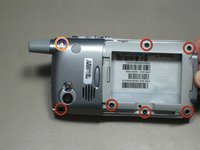
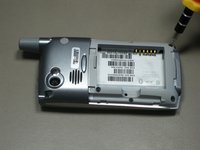
      • Remove the six 6.9 mm screws as pictured with a T5 Torx screwdriver.

      • Remove the single 9.8 mm screw next to the antenna on the back plate, using a Phillips #00 screwdriver.

      Ask FixBot

      Add Comment

    3. Palm Treo 650 Camera Replacement: step 6, image 1 of 1
      • Pull the antenna outward to remove the antenna from the body of the phone.

      Ask FixBot

      Add Comment

    4. Palm Treo 650 Camera Replacement: step 7, image 1 of 2 Palm Treo 650 Camera Replacement: step 7, image 2 of 2
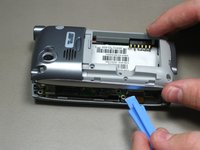
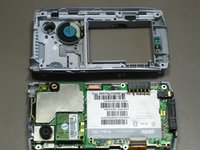
      • Pry the back cover off using an iFixit opening tool.

      • Several small clips on the inside attach to the back cover.

      Ask FixBot

      Add Comment

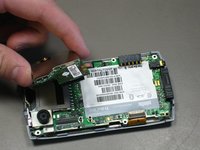
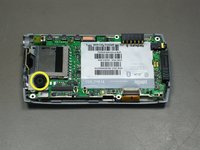
    1. Palm Treo 650 Camera Replacement, Camera: step 8, image 1 of 3 Palm Treo 650 Camera Replacement, Camera: step 8, image 2 of 3 Palm Treo 650 Camera Replacement, Camera: step 8, image 3 of 3
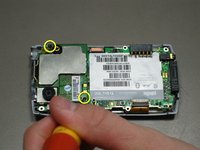
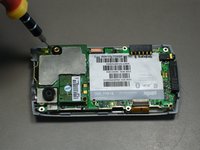
      • Remove the two 3.75 mm screws.

      • Pull off the logic board.

      Ask FixBot

      Add Comment

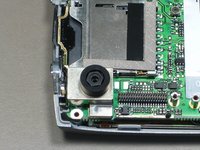
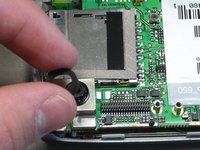
    2. Palm Treo 650 Camera Replacement: step 9, image 1 of 3 Palm Treo 650 Camera Replacement: step 9, image 2 of 3 Palm Treo 650 Camera Replacement: step 9, image 3 of 3
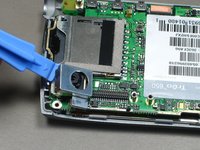
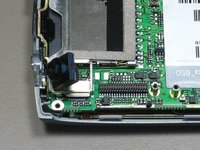
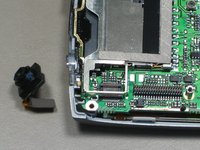
      • Pull the rubber ring off of the camera.

      Ask FixBot

      Add Comment

    3. Palm Treo 650 Camera Replacement: step 10, image 1 of 2 Palm Treo 650 Camera Replacement: step 10, image 2 of 2
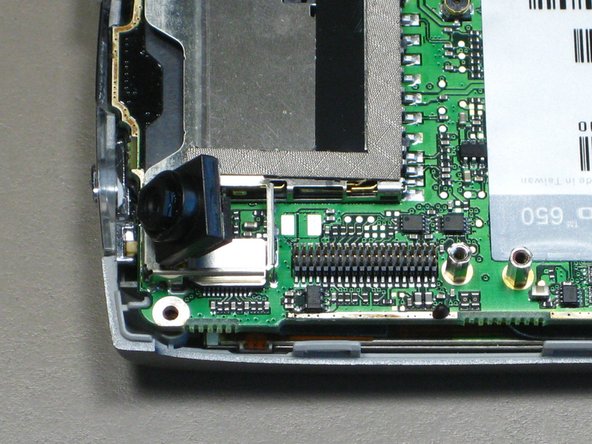
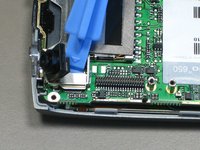
      • Pry off the metal camera case.

      • Lift up the camera, but do not remove. The connector must be detatched first.

      Ask FixBot

      Add Comment

    4. Palm Treo 650 Camera Replacement: step 11, image 1 of 2 Palm Treo 650 Camera Replacement: step 11, image 2 of 2
      • Pry off the camera connector plug.

      • Remove the camera.

      Ask FixBot

      Add Comment

Conclusion

To reassemble your device, follow these instructions in reverse order.

Cancel: I did not complete this guide.

Author

with

cgood

Member since: 10/28/09

134 Reputation

7 Guides authored

Team

Cal Poly, Team 19-3, Maness Fall 2009 Member of Cal Poly, Team 19-3, Maness Fall 2009

CPSU-MANESS-F09S19G3

4 Members

108 Guides authored

0 Guide Comments

Add Comment

View Statistics:

Past 24 Hours: 5

Past 7 Days: 28

Past 30 Days: 103

All Time: 2,845