
Palm IIIc Screen Replacement

Paulina Trujillo and 6 other contributors
Last updated on Jan 20, 2025
Views: 1.6K
View statistics:
- Past 24 Hours:
- 4
- Past 7 Days:
- 17
- Past 30 Days:
- 97
- All Time:
- 1,551
Comments: 0
No one has left comments on this guide. Will you be first?
Go to guide commentsCompleted: 1 2
1 person has marked this guide "completed." Will you be next?
2 people have marked this guide "completed." Including you — great job!
Favorites: 0 1
No one has favorited (and subscribed to) this guide. Will you be the first?
1 person has favorited (and subscribed to) this guide — and that's you!
Action Shots
Be an action hero! This guide needs images that better demonstrate how to perform specific actions.
Confusing Text
Some of this guide's text is confusing, duplicated, or off-topic. Clarify it by editing!
Needs Better Images
Better photos will improve this guide. Help out by taking, editing, or uploading new ones!
Better Introduction
Improve this guide by completing or revising its introduction.
Introduction
Go to step 1 ↓Follow this guide to remove and replace the screen on your Palm IIIc.
What you need
Tools
-
Spudger4.9


-
-
-
Keep track of all pieces removed from the device.
-
Gently pull off the device cover. The cover snaps on and off easily where the cover attaches to the Palm IIIc device
 Ask FixBot
-
-
-
Using a Phillips head screwdriver, take out the four screws on the back of the device. You may have to pull them out with your hands once they are unscrewed.
-
-
-
-
-
Using a spudger, carefully pry open the front and back covers along the side seam.
-
-
-
-
Tool used on this step:Tweezers$4.99
-
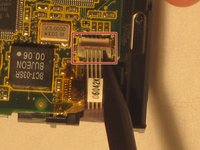
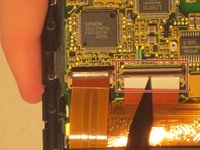
On the back of the motherboard use tweezers to pull up the ZIF connector which looks like a brown plastic tab.
-
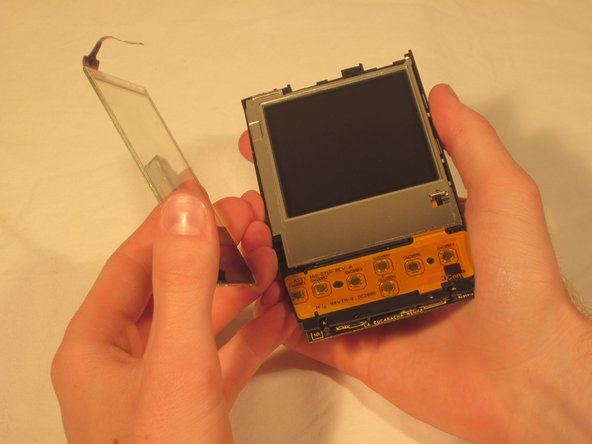
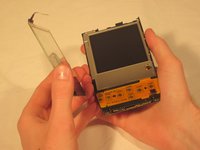
Once the ZIF connector is unattached, remove the clear screen cover.
-
-
-
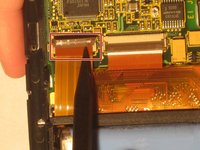
Using tweezers unhook the blue and red screen cables where they connect to the motherboard.
-
-
-
-
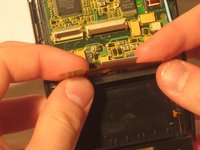
Gently pull the black clips on the inside case to detach the motherboard from the device. Pull the motherboard out towards the bottom left corner.
-







To reassemble your device, follow these instructions in reverse order.
Cancel: I did not complete this guide.
One other person completed this guide.

Team

Cal Poly, Team 20-69, Walters Spring 2011 Member of Cal Poly, Team 20-69, Walters Spring 2011
CPSU-WALTERS-S11S20G69
5 Members
96 Guides authored
