
Palm Centro Back Housing Replacement

Chelsea Barackman and 6 other contributors
Last updated on Sep 2, 2022
Views: 4.4K
View statistics:
- Past 24 Hours:
- 2
- Past 7 Days:
- 19
- Past 30 Days:
- 92
- All Time:
- 4,352
Comments: 0
No one has left comments on this guide. Will you be first?
Go to guide commentsCompleted: 2 3
2 people have marked this guide "completed." Will you be next?
3 people have marked this guide "completed." Including you — great job!
Favorites: 0 1
No one has favorited (and subscribed to) this guide. Will you be the first?
1 person has favorited (and subscribed to) this guide — and that's you!
Needs Better Images
Better photos will improve this guide. Help out by taking, editing, or uploading new ones!
Confusing Text
Some of this guide's text is confusing, duplicated, or off-topic. Clarify it by editing!
Incorrect Tools
Help make this guide better by using the correct tools in images and/or text.
Missing Details
Some of this guide's details are missing. Help users by adding tools, difficulty, or time.
Introduction
Go to step 1 ↓Follow this guide if you need to replace the back case of your Palm Centro or if you need to access the internals of your device.
What you need
Tools


-
-
-
-
Remove the touchpad pen from the top left corner on the back to reveal the last of 6 screws to be removed.
-
-
-
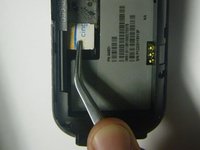
Lift the rubber cap at the top right to reveal the sixth screw.
-
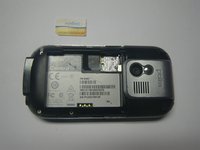
Remove the six screws using the T5 Torx screwdriver.
-
-
-
-
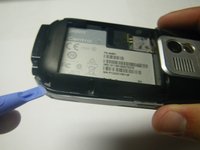
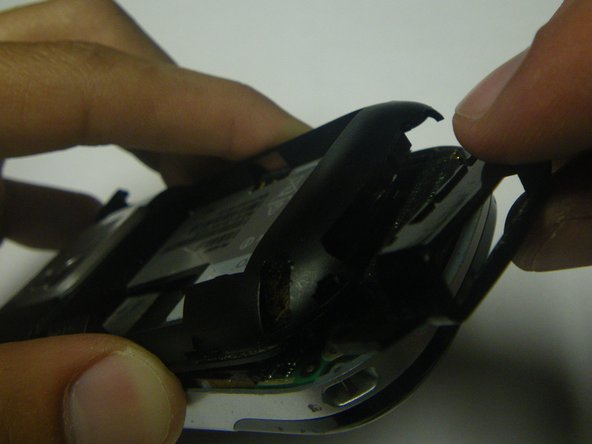
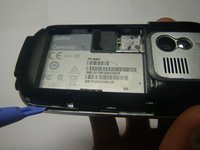
Use a plastic pry tool to separate the bottom of the case to remove the small plastic insert.
-
-
-
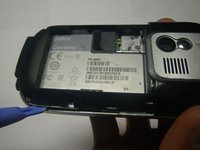
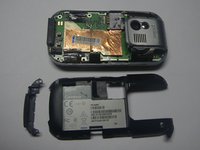
Continue with plastic pry tool all the way around the phone to remove the back housing.
-
-


 Ask FixBot







To reassemble your device, follow these instructions in reverse order.
Cancel: I did not complete this guide.
2 other people completed this guide.

Team

Cal Poly, Team 15-49, Garner Spring 2010 Member of Cal Poly, Team 15-49, Garner Spring 2010
CPSU-GARNER-S10S15G49
5 Members
72 Guides authored
