
PDP Rematch Faceplate Replacement

Amina Begum and 3 other contributors
Last updated on May 20, 2024
Views: 977
View statistics:
- Past 24 Hours:
- 3
- Past 7 Days:
- 21
- Past 30 Days:
- 81
- All Time:
- 977
Comments: 0
No one has left comments on this guide. Will you be first?
Go to guide commentsCompleted: 1 2
1 person has marked this guide "completed." Will you be next?
2 people have marked this guide "completed." Including you — great job!
Favorites: 0 1
No one has favorited (and subscribed to) this guide. Will you be the first?
1 person has favorited (and subscribed to) this guide — and that's you!
Introduction
Go to step 1 ↓If your faceplate is cracked or broken, this guide will help you replace the faceplate for the PDP Rematch controller (model 500-134-1).
The faceplate serves as a protective cover for the controller.
Before beginning, make sure to disconnect the controller's wire from any external power source.
What you need
Parts
Tools


-
-
-
Grip one side of the controller firmly.
-
Insert an opening pick into the crease between the faceplate and the body of the controller.
-
Once the pick creates a gap in the crease, gently insert another pick into a different section of the crease.
-
Carefully move the picks along the controller's crease line until you hear a popping sound.
-
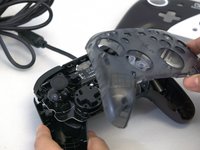
Gently lift off the faceplate by hand.
 Ask FixBot
-
-
-
-
Gently lift off the hard cover with your hand; it should not need much force.
-
-


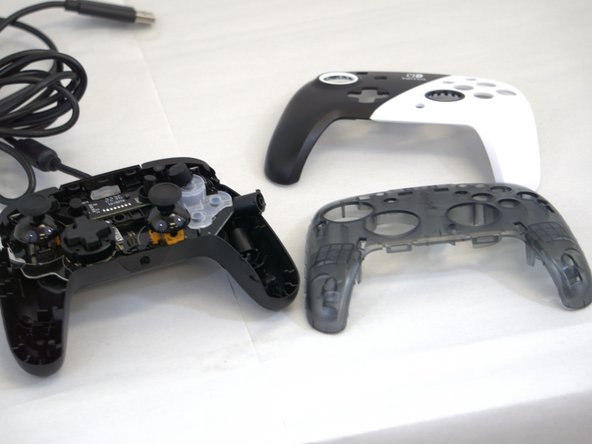
To reassemble your device, follow these instructions in reverse order.
Cancel: I did not complete this guide.
One other person completed this guide.

Team

Tennessee Tech University, Team 1-3, Pickering Spring 2024 Member of Tennessee Tech University, Team 1-3, Pickering Spring 2024
TNTECH-PICKERING-S24S1G3
4 Members
60 Guides authored
