Free Shipping on Domestic Orders $75+

Oster 16-Speed Blender Blades Replacement

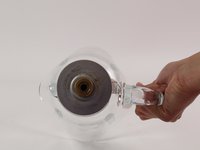
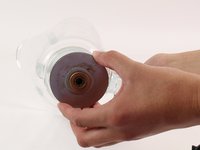
  1. Oster 16-Speed Blender Blades Replacement, Container: step 1, image 1 of 2 Oster 16-Speed Blender Blades Replacement, Container: step 1, image 2 of 2
    • First, remove the blender container from the Blender Base, by grabbing the handle and lifting up.

    Ask FixBot
  2. Oster 16-Speed Blender Blades Replacement: step 2, image 1 of 2 Oster 16-Speed Blender Blades Replacement: step 2, image 2 of 2
    • Next, remove the lid from the Blender Container.

    Ask FixBot
  3. Oster 16-Speed Blender Blades Replacement: step 3, image 1 of 2 Oster 16-Speed Blender Blades Replacement: step 3, image 2 of 2
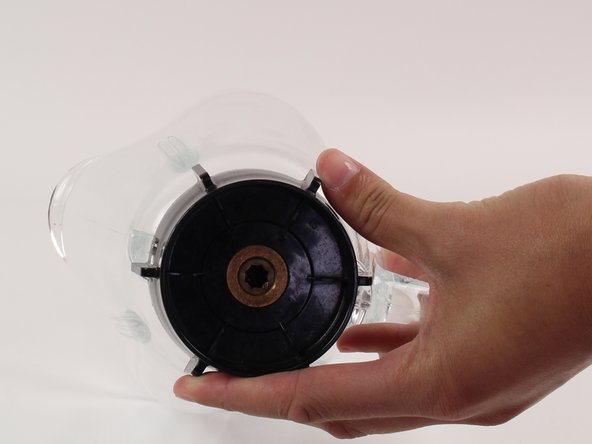
    • Flip the container on its side so that the bottom faces you.

    • Now rotate the bottom counter-clockwise to remove it from the container.

    Ask FixBot
  4. Oster 16-Speed Blender Blades Replacement: step 4, image 1 of 2 Oster 16-Speed Blender Blades Replacement: step 4, image 2 of 2
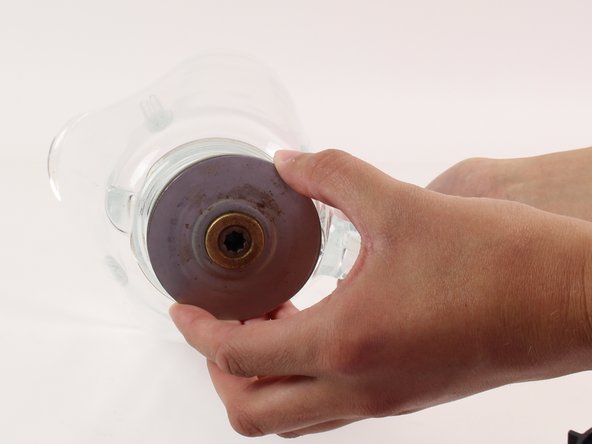
    • Now you will see the bottom of the blender blades once the bottom piece is removed

    • Carefully remove the blender blades from the container seeing as they are very sharp and can cut you.

    Ask FixBot
  5. Oster 16-Speed Blender Blades Replacement: step 5, image 1 of 1
    • Now your container is separated.

    Ask FixBot
  6. Oster 16-Speed Blender Blades Replacement, Blades: step 6, image 1 of 1
    • Flip the blender container on its side so that the bottom faces you.

    • Now, you can insert the new set of blades into the container.

    • Be careful when handling the blender blades as they are sharp and can cut you.

    Ask FixBot
Conclusion

To reassemble your device, follow these instructions in reverse order.

One other person completed this guide.

Dana

Member since: 04/14/14

854 Reputation

5 Guides authored

Team

Cal Poly, Team 12-37, Maness Spring 2014 Member of Cal Poly, Team 12-37, Maness Spring 2014

CPSU-MANESS-S14S12G37

4 Members

7 Guides authored

1 Guide Comment

This is misleading, Step 1 shows a chrome ring on the bottom of the Blender Container, but all the other steps don’t show that.

This makes it very difficult to grip the black piece on the bottom of the Blender Container.

spbeggs - Reply Share

Add Comment

View Statistics:

Past 24 Hours: 2

Past 7 Days: 3

Past 30 Days: 32

All Time: 6,847