Introduction
This is an easy step-by-step guide to replace the battery of an Oreva FX-82MS scientific calculator.
The calculator battery may need to be replaced if the display is dim, there is uneven contrast, or if figures fail to appear right when the calculator is turned on. A dead battery can leak if it's left in the calculator, which may damage the calculator. Battery life is approximately three years, based on one hour per day of use.
Prior to replacing the battery, turn off the calculator. Also note the orientation of the battery for replacement. Lastly, avoid using a metal spudger, as it can cause damage.
What you need
-
-
-
Turn off the calculator by pressing the [Shift] button and then press the [AC][OFF] button, (while keeping the [Shift] button pressed down).
 Ask FixBot
-
-
-
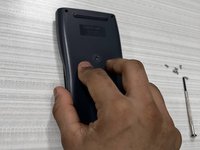
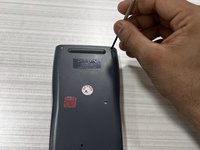
Flip the calculator over so that the back panel faces up.
-
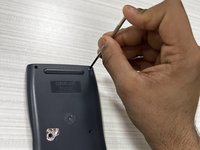
Use a Phillips #0 screwdriver to remove six, 1.2 mm screws starting from the upper right corner.
-
-
-
-
Reset the calculator by pressing [ON].
-
Press the [shift] button.
-
Press the [9] [CLR] button to clear the data.
-
Press the [3][ALL] button option.
-
Press [=] [yes] button to agree.
-
Press [AC] key to reset.
-
-


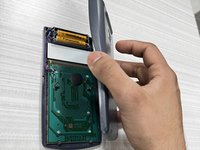
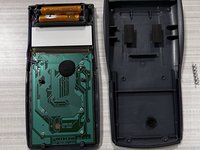

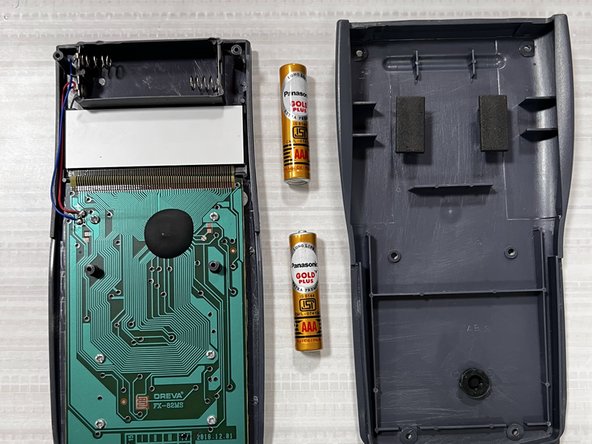
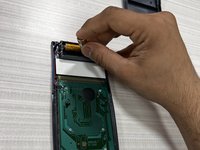
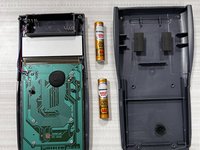


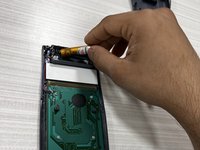
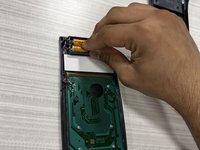



To reassemble your device, follow these instructions in reverse order.
Cancel: I did not complete this guide.
2 other people completed this guide.

Team

York University, Team M-22, Allen Summer 2022 Member of York University, Team M-22, Allen Summer 2022
YORK-ALLEN-SU22SMG22
1 Member
12 Guides authored
3 Guide Comments
Half Display Of Oreva Fx-82 MS Scientific calculator Half Display is not showing How to Fix it?
অন হচ্ছে না
ক্যালকুলেটর অন হচ্ছে না
