Introduction
The rechargeable battery provides power to the device. It will need to be replaced if it is damaged or wears out with use. Some steps in this procedure require desoldering connections. For a review of soldering techniques, check out this How to Solder Guide.
What you need
-
-
Use the charging station to remove the a small plastic plug from the end of the toothbrush by inserting the charging station into the end insert and twisting counter-clockwise by 90 degrees.
 Ask FixBot
-
-
-
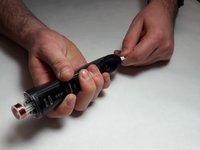
Remove the end cap from the bottom of the toothbrush by prying it off with a spudger.
-
-
-
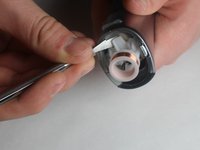
Remove the top cap by using a spudger to pry the plastic ring off of the toothbrush frame.
-
-
-
Use a spudger to loosen the two plastic tabs next to the induction coil that secure the internal assembly to the frame.
-
Push on the rotating head in order to pop the assembly out of the black plastic casing.
-
-
-
Tool used on this step:Tweezers$4.99
-
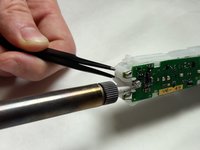
Unwrap the ends of the wires from the white plastic pegs using a pair of tweezers.
-
-
-
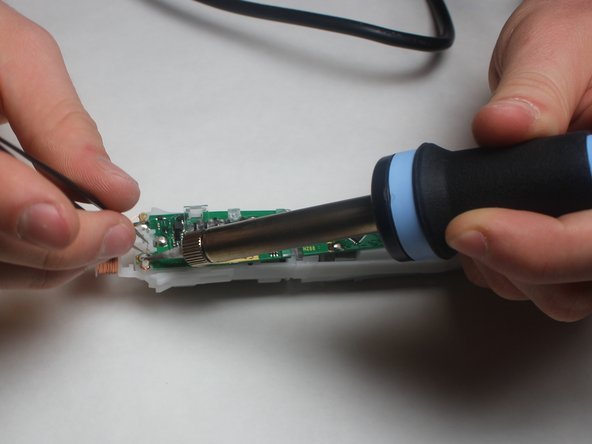
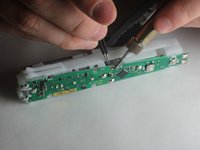
Melt the solder at the two pads on either side of the top of the motherboard. This will require a high heat soldering iron. Remove the wire from the solder pads using tweezers once the solder melts.
-
-
-
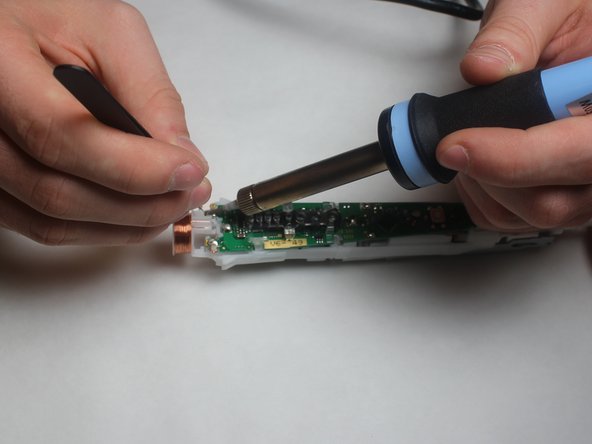
Use a soldering iron to melt the solder pad at the top of the motherboard, which attaches a battery electrode to the board. Remove the electrode by pulling it through the plastic housing after it has been desoldered from the board.
-
Repeat with the two solder pads on either side of the motherboard just above the black diamond-shaped component. The electrode foils can be pulled through the board from the back after the solder is melted.
-
-
-
Use a metal spudger to pop the battery out of its casing. The electrodes will remain attached to the battery.
-






To reassemble your device, follow these instructions in reverse order.
Cancel: I did not complete this guide.
6 other people completed this guide.

Team

IUPUI, Team S1-G1, Harley Fall 2017 Member of IUPUI, Team S1-G1, Harley Fall 2017
IUPUI-HARLEY-F17S1G1
3 Members
16 Guides authored
4 Guide Comments
Wo bekommt man einen neuen AKU
Andreas
Der sollte es sein. Er muss Lötfahnen haben! Miss die Länge nach, 42 oder 48 mm.
