Free Shipping on Domestic Orders $75+

Oppo X9000 Vibrator Replacement

What you need

  1. Oppo X9000 Vibrator Replacement, Removing the Back Cover: step 1, image 1 of 2 Oppo X9000 Vibrator Replacement, Removing the Back Cover: step 1, image 2 of 2
    • Turn the phone over so that you are facing the back side of the phone.

    • With your fingers, pry the back cover up starting from the top of the phone near the headphone jack and camera.

    • Completely remove the back cover by moving down the sides and bottom with your fingers.

    Ask FixBot

    Add Comment

  2. Oppo X9000 Vibrator Replacement, Removing the Battery: step 2, image 1 of 1
    • With your finger, remove the battery from the phone by gently lifting the top-right corner nearest to the camera.

    Ask FixBot

    Add Comment

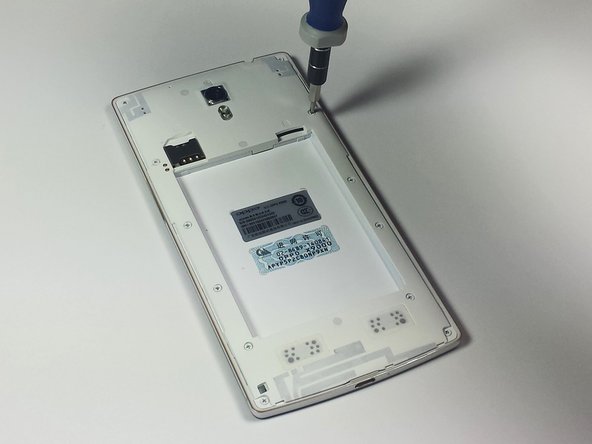
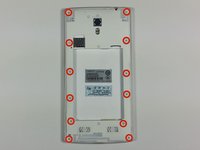
  3. Oppo X9000 Vibrator Replacement, Remove the Back Panel Screws: step 3, image 1 of 2 Oppo X9000 Vibrator Replacement, Remove the Back Panel Screws: step 3, image 2 of 2
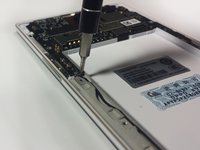
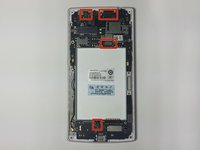
    • Remove the twelve exposed 3.6 mm Phillips screws on the rear of the phone using the 3.6 mm Phillips screwdriver.

    • Store all the screws in a safe place where you will not lose them.

    Ask FixBot

    Add Comment

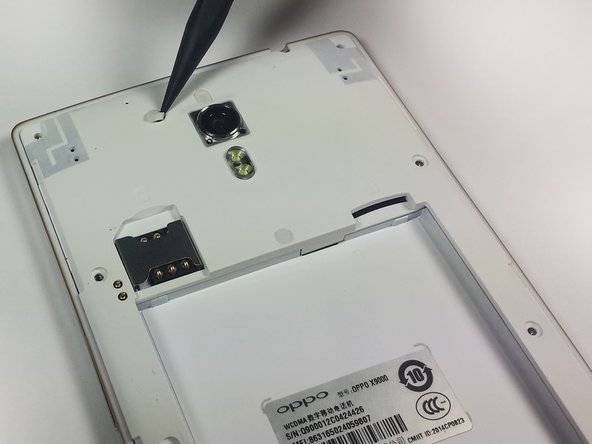
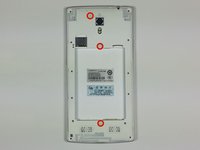
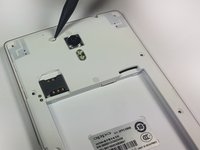
  4. Oppo X9000 Vibrator Replacement, Remove the Rubber Stoppers: step 4, image 1 of 2 Oppo X9000 Vibrator Replacement, Remove the Rubber Stoppers: step 4, image 2 of 2
    • Remove the three circular rubber screw covers on the back of the phone by slipping the spudger into the border between the rubber cover and the chassis. In one motion, pry the stopper out of the hole. This can take some force.

    Ask FixBot

    Add Comment

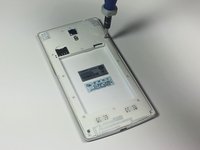
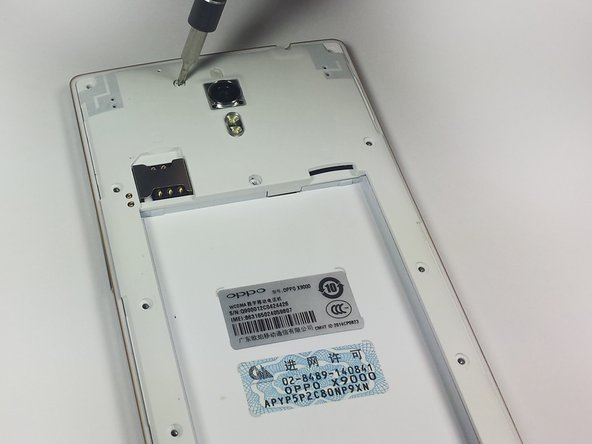
  5. Oppo X9000 Vibrator Replacement, Remove the Newly Exposed Screws: step 5, image 1 of 1
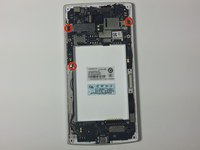
    • With the 3.6 mm Phillips screwdriver, remove the three newly exposed 3.6mm Phillips screws.

    Ask FixBot

    Add Comment

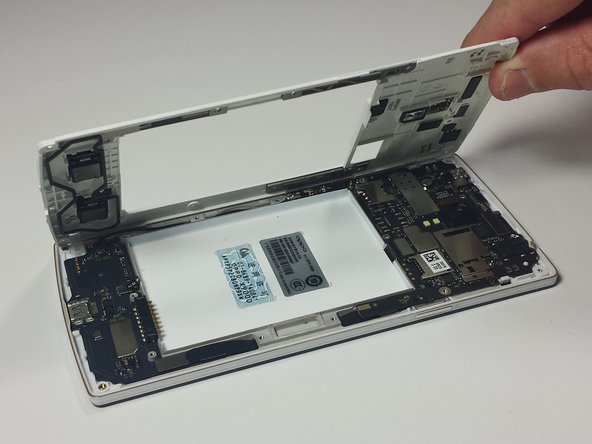
  6. Oppo X9000 Vibrator Replacement, Lift off the Back Panel: step 6, image 1 of 2 Oppo X9000 Vibrator Replacement, Lift off the Back Panel: step 6, image 2 of 2
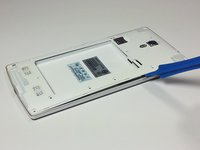
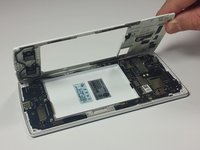
    • Insert the plastic opening tool underneath the chassis near the power button and pry the chassis from the phone. This should take a little force.

    Ask FixBot

    Add Comment

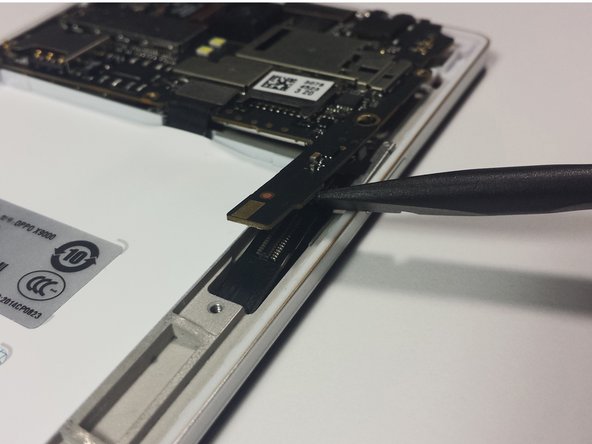
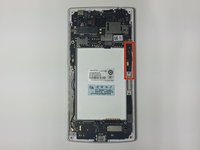
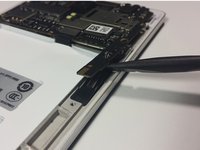
  7. Oppo X9000 Vibrator Replacement, Remove the Power Button Bracket: step 7, image 1 of 1
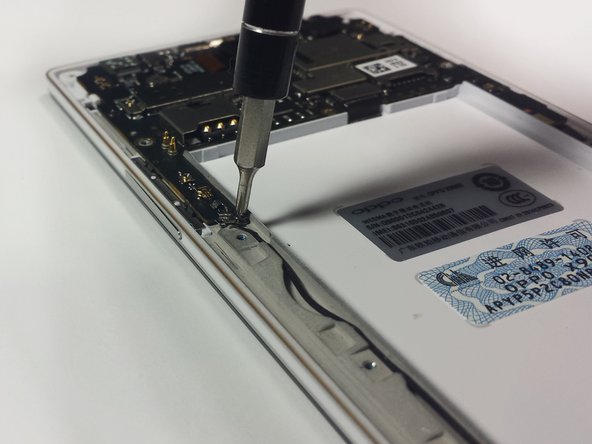
    • Use the sharp end of the spudger to pry the power button bracket from the side of the rear case.

    Ask FixBot

    Add Comment

  8. Oppo X9000 Vibrator Replacement, Let the Button Fall Out: step 8, image 1 of 1
    • Rotate the phone onto its side so that the power button falls out with ease.

    • Make sure not to lose the power button.

    Ask FixBot

    Add Comment

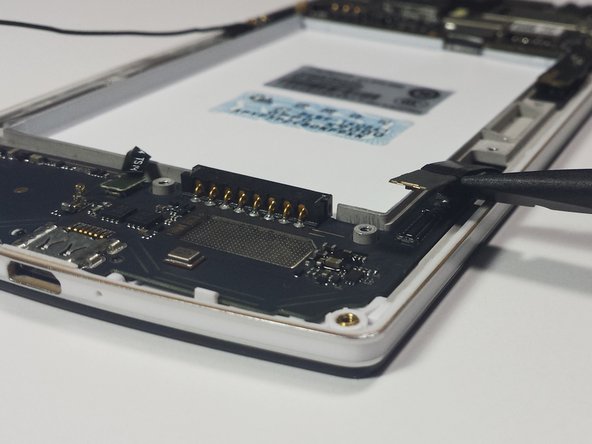
  9. Oppo X9000 Vibrator Replacement, Remove the Volme Button Bracket: step 9, image 1 of 1
    • Use the sharp end of the spudger to pry the volume button bracket from the side of the rear case.

    Ask FixBot

    Add Comment

  10. Oppo X9000 Vibrator Replacement, Let the Button Fall Out: step 10, image 1 of 1
    • Rotate the phone onto its side so that the volume button falls out with ease.

    • Make sure not to lose the volume button.

    Ask FixBot

    Add Comment

  11. Oppo X9000 Vibrator Replacement, Remove the Black Screws: step 11, image 1 of 2 Oppo X9000 Vibrator Replacement, Remove the Black Screws: step 11, image 2 of 2
    • The motherboard is split into two different chips. The large chip is located above where the battery rests and the smaller chip is located below it.

    • Remove the three 3.6 mm Phillip's screws on the motherboard.

    • A small silver piece of metal is connected to the lowest screw and may fall off. This metal holds the WiFi antenna in place and should not be lost; although the phone operates just fine without it.

    Ask FixBot

    Add Comment

  12. Oppo X9000 Vibrator Replacement, Disconnect the Motherboard: step 12, image 1 of 3 Oppo X9000 Vibrator Replacement, Disconnect the Motherboard: step 12, image 2 of 3 Oppo X9000 Vibrator Replacement, Disconnect the Motherboard: step 12, image 3 of 3
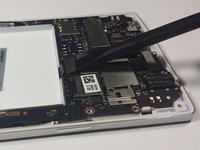
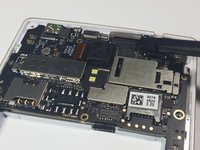
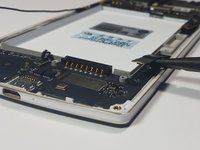
    • Using the flat end of the spudger, pry the four tape connectors straight up out of their respective motherboard sockets.

    Ask FixBot

    Add Comment

  13. Oppo X9000 Vibrator Replacement: step 13, image 1 of 2 Oppo X9000 Vibrator Replacement: step 13, image 2 of 2
    • This connection is a little bit more tricky to remove. Follow these directions carefully to avoid damaging the device.

    • On the right side, there are two motherboard connections hidden underneath the motherboard. For these, insert the spudger in between the motherboard and the connection and rotate the spudger in a rocking motion until the two cables are disconnected from the motherboard.

    Ask FixBot

    Add Comment

  14. Oppo X9000 Vibrator Replacement: step 14, image 1 of 2 Oppo X9000 Vibrator Replacement: step 14, image 2 of 2
    • Like the last step, this connection is tricky to remove. Please pay close attention to the guide to avoid damaging your device.

    • On the bottom right only one connection is visible, however an additional connection is hidden underneath the first. To safely disconnect both, first unplug the visible connection then lift its tape up to expose the second socket. Similarly disconnect the second tape.

    Ask FixBot

    Add Comment

  15. Oppo X9000 Vibrator Replacement, Disconnect the WiFi Antenna: step 15, image 1 of 2 Oppo X9000 Vibrator Replacement, Disconnect the WiFi Antenna: step 15, image 2 of 2
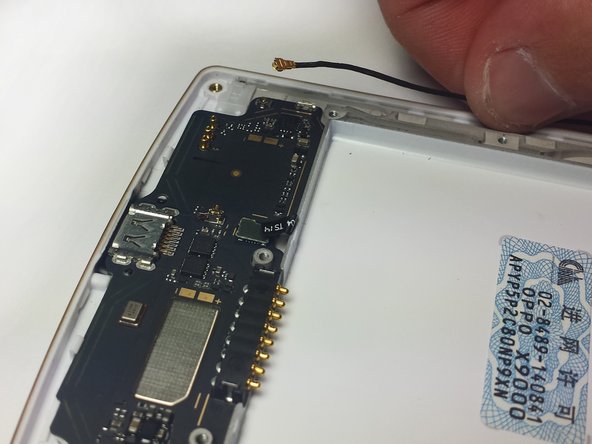
    • With your fingers, gently pull upwards on the WiFi antenna near the connection on the smaller motherboard until the antenna is no longer connected to the bottom motherboard.

    Ask FixBot

    Add Comment

  16. Oppo X9000 Vibrator Replacement, Remove the Small Motherboard: step 16, image 1 of 1
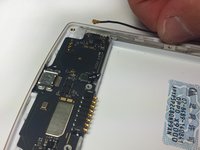
    • Use the spudger to carefully pry the small motherboard off of the phone.

    • Start from the sides of the lower motherboard closest to the charging port. Carefully pry the motherboard off until it is no longer connected to the phone.

    Ask FixBot

    Add Comment

  17. Oppo X9000 Vibrator Replacement, Remove the Big Motherboard: step 17, image 1 of 1
    • Use the spudger to carefully pry the bigger motherboard off of the phone.

    • Start from the top of the large motherboard. Carefully pry the motherboard off until it is no longer connected to the phone.

    Ask FixBot

    Add Comment

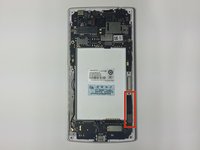
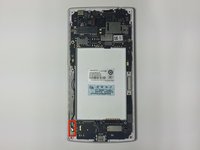
  18. Oppo X9000 Vibrator Replacement, Remove the Vibrator: step 18, image 1 of 3 Oppo X9000 Vibrator Replacement, Remove the Vibrator: step 18, image 2 of 3 Oppo X9000 Vibrator Replacement, Remove the Vibrator: step 18, image 3 of 3
    • Use your fingers to remove the vibrator.

    Ask FixBot

    Add Comment

Conclusion

To reassemble your device, follow these instructions in reverse order.

Cancel: I did not complete this guide.

3 other people completed this guide.

James Kragh

Member since: 10/14/14

1,644 Reputation

5 Guides authored

Team

Cal Poly, Team 4-45, Amido Fall 2014 Member of Cal Poly, Team 4-45, Amido Fall 2014

CPSU-AMIDO-F14S4G45

5 Members

12 Guides authored

0 Guide Comments

Add Comment

View Statistics:

Past 24 Hours: 1

Past 7 Days: 14

Past 30 Days: 38

All Time: 1,258