This translation was generated by a machine and has not been reviewed by a person yet. Speak this language? Review it.

Opening the Momcozy m5

Fidecaro and one other contributor
Last updated on Sep 7, 2026
Views: 192
View statistics:
- Past 24 Hours:
- 11
- Past 7 Days:
- 35
- Past 30 Days:
- 141
- All Time:
- 192
Comments: 0
No one has left comments on this guide. Will you be first?
Go to guide commentsCompleted: 0 1
No one has marked this guide "completed." Will you be the first?
1 person has marked this guide "completed." It's you — great job!
Favorites: 0 1
No one has favorited (and subscribed to) this guide. Will you be the first?
1 person has favorited (and subscribed to) this guide — and that's you!
Community-Contributed Guide
An awesome member of our community made this guide. It was not created by iFixit staff.
Grammar Police
Embrace your inner English teacher and help improve this guide's grammar!
Introduction
Go to step 1 ↓Guide to opening the pump unit. After spilling milk, the power button stopped working for me. Here I show how this can be repaired.
What you need
Tools


-
-
-
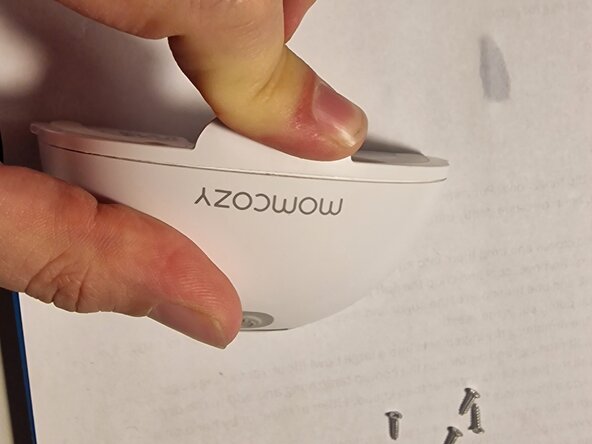
Two rubber strips are visible on the back. The four screws are hidden underneath them.
 Ask FixBot
-
-
-
Use the spudger to open these at the ends.
-
The strips do not need to be completely removed; prying them up slightly at the ends is sufficient to access the screws.
-
-
-
Apply light pressure to pop the two halves open.
-
Insert an opening pick into the gap and slide it back and forth along the seam to open the pump.
-
-
-
-
The switches are located on the back of this small circuit board. The two screws can also be removed using a Phillips #01 screwdriver.
-
The washers can now be easily removed.
-
-
-
The switches are visible here. In my case, the water (or milk) damage could be fixed with some WD-40.
-
-




Work through the steps in reverse order to reassemble your device.

