
Opening the Galaxy Watch3

Last updated on Apr 6, 2021
Views: 5.3K
View statistics:
- Past 24 Hours:
- 1
- Past 7 Days:
- 25
- Past 30 Days:
- 144
- All Time:
- 5,283
Comments: 13
7 comments on steps, 6 guide comments.
Go to guide commentsCompleted: 2 3
2 people have marked this guide "completed." Will you be next?
3 people have marked this guide "completed." Including you — great job!
Favorites: 0 1
No one has favorited (and subscribed to) this guide. Will you be the first?
1 person has favorited (and subscribed to) this guide — and that's you!
Introduction
Go to step 1 ↓Use this guide to remove the back cover of the Samsung Galaxy Watch3.
What you need
Tools
-
-
Spudger4.9


-
-
-
Before starting repairs, take your watch off the charger and power it down.
-
Use a Tri-point Y00 driver to unfasten the four screws on the back of the watch.
 Ask FixBot
-
-
-
Insert an opening tool between the back cover and the metal housing.
-
Twist the opening tool to create a wider gap.
-
-
-
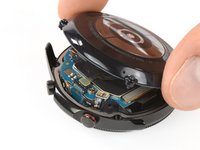
Lay the watch face down.
-
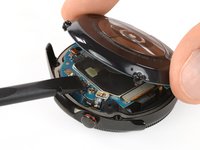
Carefully lift the back cover up from the edge with the buttons to access the sensor connector.
-
Use the flat end of a spudger to pry up and disconnect the sensor flex cable from the motherboard.
-
-
-




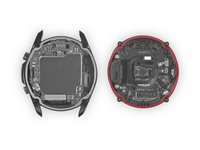
To reassemble your device, follow these instructions in reverse order.
Cancel: I did not complete this guide.
2 other people completed this guide.

Team

Tobias Isakeit - Repairability Engineer Member of Tobias Isakeit - Repairability Engineer
Business
1 Member
2,268 Guides authored
6 Guide Comments
where can I get the galaxy watch3 rubber gasket?
regards
That’s a good question. As for the previous models it is very hard to find those rubber gaskets. Using a “liquid rubber gasket” might be one solution to that. (Use carefully to not spill too much on and into the watch)
I tried to remove all of the screws from the back cover, but 3 of the 4 screws remained and seemed to be fused to the main base of the watch. One of the screws was stripped. Now only 1 screw is engaged with the back cover. (I might need to replace the back cover. My watch is glitching which is draining the battery. I would like to fix the problems myself. Where can I get specific advice?
Hallo Hallo..Ich kann gar nicht offnen galaxy watch 4 classic.Fast alle schraube dreher gekauft aber für nichts einfach geht nicht raus schraube.wollte ich akku wechseln..kann mir jemand helfen?
Danke
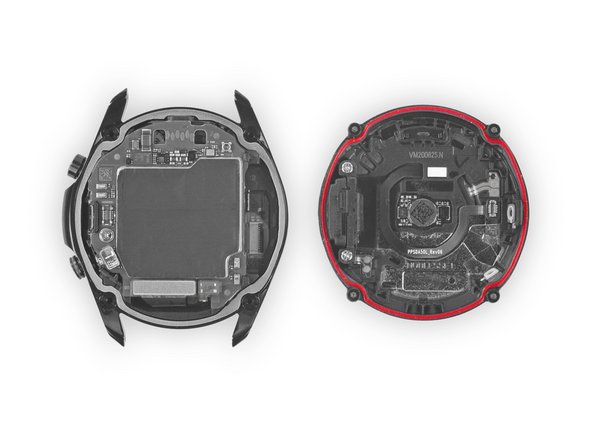
@isakrittl Du schreibst: "Achte darauf, dass die Gummidichtung (rot markiert) in Ordnung ist. Falls sie beschädigt ist, ersetze sie beim Zusammenbau durch eine neue, damit die Uhr wasserdicht bleibt."
Wo bekomme ich denn eine neue her? Hab nirgends eine gefunden... Danke!
