
Opening the Galaxy Watch

Tobias Isakeit and one other contributor
Last updated on Apr 6, 2021
Views: 16K
View statistics:
- Past 24 Hours:
- 4
- Past 7 Days:
- 59
- Past 30 Days:
- 250
- All Time:
- 16,235
Comments: 31
30 comments on steps, 1 guide comment.
Go to guide commentsCompleted: 8 9
8 people have marked this guide "completed." Will you be next?
9 people have marked this guide "completed." Including you — great job!
Favorites: 1 2
1 person has favorited (and subscribed to) this guide. Will you be next?
2 people have favorited (and subscribed to) this guide — including you!
Featured Guide
This guide has been found to be exceptionally cool by the iFixit staff.
Introduction
Go to step 1 ↓Use this guide to open the back cover of the Samsung Galaxy Watch.
What you need
Tools
-
-
Spudger4.9


-
-
-
Remove the four Tri-point #00 screws (4.2 mm length) on the backside of the watch.
 Ask FixBot
-
-
-
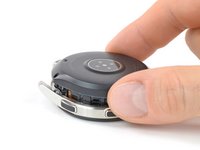
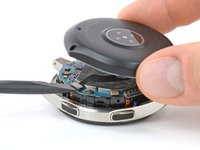
Use an opening tool to get between the back cover and the metal housing of the watch.
-
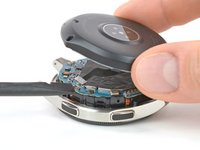
Carefully pry the plastic back cover open.
-
-
-
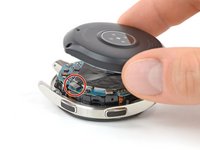
Lay down the watch and lift the back cover to access the sensor connector on the motherboard.
-
-
-






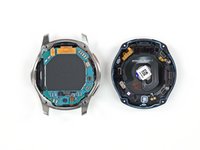
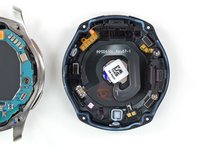
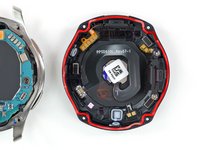
To reassemble your device, follow these instructions in reverse order.
Cancel: I did not complete this guide.
8 other people completed this guide.

Team

Tobias Isakeit - Repairability Engineer Member of Tobias Isakeit - Repairability Engineer
Business
1 Member
2,268 Guides authored
1 Guide Comment
I got 3 out of 4 screws out 1 screw just won't come out need help
