
Oontz Angle 3 ULTRA Back Panel Replacement

Ben Malone and 4 other contributors
Last updated on May 7, 2024
Views: 1.2K
View statistics:
- Past 24 Hours:
- 6
- Past 7 Days:
- 21
- Past 30 Days:
- 56
- All Time:
- 1,234
Comments: 1
1 comment on steps.
Completed: 1 2
1 person has marked this guide "completed." Will you be next?
2 people have marked this guide "completed." Including you — great job!
Favorites: 1 2
1 person has favorited (and subscribed to) this guide. Will you be next?
2 people have favorited (and subscribed to) this guide — including you!
Needs Better Images
Better photos will improve this guide. Help out by taking, editing, or uploading new ones!
Better Introduction
Improve this guide by completing or revising its introduction.
Introduction
Go to step 1 ↓This guide will help you open up your Oontz Angle 3 Ultra, which will allow you to work on its sensitive internals. To open up the speaker, you must remove the back panel to access the inner components of the device.
What you need
Tools


-
-
Tool used on this step:Tweezers$4.99
-
Remove the two black rubber sheaths around the edges of the speaker.
-
Under the symbol-marked sheath there is a white rubber covering for the buttons. Peel this away to reveal the panel underneath.
-
On two corners of its triangular face there is a small divot, which allows you to use your fingernails or a pair of tweezers to grip and peel away the covering.
 Ask FixBot
-
-
-
-
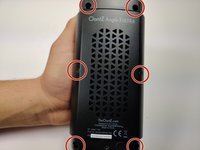
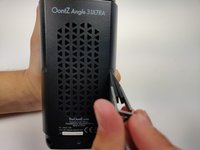
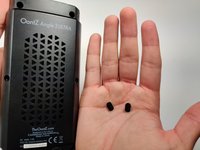
Using a pair of tweezers, pinch and pull the rubber fillings obstructing the screws.
-
-
-
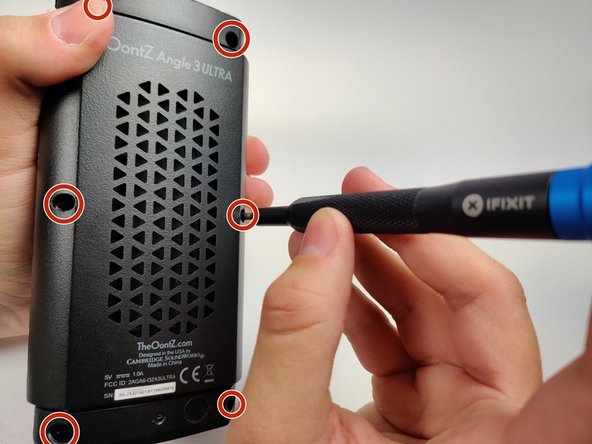
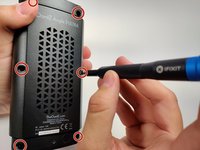
Using a JIS #0 screwdriver, remove the 6 screws holding the backplate in.
-
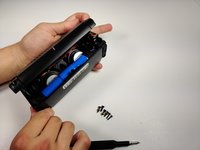
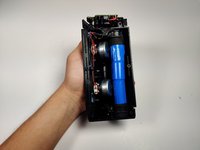
Remove the back panel off of the device.
-
-




To reassemble your device, follow these instructions in reverse order.
Cancel: I did not complete this guide.
One other person completed this guide.

Team

Embry-Riddle Aeronautical University, Team S6-G9, Rauch Spring 2020 Member of Embry-Riddle Aeronautical University, Team S6-G9, Rauch Spring 2020
ERAU-RAUCH-S20S6G9
3 Members
72 Guides authored
