Introduction
In this guide, some soldering is required when disconnecting the speakers from the motherboard. If you are unfamiliar with soldering, watch Soldering Tutorial for Beginners, Five Easy Steps to familiarize yourself and to be able to correctly replace the speakers.
What you need
-
-
-
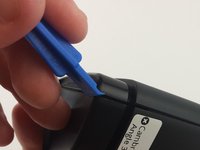
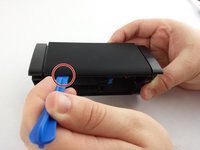
Use the plastic opening tool to remove the rubber caps from each end of the speaker.
 Ask FixBot
-
-
-
Remove four (4) 11.7 mm Phillips #0 screws from each side at the bottom of the speaker.
-
-
-
-
Use the plastic opening tool on one of the corners to separate the bottom piece from the speaker, and then remove the piece.
-
-
-
-
-
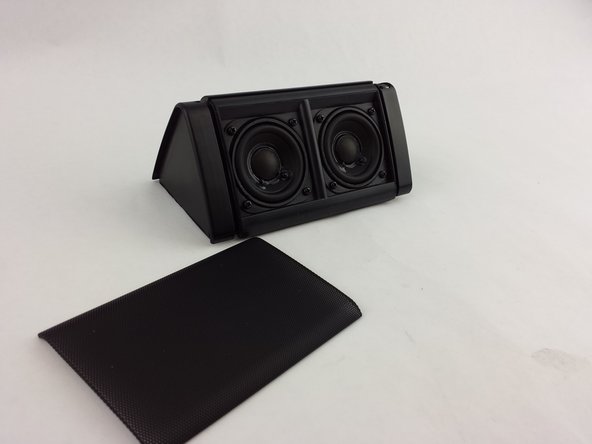
Use the plastic opening tool to remove the front speaker plate from the speaker.
-
-
-
Remove the eight (8) 5.25mm screws with the Phillips #0 screwdriver.
-
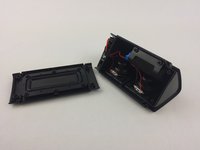
Open access to the speakers by letting them rest as shown.
-
-
-
Use the soldering iron to carefully disconnect the speaker(s) from the motherboard connection wires.
-
Learn more about soldering here.
-
Remove the disconnected speaker(s).
-
-



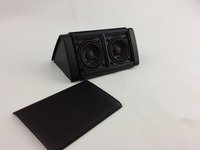


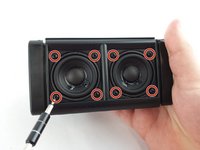
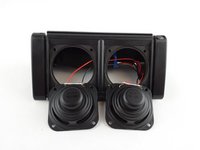

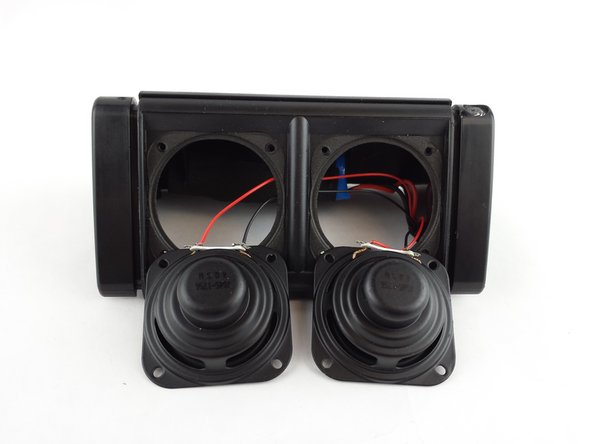
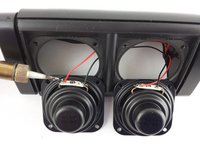
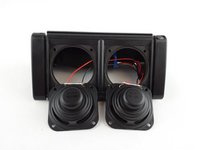
To reassemble your device, follow these instructions in reverse order.
Cancel: I did not complete this guide.
13 other people completed this guide.

Team

USF Tampa, Team 15-6, Remmell Spring 2016 Member of USF Tampa, Team 15-6, Remmell Spring 2016
USFT-REMMELL-S16S15G6
4 Members
48 Guides authored
8 Guide Comments
Where do you buy replacement speakers?
Where do you buy the replacement speakers?
What type to buy?
where i buy the speaker replacement/
same question, I am looking for original speaker for oontz angle 3 and I can’t find one. Those who are looking for the size, its 40x40mm (1.57”) 4ohms 3W
