
OnePlus Nord N20 5G Back Cover Replacement

Last updated on Dec 18, 2024
Views: 552
View statistics:
- Past 24 Hours:
- 2
- Past 7 Days:
- 20
- Past 30 Days:
- 72
- All Time:
- 552
Comments: 0
No one has left comments on this guide. Will you be first?
Go to guide commentsCompleted: 0 1
No one has marked this guide "completed." Will you be the first?
1 person has marked this guide "completed." It's you — great job!
Favorites: 0 1
No one has favorited (and subscribed to) this guide. Will you be the first?
1 person has favorited (and subscribed to) this guide — and that's you!
Better Introduction
Improve this guide by completing or revising its introduction.
Missing Details
Some of this guide's details are missing. Help users by adding tools, difficulty, or time.
What you need
Tools


-
-
-
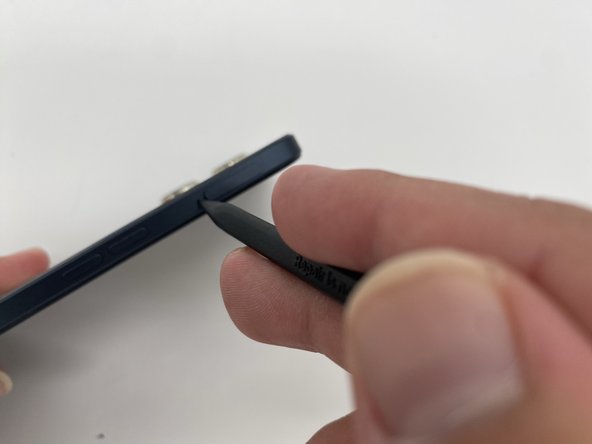
Insert the SIM ejection tool or a spudger in the small hole next to the SIM tray.
-
Push it gently until the tray pops out.
-
Remove the SIM card tray by sliding it outwards.
 Ask FixBot
-
-
-
-
Heat the iOpener in a microwave for about 30 seconds. If the iOpener isn’t hot enough, reheat it for another 10-30 seconds.
-
Apply the heated iOpener on the backside of the phone for a minute to loosen the adhesive.
-
Use the iFixit opening tool and slide it along the edges of the phone to pry the back panel off.
-
-


To reassemble your device, follow these instructions in reverse order.


