
OnePlus 2 Front and Rear Camera Replacement

Kayla Williams and
Last updated on May 7, 2024
Views: 6.3K
View statistics:
- Past 24 Hours:
- 4
- Past 7 Days:
- 20
- Past 30 Days:
- 102
- All Time:
- 6,287
Comments: 9
4 comments on steps, 5 guide comments.
Go to guide commentsCompleted: 5 6
5 people have marked this guide "completed." Will you be next?
6 people have marked this guide "completed." Including you — great job!
Favorites: 2 3
2 people have favorited (and subscribed to) this guide. Will you be next?
3 people have favorited (and subscribed to) this guide — including you!
What you need
Tools
-
Spudger4.9
-


Introduction
Go to step 1 ↓If your front and or rear cameras have stopped taking clear picutres, it may be necessary to replace them. If that is the case, this guide will help you do that.
-
-
-
Make sure that your phone is turned off before proceeding
-
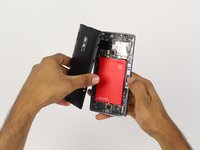
Use an opening pick, your thumbnail, or a spudger to gently pry off the external casing
 Ask FixBot
-
-
-
Locate the SIM card tray on the back of the phone
-
Use your thumb to gently slide out the tray
-
-
-
-
Tool used on this step:Tweezers$4.99
-
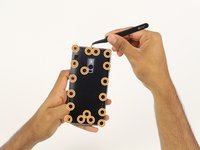
Find and carefully remove all 6 rubber screw covers with the tweezers.
-
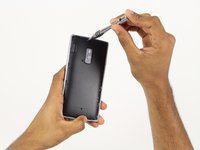
Unscrew all 18 screws from the mid frame.
-
-
-
-
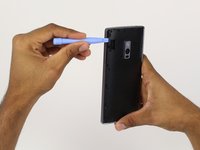
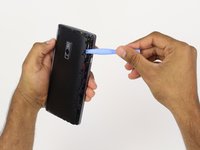
Carefully pry up the mid frame from the back of the phone with the plastic opening tools.
-
Slowly work your way around the phone releasing all the clips that hold the frame in place.
-
-
-
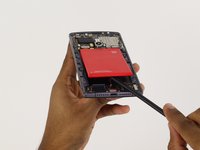
Using the spudger tool, pry the battery up from the adhesive.
-
Once the battery is loose from the adhesive holding it down, use the spudger tool to pry up the connection from the battery to the phone on the top right hand side.
-
-
-
-
-
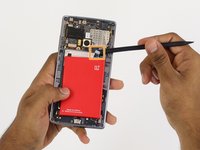
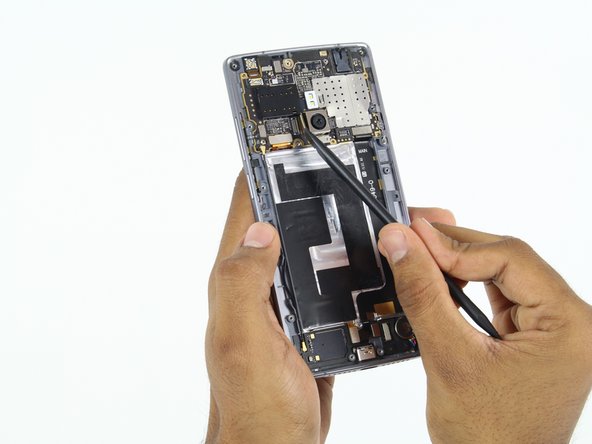
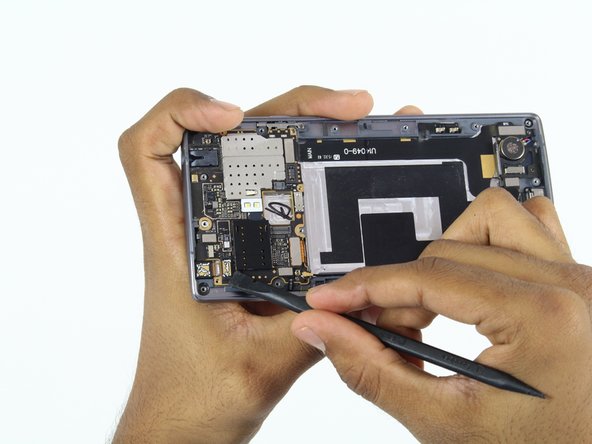
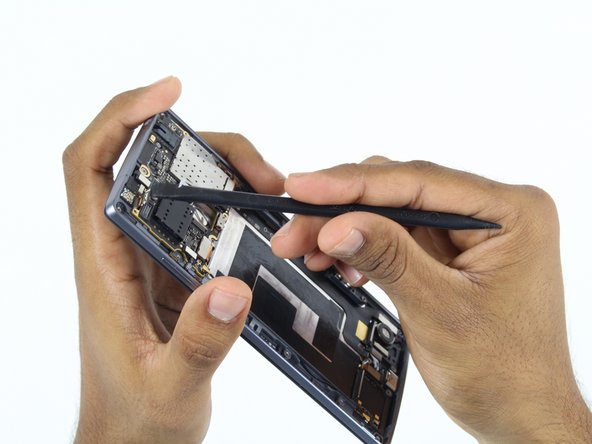
Use the spudger tool to pry off the connections at the bottom-right of the front-facing camera.
-
Be sure to disconnect both connections before attempting to lift off the wiring.
-
-
-
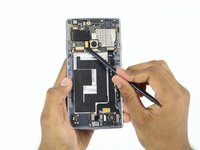
Use the spudger tool to pry off the connection on the left of the front facing camera.
-
-
Tool used on this step:Tweezers$4.99
-
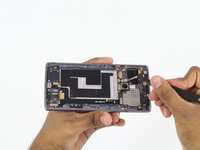
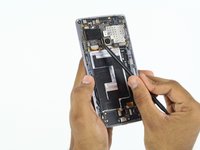
Use the tweezers to lift up the camera from its groove.
-
The camera has a long, flat portion at the bottom, so be sure to slide the camera up while lifting it up.
-
-
-
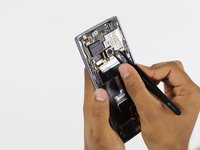
Use a spudger to pry off the connection below the front-facing camera.
-
Using the tweezers, carefully remove the camera from its groove.
-
-


















To reassemble your device, follow these instructions in reverse order.
Cancel: I did not complete this guide.
5 other people completed this guide.

Team

Cal Poly, Team 4-5, Maness Fall 2015 Member of Cal Poly, Team 4-5, Maness Fall 2015
CPSU-MANESS-F15S4G5
4 Members
72 Guides authored
5 Guide Comments
This is awesome guide. My 20 days old onePlus2 lens broke, when my pocket hit the table while I had the phone in there. After reading in the forum about the OnePlus customer service, I did not bother calling OnePlus. I ordered the lens for $5 from parts4repair.com. Followed this awesome directions and replaced the lens without a glitch.
BIG BIG BIG KUDOS to Kayla Williams. This really saved me a lot of time and trouble and made my phone worth again. I can't thank you enough.
This is a really good guide. My 2 month old one plus 2 was denied service due to some water damage policy. A drop of sweat might have gone in and the service centre says the product is water damaged.
Can you help me with some website where I can find the back camera for one plus 2 please?
Hey guys! My OPT fell off a rollercoaster and fortunatly the glass isn't broken at all, but my front camera is damaged. This guide helped me a lot but I can't find that part.
Sadly parts4repair has no front camera lens in its sortiment. Can you give me some websites where I can find the parts
