Free Shipping on Domestic Orders $75+

Olympus TG-820 iHS Battery Replacement

    1. Olympus TG-820 iHS Battery Replacement, Battery: step 1, image 1 of 1
      • Orient camera to look directly at battery compartment side as shown.

      Ask FixBot

      Add Comment

    2. Olympus TG-820 iHS Battery Replacement: step 2, image 1 of 3 Olympus TG-820 iHS Battery Replacement: step 2, image 2 of 3 Olympus TG-820 iHS Battery Replacement: step 2, image 3 of 3
      • Locate the two latches on the battery compartment.

      • First, move the "lock" switch left to reveal red indicator.

      • Next, move the "cover latch" switch downward to reveal red indicator.

      • You have to move the switches in that order for the compartment to unlatch.

      Ask FixBot

      Add Comment

    3. Olympus TG-820 iHS Battery Replacement: step 3, image 1 of 2 Olympus TG-820 iHS Battery Replacement: step 3, image 2 of 2
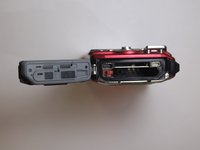
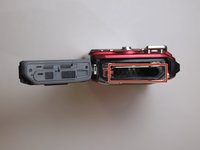
      • Allow the battery compartment latch to completely open.

      • Insert battery with the writing face up.

      • The bigger slot is for the battery. The smaller slot is for the memory card.

      • Battery not shown.

      Ask FixBot

      Add Comment

Conclusion

To reassemble your device, follow these instructions in reverse order.

Cancel: I did not complete this guide.

Leslie Cade

Member since: 03/21/16

343 Reputation

3 Guides authored

Team

Clemson, Team 7-2, Benson Spring 2016 Member of Clemson, Team 7-2, Benson Spring 2016

CLEM-BENSON-S16S7G2

4 Members

96 Guides authored

0 Guide Comments

Add Comment

View Statistics:

Past 24 Hours: 4

Past 7 Days: 10

Past 30 Days: 30

All Time: 1,125