Free Shipping on Domestic Orders $75+

Olympus Stylus 1010 Lens Replacement

What you need

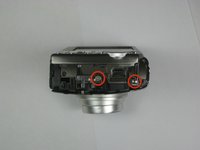
  1. Olympus Stylus 1010 Lens Replacement, Disassembling Olympus Stylus 1010 Case: step 1, image 1 of 2 Olympus Stylus 1010 Lens Replacement, Disassembling Olympus Stylus 1010 Case: step 1, image 2 of 2
    • Remove the five Phillips #00 bottom and right side panel screws.

    Ask FixBot

    Add Comment

  2. Olympus Stylus 1010 Lens Replacement: step 2, image 1 of 1
    • Remove the right side panel by pulling off the large silver piece.

    Ask FixBot

    Add Comment

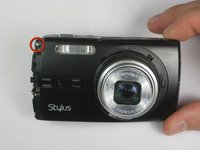
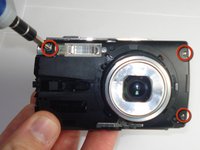
  3. Olympus Stylus 1010 Lens Replacement: step 3, image 1 of 2 Olympus Stylus 1010 Lens Replacement: step 3, image 2 of 2
    • Remove the remaining three Phillips #00 side and front panel screws.

    Ask FixBot

    Add Comment

  4. Olympus Stylus 1010 Lens Replacement: step 4, image 1 of 1
    • Using your thumb and forefinger, pull off the silver name plate and silver "T-shape" piece.

    Ask FixBot

    Add Comment

  5. Olympus Stylus 1010 Lens Replacement: step 5, image 1 of 1
    • Remove the black front panel by sliding it towards the lens and then pulling it up off of the camera.

    Ask FixBot

    Add Comment

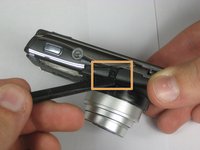
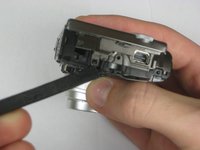
  6. Olympus Stylus 1010 Lens Replacement: step 6, image 1 of 3 Olympus Stylus 1010 Lens Replacement: step 6, image 2 of 3 Olympus Stylus 1010 Lens Replacement: step 6, image 3 of 3
    • Remove the three Phillips #00 screws from the front of the camera.

    • Using a spudger, lift the two tabs to separate the case—one tab on top and one tab on the right side.

    Ask FixBot

    Add Comment

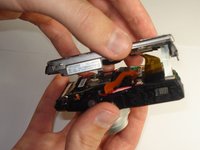
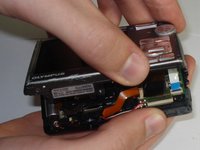
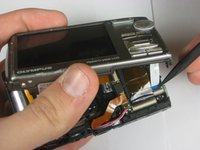
  7. Olympus Stylus 1010 Lens Replacement: step 7, image 1 of 3 Olympus Stylus 1010 Lens Replacement: step 7, image 2 of 3 Olympus Stylus 1010 Lens Replacement: step 7, image 3 of 3
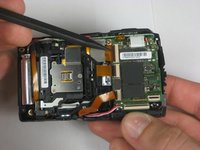
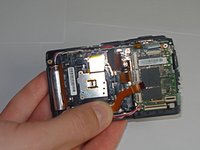
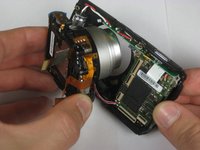
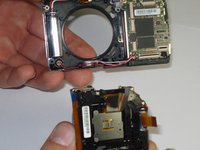
    • Using a plastic spudger, lift up the black clips.

    • Still using the plastic spudger, detach the gold connector strip and white connector strip.

    • Using both hands, pull the camera apart into two pieces.

    Ask FixBot

    Add Comment

  8. Olympus Stylus 1010 Lens Replacement, Lens: step 8, image 1 of 2 Olympus Stylus 1010 Lens Replacement, Lens: step 8, image 2 of 2
    • Using a plastic spudger, lift up the black clips.

    • Still using the spudger, detach the three gold wire tape connectors from the inside of the camera.

    Ask FixBot

    Add Comment

  9. Olympus Stylus 1010 Lens Replacement: step 9, image 1 of 1
    • Remove the three screws from the inside of the camera using a #00 screwdriver.

    Ask FixBot

    Add Comment

  10. Olympus Stylus 1010 Lens Replacement: step 10, image 1 of 2 Olympus Stylus 1010 Lens Replacement: step 10, image 2 of 2
    • Using your thumb and forefinger, pull the lens piece straight out from the body of the camera.

    Ask FixBot

    Add Comment

Conclusion

To reassemble your device, follow these instructions in reverse order.

Cancel: I did not complete this guide.

2 other people completed this guide.

Max McIntyre

Member since: 01/21/11

544 Reputation

4 Guides authored

Team

Cal Poly, Team 13-4, Forte Winter 2011 Member of Cal Poly, Team 13-4, Forte Winter 2011

CPSU-FORTE-W11S13G4

6 Members

12 Guides authored

0 Guide Comments

Add Comment

View Statistics:

Past 24 Hours: 3

Past 7 Days: 10

Past 30 Days: 39

All Time: 6,597