Introduction
The Olympus D590’s motherboard deals with the logical computation of the camera’s system. For users who are experiencing frequent system crashes, power issues beyond the battery, or wear and tear, this guide will address these issues. Additionally, replacing the motherboard will increase the performance and enhance its data safety.
No special skills are required to perform this replacement.
What you need
-
-
Tool used on this step:Tweezers$4.99
-
Press and slide the battery cover retainer clip to the left. Use tweezers to lift the battery cover away.
-
-
-
Remove the single screw from the battery housing using a Phillips #00 screwdriver.
-
-
-
-
To avoid disconnection of the connector line to the motherboard, use caution when pulling faceplate away from camera case.
-
-
-
-
Remove four screws holding the motherboard to the internal housing component using a Phillips #1 screwdriver.
-
-
Tool used on this step:Tweezers$4.99
-
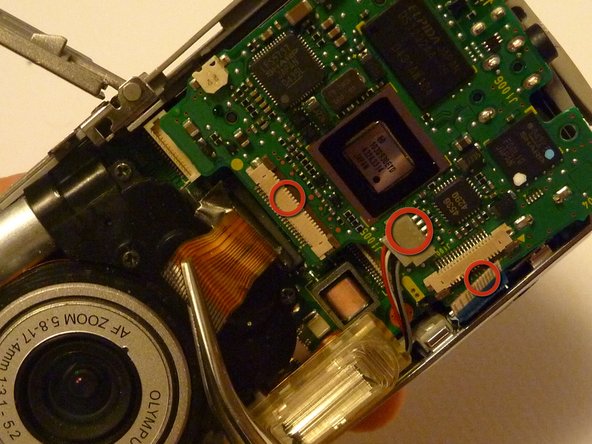
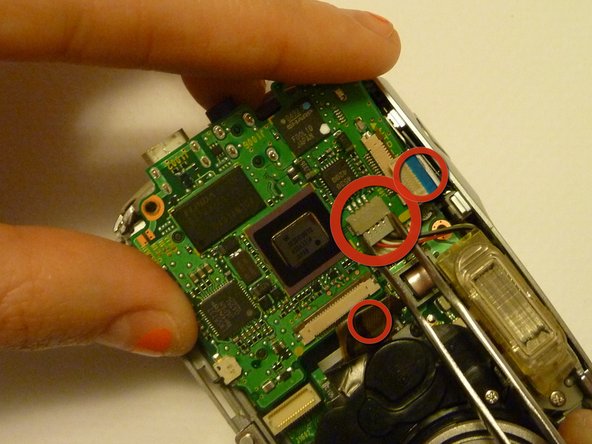
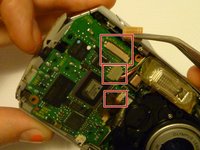
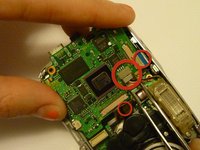
Use rounded tweezers to disconnect the three wiring strips from the motherboard.
-
-

 Ask FixBot


To reassemble your device, follow these instructions in reverse order.
Cancel: I did not complete this guide.
2 other people completed this guide.

Team

Cal Poly, Team 28-23, Regan Spring 2010 Member of Cal Poly, Team 28-23, Regan Spring 2010
CPSU-REGAN-S10S28G23
4 Members
56 Guides authored
