Free Shipping on Domestic Orders $75+

OLPC XO-4 Touch Screen Frame Replacement

What you need

  1. OLPC XO-4 Touch Screen Frame Replacement, Battery: step 1, image 1 of 1
    • Turn the laptop upside-down, with the handle facing away from you.

    Ask FixBot

    Add Comment

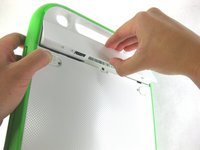
  2. OLPC XO-4 Touch Screen Frame Replacement: step 2, image 1 of 2 OLPC XO-4 Touch Screen Frame Replacement: step 2, image 2 of 2
    • Pull the lock tabs towards the green outer edges of the laptop.

    • Hold the left lock tab in the unlock position until the battery is completely removed in the next step.

    Ask FixBot

    Add Comment

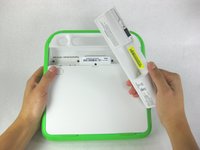
  3. OLPC XO-4 Touch Screen Frame Replacement: step 3, image 1 of 2 OLPC XO-4 Touch Screen Frame Replacement: step 3, image 2 of 2
    • Lift up on the middle of the battery to remove it from the device.

    Ask FixBot

    Add Comment

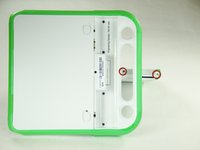
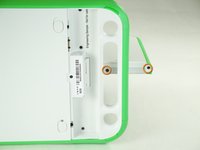
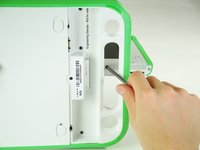
  4. OLPC XO-4 Touch Screen Frame Replacement, Screen Frame: step 4, image 1 of 3 OLPC XO-4 Touch Screen Frame Replacement, Screen Frame: step 4, image 2 of 3 OLPC XO-4 Touch Screen Frame Replacement, Screen Frame: step 4, image 3 of 3
    • Remove the two 4mm Phillips #1 screws underneath the screen on the right-hand side.

    • Rotate the screen 180° and remove the other two screws.

    • You will have to put your screwdriver through the handle in order to reach the middle screw for both sides.

    Ask FixBot

    Add Comment

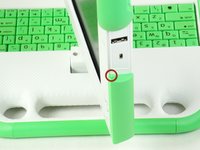
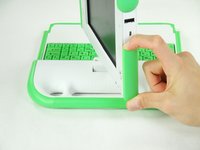
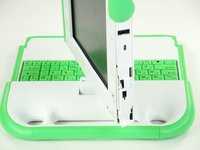
  5. OLPC XO-4 Touch Screen Frame Replacement: step 5, image 1 of 3 OLPC XO-4 Touch Screen Frame Replacement: step 5, image 2 of 3 OLPC XO-4 Touch Screen Frame Replacement: step 5, image 3 of 3
    • Remove the green side panel by pressing down on the small green button on the top and sliding the panel up.

    • Repeat the step above for the panel on the other side.

    Ask FixBot

    Add Comment

  6. OLPC XO-4 Touch Screen Frame Replacement: step 6, image 1 of 1
    • Be careful not to pull the bottom too far out because a ribbon cable is under the frame and can easily break.

    • Gently lift up the lower part of the frame and pull it down to free the screen frame.

    Ask FixBot

    Add Comment

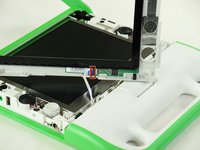
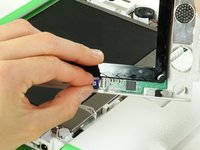
  7. OLPC XO-4 Touch Screen Frame Replacement: step 7, image 1 of 2 OLPC XO-4 Touch Screen Frame Replacement: step 7, image 2 of 2
    • Lift the black connector and pull the ribbon cable out by the purple tab, freeing the frame.

    Ask FixBot

    Add Comment

Conclusion

To reassemble your device, follow these instructions in reverse order.

Cancel: I did not complete this guide.

One other person completed this guide.

Ji Kim

Member since: 01/25/13

66 Reputation

3 Guides authored

Team

Cal Poly, Team 3-29, Amido Winter 2013 Member of Cal Poly, Team 3-29, Amido Winter 2013

CPSU-AMIDO-W13S3G29

4 Members

20 Guides authored

0 Guide Comments

Add Comment

View Statistics:

Past 24 Hours: 2

Past 7 Days: 15

Past 30 Days: 45

All Time: 592