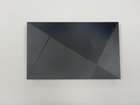
Nvidia Shield Pro Android TV Motherboard Replacement

Nate Hale and 2 other contributors
Last updated on Dec 10, 2020
Views: 4.7K
View statistics:
- Past 24 Hours:
- 7
- Past 7 Days:
- 33
- Past 30 Days:
- 156
- All Time:
- 4,745
Comments: 1
1 guide comment.
Go to guide commentsCompleted: 2 3
2 people have marked this guide "completed." Will you be next?
3 people have marked this guide "completed." Including you — great job!
Favorites: 1 2
1 person has favorited (and subscribed to) this guide. Will you be next?
2 people have favorited (and subscribed to) this guide — including you!
Better Introduction
Improve this guide by completing or revising its introduction.
Introduction
Go to step 1 ↓This guide will demonstrate how to replace the motherboard in the Nvidia Shield Pro Android TV. This replacement does not take much time but deals with multiple small components which can make it moderately difficult to disassemble.
What you need
Tools


-
-
-
Use a Torx TR6 screwdriver to remove the five 6mm screws that are securing the fan.
-
Unplug the power supply connected to the fan.
-
-
-
-
Use a Torx TR6 screwdriver to remove the three 5mm screws securing the motherboard.
-
Detach the black and white coaxial cables from the motherboard.
-
Lift the motherboard out of the device and disconnect the black cable bundle.
-


 Ask FixBot


To reassemble your device, follow these instructions in reverse order.
Cancel: I did not complete this guide.
2 other people completed this guide.

Team

The Citadel Military College of South Carolina, Team S2-G10, Eggleston Fall 2020 Member of The Citadel Military College of South Carolina, Team S2-G10, Eggleston Fall 2020
CMCSC-EGGLESTON-F20S2G10
3 Members
24 Guides authored
