Free Shipping on Domestic Orders $75+

Nvidia Shield Pro Android TV Controller Motherboard Replacement

What you need

    1. Nvidia Shield Pro Android TV Controller Motherboard Replacement, Thumbsticks: step 1, image 1 of 3 Nvidia Shield Pro Android TV Controller Motherboard Replacement, Thumbsticks: step 1, image 2 of 3 Nvidia Shield Pro Android TV Controller Motherboard Replacement, Thumbsticks: step 1, image 3 of 3
      • Remove the six T6 Torx screws from the back of the controller.

      Ask FixBot

      Add Comment

    2. Nvidia Shield Pro Android TV Controller Motherboard Replacement: step 2, image 1 of 1
      • Gently pry open the top frame of the cover with a plastic opening tool.

      Ask FixBot

      Add Comment

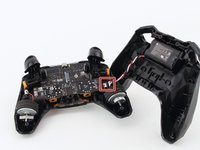
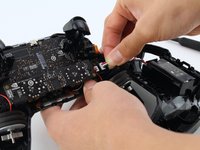
    3. Nvidia Shield Pro Android TV Controller Motherboard Replacement: step 3, image 1 of 2 Nvidia Shield Pro Android TV Controller Motherboard Replacement: step 3, image 2 of 2
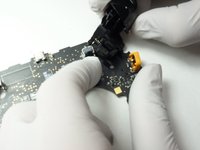
      • Gently pull the wire connector directly out of its socket, separating the two halves of the controller.

      Ask FixBot

      Add Comment

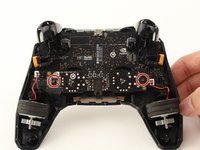
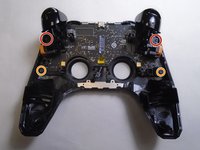
    4. Nvidia Shield Pro Android TV Controller Motherboard Replacement: step 4, image 1 of 2 Nvidia Shield Pro Android TV Controller Motherboard Replacement: step 4, image 2 of 2
      • Remove the two T6 Torx screws.

      Ask FixBot

      Add Comment

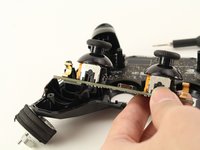
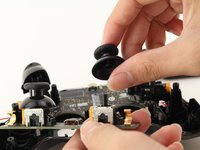
    5. Nvidia Shield Pro Android TV Controller Motherboard Replacement: step 5, image 1 of 2 Nvidia Shield Pro Android TV Controller Motherboard Replacement: step 5, image 2 of 2
      • Remove the guard piece that secures the thumb-sticks to the controller.

      • Apply vertical pressure with two fingers to carefully pop off the thumb-stick(s) in need of repair.

      • Replace it by sliding a new thumb-stick onto the plastic post that secured the old one.

      Ask FixBot

      Add Comment

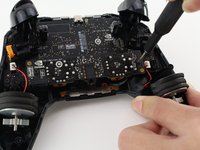
    1. Nvidia Shield Pro Android TV Controller Motherboard Replacement, Triggers: step 6, image 1 of 3 Nvidia Shield Pro Android TV Controller Motherboard Replacement, Triggers: step 6, image 2 of 3 Nvidia Shield Pro Android TV Controller Motherboard Replacement, Triggers: step 6, image 3 of 3
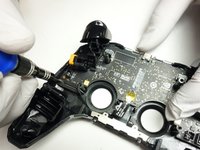
      • Use a Torx T6 screwdriver to remove the two 7 mm screws from the triggers (one on each trigger).

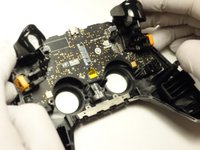
      • Use a Torx T5 screwdriver to remove the two 5 mm screws securing the motherboard.

      • Gently lift the motherboard from the controller housing.

      Ask FixBot

      Add Comment

    2. Nvidia Shield Pro Android TV Controller Motherboard Replacement: step 7, image 1 of 3 Nvidia Shield Pro Android TV Controller Motherboard Replacement: step 7, image 2 of 3 Nvidia Shield Pro Android TV Controller Motherboard Replacement: step 7, image 3 of 3
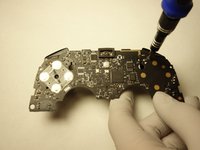
      • Use a Torx T5 screwdriver to remove the two 5 mm screws from the motherboard.

      • Carefully pull the trigger directly out of its socket.

      Ask FixBot

      Add Comment

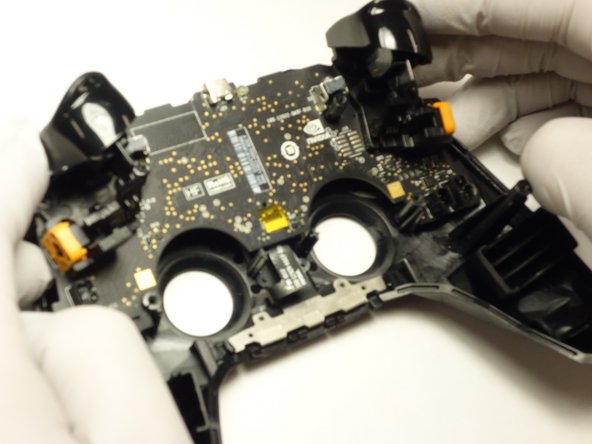
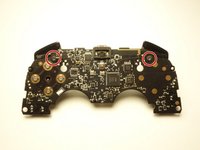
    1. Nvidia Shield Pro Android TV Controller Motherboard Replacement, Controller Motherboard: step 8, image 1 of 1
      • After removing the triggers, your motherboard is completely separate and ready to be replaced.

      Ask FixBot

      Add Comment

Conclusion

Your motherboard is ready to be replaced.

Cancel: I did not complete this guide.

0 Guide Comments

Add Comment

View Statistics:

Past 24 Hours: 3

Past 7 Days: 10

Past 30 Days: 33

All Time: 758