Free Shipping on Domestic Orders $75+

Nvidia Shield Pro Android TV Controller D-Pad Replacement

What you need

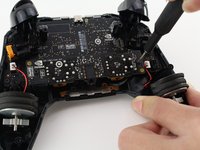
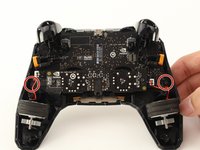
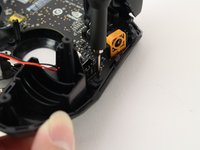
    1. Nvidia Shield Pro Android TV Controller D-Pad Replacement, Bluetooth Controller D-Pad: step 1, image 1 of 3 Nvidia Shield Pro Android TV Controller D-Pad Replacement, Bluetooth Controller D-Pad: step 1, image 2 of 3 Nvidia Shield Pro Android TV Controller D-Pad Replacement, Bluetooth Controller D-Pad: step 1, image 3 of 3
      • Remove the six T6 Torx screws from the back of the controller.

      Ask FixBot

      Add Comment

    2. Nvidia Shield Pro Android TV Controller D-Pad Replacement: step 2, image 1 of 1
      • Gently open the top frame of the cover with the plastic opening tool.

      Ask FixBot

      Add Comment

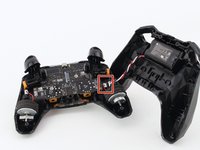
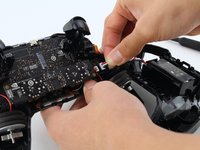
    3. Nvidia Shield Pro Android TV Controller D-Pad Replacement: step 3, image 1 of 2 Nvidia Shield Pro Android TV Controller D-Pad Replacement: step 3, image 2 of 2
      • Gently pull the wire connector out of its socket, separating the two halves of the controller.

      Ask FixBot

      Add Comment

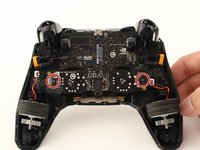
    4. Nvidia Shield Pro Android TV Controller D-Pad Replacement: step 4, image 1 of 1
      • Remove the wire attached to the circular piece.

      Ask FixBot

      Add Comment

    5. Nvidia Shield Pro Android TV Controller D-Pad Replacement: step 5, image 1 of 2 Nvidia Shield Pro Android TV Controller D-Pad Replacement: step 5, image 2 of 2
      • Carefully remove the two T6 Torx screws from either side of the motherboard.

      Ask FixBot

      Add Comment

    6. Nvidia Shield Pro Android TV Controller D-Pad Replacement: step 6, image 1 of 1
      • Remove the yellow plug from its socket.

      Ask FixBot

      Add Comment

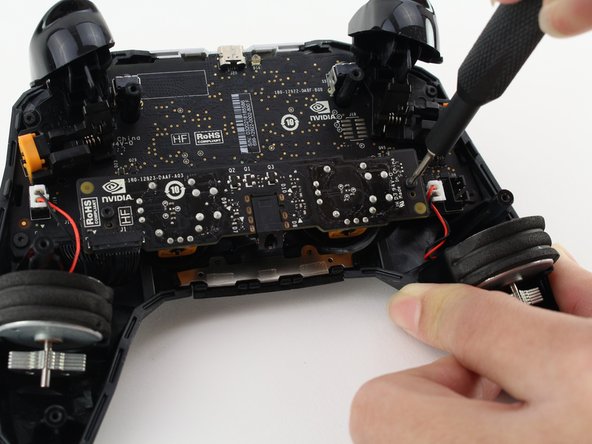
    7. Nvidia Shield Pro Android TV Controller D-Pad Replacement: step 7, image 1 of 2 Nvidia Shield Pro Android TV Controller D-Pad Replacement: step 7, image 2 of 2
      • Remove the two T6 Torx screws.

      Ask FixBot

      Add Comment

    8. Nvidia Shield Pro Android TV Controller D-Pad Replacement: step 8, image 1 of 1
      • Slowly pull up the primary circuit board of the controller until the D-pad is revealed.

      • Carefully remove the board.

      Ask FixBot

      Add Comment

    9. Nvidia Shield Pro Android TV Controller D-Pad Replacement: step 9, image 1 of 1
      • Gently remove and replace the D-Pad.

      Ask FixBot

      Add Comment

Conclusion

To reassemble your device, follow these instructions in reverse order.

Cancel: I did not complete this guide.

Ben Carrasco

Member since: 01/23/20

347 Reputation

2 Guides authored

Team

Cal Poly, Team S18-G2, White Winter 2020 Member of Cal Poly, Team S18-G2, White Winter 2020

CPSU-WHITE-W20S18G2

4 Members

72 Guides authored

0 Guide Comments

Add Comment

View Statistics:

Past 24 Hours: 3

Past 7 Days: 9

Past 30 Days: 37

All Time: 2,314