Introduction
A faulty camera can lead to distorted or poor images or even no image at all. If you've noticed that your camera quality has worsened or that your camera has cracked, this guide will walk you through how to replace the NuVision Duo 11 camera.
Before you begin, make sure your camera is powered off and it is unplugged from the charger.
What you need
-
-
-
Place the flat end of a nylon spudger in the gap between the cover and the rest of the device.
-
Slide the spudger down each side until you hear numerous clicks.
-
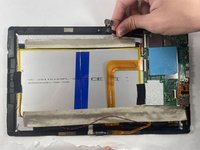
Remove the back panel from the tablet.
 Ask FixBot
-
-
-
-


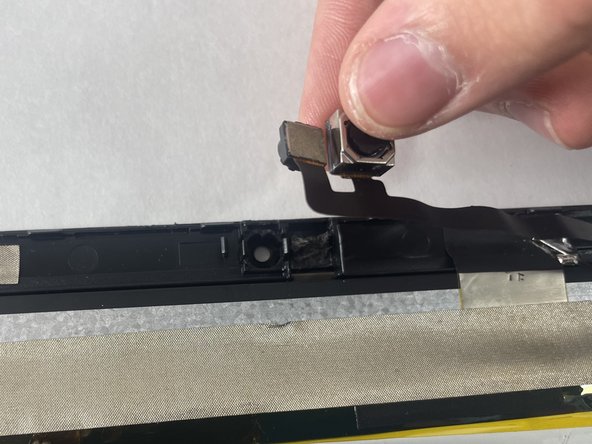
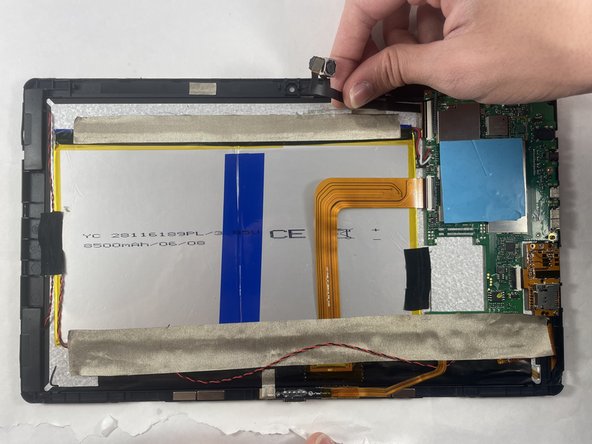
To reassemble your device, follow these instructions in reverse order. Take your e-waste to an R2 or e-Stewards certified recycler.

Team

UMass Dartmouth, Team 7-1, Ryckebusch Spring 2023 Member of UMass Dartmouth, Team 7-1, Ryckebusch Spring 2023
UMASSD-RYCKEBUSCH-S23S7G1
3 Members
72 Guides authored
