
Novatel MiFi 2 4G LTE Hotspot SIM Card Replacement

GerardFoley and 3 other contributors
Last updated on Jan 3, 2019
Views: 1.3K
View statistics:
- Past 24 Hours:
- 1
- Past 7 Days:
- 16
- Past 30 Days:
- 64
- All Time:
- 1,277
Comments: 1
1 guide comment.
Go to guide commentsCompleted: 0 1
No one has marked this guide "completed." Will you be the first?
1 person has marked this guide "completed." It's you — great job!
Favorites: 0 1
No one has favorited (and subscribed to) this guide. Will you be the first?
1 person has favorited (and subscribed to) this guide — and that's you!
Introduction
Go to step 1 ↓This guide will show you step by step how to remove a dead SIM Card from your Novatel Hotspot device. This requires the removal of the black plastic battery cover and the battery.
-
-
-
Unplug the charger from your Novatel Hotspot device.
-
Place the Novatel Hotspot device face down on a flat, clean surface.
-
Place your thumb under the latch of the black plastic battery cover as shown.
 Ask FixBot
-
-
-
-
-
-
Gently place your thumb on the right side of the battery as shown.
-
Remove the battery from its socket by lifting it up and out.
-
-
-
-
-
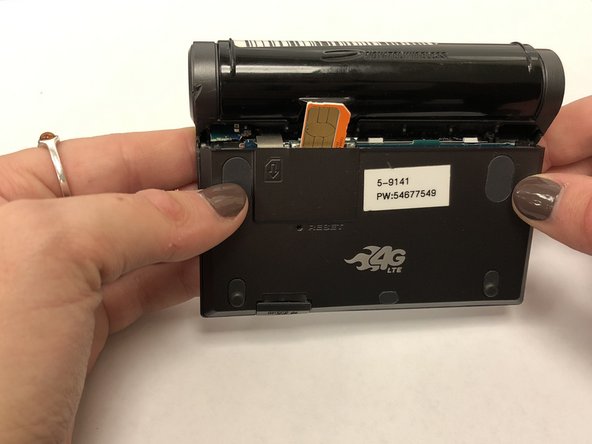
Once the battery has been removed, the SIM Card slot can be accessed.
-
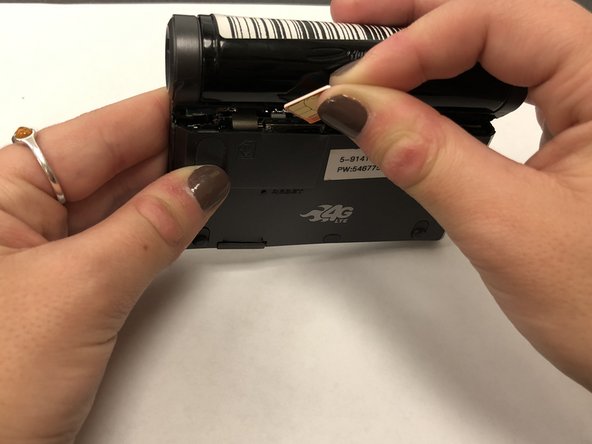
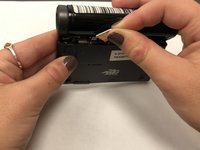
Carefully take out the dead SIM Card by lifting it from its position with your fingers.
-
-


To reassemble your device, follow these instructions in reverse order.

Team

Marist, Team S1-G5, Chaterdon Fall 2018 Member of Marist, Team S1-G5, Chaterdon Fall 2018
MARS-CHATERDON-F18S1G5
3 Members
48 Guides authored
