
Nook Color Speaker Replacement

John Goly and 3 other contributors
Last updated on Jun 16, 2015
Views: 750
View statistics:
- Past 24 Hours:
- 2
- Past 7 Days:
- 14
- Past 30 Days:
- 86
- All Time:
- 750
Comments: 0
No one has left comments on this guide. Will you be first?
Go to guide commentsCompleted: 1 2
1 person has marked this guide "completed." Will you be next?
2 people have marked this guide "completed." Including you — great job!
Favorites: 1 2
1 person has favorited (and subscribed to) this guide. Will you be next?
2 people have favorited (and subscribed to) this guide — including you!
Needs More Images
A few more images would make this guide's procedures crystal clear.
Missing Steps
Oops! This guide is currently missing one or more important steps.
Step Trimmer
This guide has unnecessary steps. Trim them to be more concise!
Introduction
Go to step 1 ↓This guide will provide in depth steps in the replacement of a damaged or faulty speaker. When removing the speaker from your device some force will be necessary in their separation.
What you need
Tools


-
-
-
Remove the two 3.8 mm screws located in the back right corner of the device using the T5 Torx screwdriver.
 Ask FixBot
-
-
-
Pry off the back cover with the plastic opening tool. Go around the device with the tool to ensure complete detachment.
-
-
-
-
-
Remove the ten 4.0 mm screws from the device's perimeter using the T5 Torx screwdriver.
-
-
-
-
-
-
Using a plastic opening tool, push on the speaker from the front of the panel to loosen the speaker. Some force will be required. Once loose, use your index finger to push it through.
-
-
-
Once pressed all the way through, the speaker will be loose and free to replace.
-


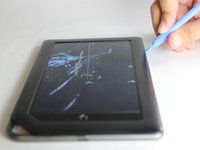
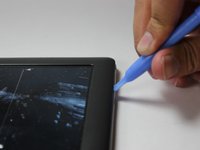


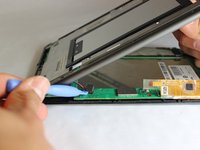
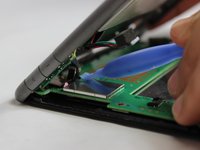


To reassemble your device, follow these instructions in reverse order.
Cancel: I did not complete this guide.
One other person completed this guide.

Team

USF Tampa, Team 11-5, Blackwell Winter 2015 Member of USF Tampa, Team 11-5, Blackwell Winter 2015
USFT-BLACKWELL-W15S11G5
3 Members
84 Guides authored
