
Nokia N70 Back Camera Replacement

Justin and 5 other contributors
Last updated on Nov 6, 2017
Views: 9.7K
View statistics:
- Past 24 Hours:
- 4
- Past 7 Days:
- 21
- Past 30 Days:
- 114
- All Time:
- 9,657
Comments: 1
1 guide comment.
Go to guide commentsCompleted: 6 7
6 people have marked this guide "completed." Will you be next?
7 people have marked this guide "completed." Including you — great job!
Favorites: 7 8
7 people have favorited (and subscribed to) this guide. Will you be next?
8 people have favorited (and subscribed to) this guide — including you!
What you need
Tools


-
-
-
Orient the phone as shown.
-
Press the button with the plastic opening tool and slide the back case downward relative to the phone.
 Ask FixBot
-
-
-
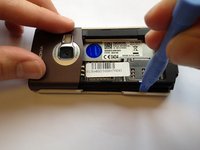
Insert the plastic opening tool into the marked space.
-
Lift up the side of the battery closest to the bottom edge of the phone using the plastic opening tool.
-
-
-
-
-
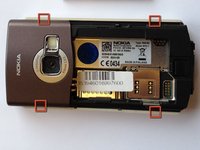
Insert the plastic opening tool in the marked areas in between the front and back covers.
-
Pry each corner with the plastic opening tool until the front case completely detaches.
-
-
-
-
-
-
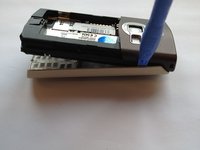
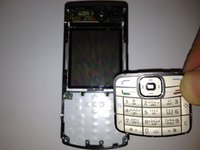
Separate the front panel from the back by lifting the bottom of the front panel at a 45 degree angle.
-
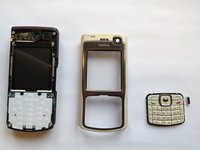
Remove the front panel by lifting the panel away from the phone at a 45 degree angle.
-
-
-
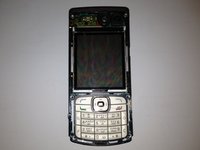
Locate the rear circuit board by flipping over the front panel.
-
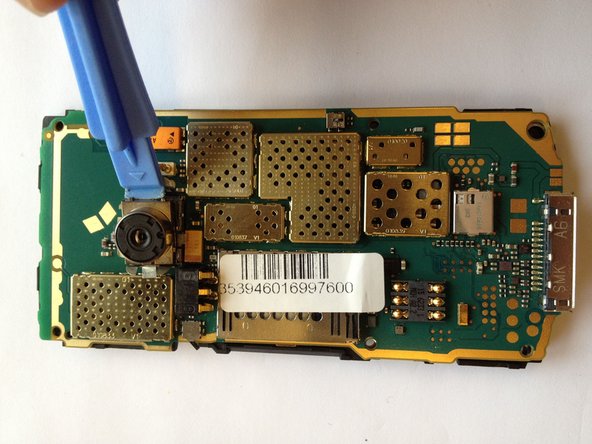
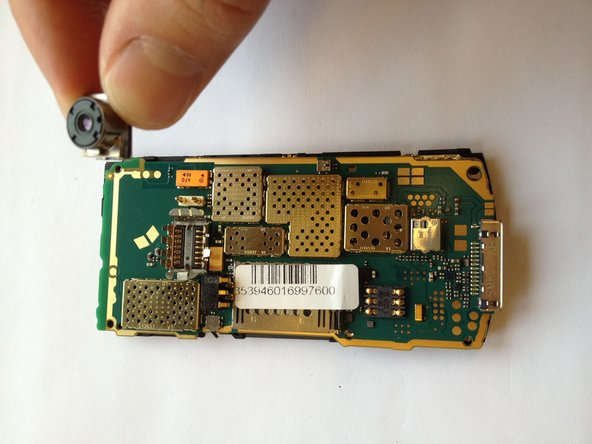
Locate the rear camera and by using the plastic opening tool, gently lift the camera out of the slot.
-








To reassemble your device, follow these instructions in reverse order.
Cancel: I did not complete this guide.
6 other people completed this guide.

Team

Cal Poly, Team 6-2, Regan Fall 2011 Member of Cal Poly, Team 6-2, Regan Fall 2011
CPSU-REGAN-F11S6G2
4 Members
60 Guides authored
1 Guide Comment
mon nokia n70 est mal camera alors quest -ce qu*on va faire
