Free Shipping on Domestic Orders $75+

Nokia Lumia 930 Screen Replacement

What you need

  1. Nokia Lumia 930 Screen Replacement, Battery: step 1, image 1 of 1
    • Pull the SIM card holder out of the top of the phone using your fingernail.

    Ask FixBot

    Add Comment

  2. Nokia Lumia 930 Screen Replacement: step 2, image 1 of 2 Nokia Lumia 930 Screen Replacement: step 2, image 2 of 2
    Tool used on this step:
    Tweezers
    $4.99
    Buy
    • Place tweezers or an opening tool in the SIM card slot and push upwards until the back panel pops out.

    Ask FixBot

    Add Comment

  3. Nokia Lumia 930 Screen Replacement: step 3, image 1 of 2 Nokia Lumia 930 Screen Replacement: step 3, image 2 of 2
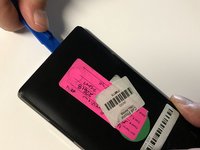
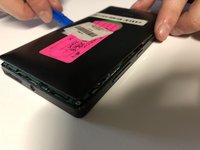
    • Wedge a plastic opening tool between the two panels. Slide it along each side of the phone to completely remove the back panel.

    Ask FixBot

    Add Comment

  4. Nokia Lumia 930 Screen Replacement: step 4, image 1 of 1
    • Remove the 4mm Torx #4 screw that's securing the battery connector.

    Ask FixBot

    Add Comment

  5. Nokia Lumia 930 Screen Replacement: step 5, image 1 of 1
    • Use tweezers to remove the battery connector strap.

    Ask FixBot

    Add Comment

  6. Nokia Lumia 930 Screen Replacement: step 6, image 1 of 2 Nokia Lumia 930 Screen Replacement: step 6, image 2 of 2
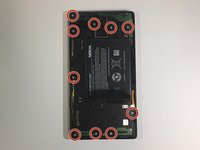
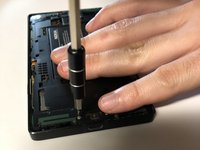
    • Remove all ten 4mm Torx #4 screws that secure the battery cover to the frame of the phone.

    Ask FixBot

    Add Comment

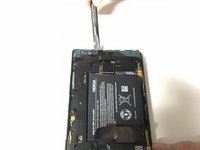
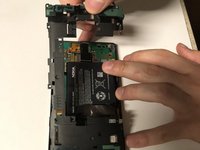
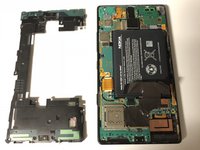
  7. Nokia Lumia 930 Screen Replacement: step 7, image 1 of 3 Nokia Lumia 930 Screen Replacement: step 7, image 2 of 3 Nokia Lumia 930 Screen Replacement: step 7, image 3 of 3
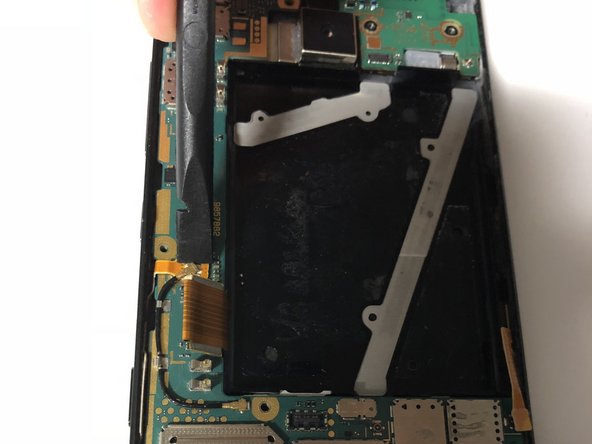
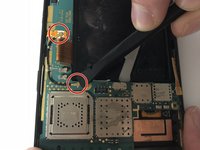
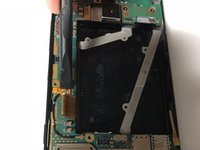
    • Use the flat end of a spudger to pry the battery cover from the phone's frame.

    Ask FixBot

    Add Comment

  8. Nokia Lumia 930 Screen Replacement: step 8, image 1 of 1
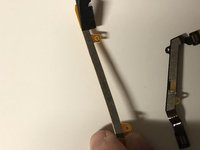
    • Pull up on the heat spreader.

    • Be careful not to tear it!

    Ask FixBot

    Add Comment

  9. Nokia Lumia 930 Screen Replacement: step 9, image 1 of 1
    • Use the flat end of the spudger to lift up the battery.

    • The battery is glued in place. Pry up carefully, not to damage it.

    • Two flex cables are directly underneath the battery.

    Ask FixBot

    Add Comment

  10. Nokia Lumia 930 Screen Replacement: step 10, image 1 of 1
    • Remove the battery from the phone.

    Ask FixBot

    Add Comment

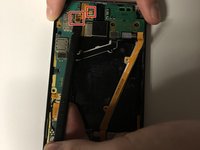
  11. Nokia Lumia 930 Screen Replacement, Motherboard: step 11, image 1 of 2 Nokia Lumia 930 Screen Replacement, Motherboard: step 11, image 2 of 2
    • Use the flat end of a spudger to disconnect the camera connectors.

    • Pull the camera up and out to remove it from the phone.

    Ask FixBot

    Add Comment

  12. Nokia Lumia 930 Screen Replacement: step 12, image 1 of 1
    • Use the flat end of a spudger to disconnect the six ribbon cables from the motherboard.

    Ask FixBot

    Add Comment

  13. Nokia Lumia 930 Screen Replacement: step 13, image 1 of 3 Nokia Lumia 930 Screen Replacement: step 13, image 2 of 3 Nokia Lumia 930 Screen Replacement: step 13, image 3 of 3
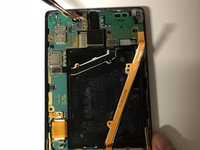
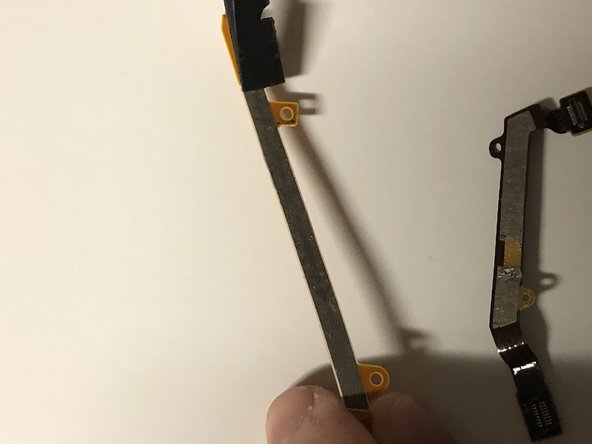
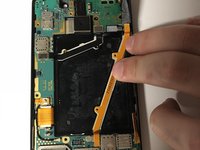
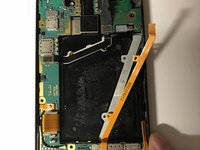
    • Use the flat end of a spudger to pry up the orange flex cable underneath the battery.

    • Remove the orange flex cable from the phone.

    Ask FixBot

    Add Comment

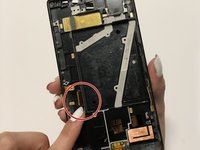
  14. Nokia Lumia 930 Screen Replacement: step 14, image 1 of 1
    • Repeat the previous step for the black jumper flex cable under the battery.

    Ask FixBot

    Add Comment

  15. Nokia Lumia 930 Screen Replacement: step 15, image 1 of 2 Nokia Lumia 930 Screen Replacement: step 15, image 2 of 2
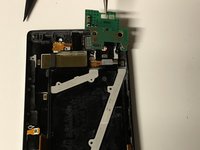
    • Use the flat end of a spudger to disconnect both ends of the antenna cable from the motherboard.

    • Remove the antenna.

    Ask FixBot

    Add Comment

  16. Nokia Lumia 930 Screen Replacement: step 16, image 1 of 1
    Tool used on this step:
    Tweezers
    $4.99
    Buy
    • Use tweezers to grab the adhesive that is under the LTE flex cable and pull it outwards and towards the bottom end of the phone.

    • Apply new adhesive when reassembling the phone.

    Ask FixBot

    Add Comment

  17. Nokia Lumia 930 Screen Replacement: step 17, image 1 of 3 Nokia Lumia 930 Screen Replacement: step 17, image 2 of 3 Nokia Lumia 930 Screen Replacement: step 17, image 3 of 3
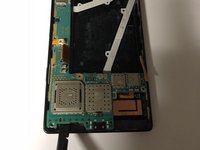
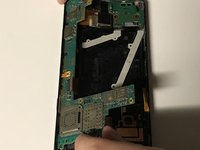
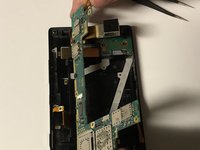
    • Use a spudger to pry up the bottom end of the motherboard, then pull it out.

    Ask FixBot

    Add Comment

  18. Nokia Lumia 930 Screen Replacement, Daughterboard: step 18, image 1 of 2 Nokia Lumia 930 Screen Replacement, Daughterboard: step 18, image 2 of 2
    Tool used on this step:
    Tweezers
    $4.99
    Buy
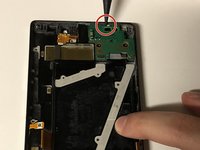
    • Use the pointed end of the spudger to pry up the daughterboard.

    • Use tweezers to lift the daughterboard out of the phone.

    Ask FixBot

    Add Comment

  19. Nokia Lumia 930 Screen Replacement, Display: step 19, image 1 of 3 Nokia Lumia 930 Screen Replacement, Display: step 19, image 2 of 3 Nokia Lumia 930 Screen Replacement, Display: step 19, image 3 of 3
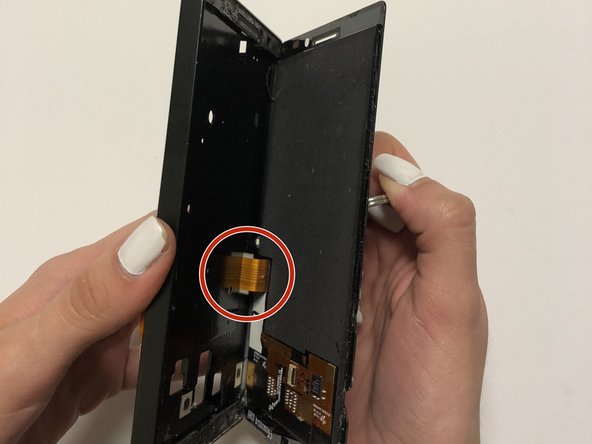
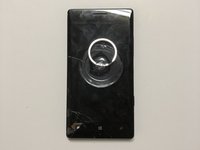
    • Place a suction cup in the center of the screen, then pry the display away from the frame.

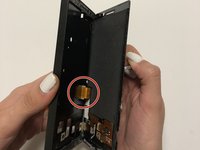
    • When removing the display, pull slowly so that the flex cable does not become damaged.

    • Be sure to fold the display flex cable and ensure it is inserted safely when you are reassembling the display.

    • Remove any adhesive on the display and add new adhesive tape when reassembling the display.

    Ask FixBot

    Add Comment

Conclusion

To reassemble your device, follow these instructions in reverse order.

Cancel: I did not complete this guide.

2 other people completed this guide.

0 Guide Comments

Add Comment

View Statistics:

Past 24 Hours: 1

Past 7 Days: 4

Past 30 Days: 31

All Time: 3,029