Free Shipping on Domestic Orders $75+

Nokia Lumia 925 Battery Replacement

What you need

    1. Nokia Lumia 925 Battery Replacement, Motherboard: step 1, image 1 of 2 Nokia Lumia 925 Battery Replacement, Motherboard: step 1, image 2 of 2
      Tool used on this step:
      Tweezers
      $4.99
      Buy
      • Remove the sim card holder by inserting tweezers into the hole. Push down and the holder will spring back up.

      • Pull out the holder until it is completely separate.

      • Something like a paperclip will work if there are no tweezers available.

      Ask FixBot

      Add Comment

    2. Nokia Lumia 925 Battery Replacement: step 2, image 1 of 3 Nokia Lumia 925 Battery Replacement: step 2, image 2 of 3 Nokia Lumia 925 Battery Replacement: step 2, image 3 of 3
      • Slide a plastic opening tool under the back cover.

      • Slide the tool around the outsides of the cover to fully dislodge the pins holding the cover to the phone.

      • Some pins are facing the opposite way from the others.

      Ask FixBot

      Add Comment

    3. Nokia Lumia 925 Battery Replacement: step 3, image 1 of 3 Nokia Lumia 925 Battery Replacement: step 3, image 2 of 3 Nokia Lumia 925 Battery Replacement: step 3, image 3 of 3
      • Remove the 3 screws using the T7 Torx screwdriver.

      • Unclip the black tab connector.

      Ask FixBot

      Add Comment

    4. Nokia Lumia 925 Battery Replacement: step 4, image 1 of 2 Nokia Lumia 925 Battery Replacement: step 4, image 2 of 2
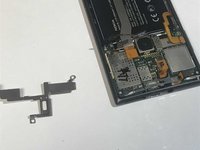
      • Remove the silver metal cover.

      • Be careful of the tape under the right square side of the panel. Using a spudger helps.

      Ask FixBot

      Add Comment

    5. Nokia Lumia 925 Battery Replacement: step 5, image 1 of 3 Nokia Lumia 925 Battery Replacement: step 5, image 2 of 3 Nokia Lumia 925 Battery Replacement: step 5, image 3 of 3
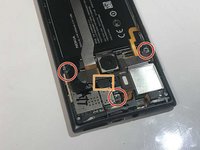
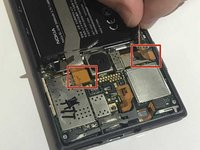
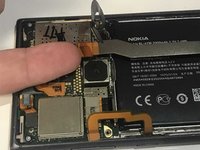
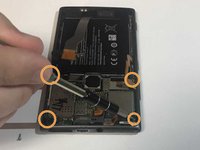
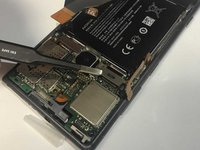
      • Unclip the two orange tabs.

      • Remove the four silver screws using the T5 Torx screwdriver.

      Ask FixBot

      Add Comment

    6. Nokia Lumia 925 Battery Replacement: step 6, image 1 of 2 Nokia Lumia 925 Battery Replacement: step 6, image 2 of 2
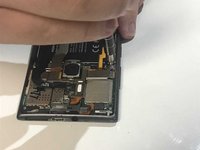
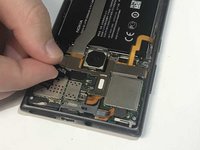
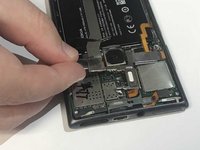
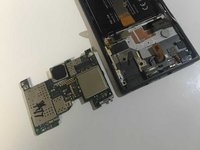
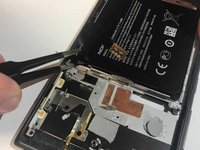
      • Remove the motherboard by sliding tweezers between it and the back of the screen. Lift up.

      Ask FixBot

      Add Comment

    1. Nokia Lumia 925 Battery Replacement, Display: step 7, image 1 of 2 Nokia Lumia 925 Battery Replacement, Display: step 7, image 2 of 2
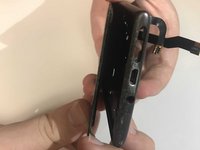
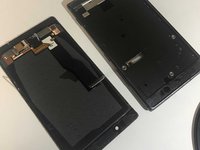
      • Push the screen from the inside of the phone.

      • Pull the screen off.

      • Slide the electronic strip through the small opening.

      Ask FixBot

      Add Comment

    1. Nokia Lumia 925 Battery Replacement, Speaker: step 8, image 1 of 1
      Tool used on this step:
      Tweezers
      $4.99
      Buy
      • Locate the grey speaker/camera cover.

      • Carefully remove the cover with either a pair of tweezers or your fingers.

      Ask FixBot

      Add Comment

    2. Nokia Lumia 925 Battery Replacement: step 9, image 1 of 3 Nokia Lumia 925 Battery Replacement: step 9, image 2 of 3 Nokia Lumia 925 Battery Replacement: step 9, image 3 of 3
      • With a pair of tweezers, gently remove the orange colored tab closest to the speaker.

      Ask FixBot

      Add Comment

    1. Nokia Lumia 925 Battery Replacement, Front Camera: step 10, image 1 of 1
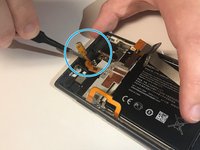
      • Pull at the orange section until it becomes loose.

      • It is located in the upper leftmost section of the phone behind the front camera.

      Ask FixBot

      Add Comment

    2. Nokia Lumia 925 Battery Replacement: step 11, image 1 of 1
      • Pull vertically on the same orange section until the front camera comes out.

      • The front camera as well as the speaker may come out after the last step so be careful.

      Ask FixBot

      Add Comment

    1. Nokia Lumia 925 Battery Replacement, Battery: step 12, image 1 of 2 Nokia Lumia 925 Battery Replacement, Battery: step 12, image 2 of 2
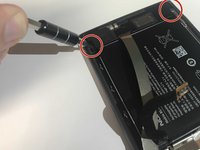
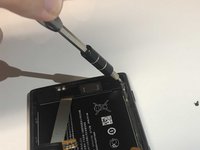
      • Remove the two black screws by using the T5 Torx screwdriver.

      Ask FixBot

      Add Comment

    2. Nokia Lumia 925 Battery Replacement: step 13, image 1 of 2 Nokia Lumia 925 Battery Replacement: step 13, image 2 of 2
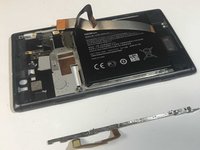
      • Carefully pull the metal rod out.

      Ask FixBot

      Add Comment

    3. Nokia Lumia 925 Battery Replacement: step 14, image 1 of 2 Nokia Lumia 925 Battery Replacement: step 14, image 2 of 2
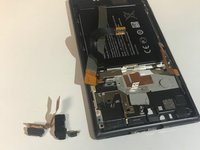
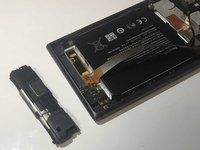
      • Pry off the speaker.

      • Apply heavy pressure, and pull towards the battery.

      Ask FixBot

      Add Comment

    4. Nokia Lumia 925 Battery Replacement: step 15, image 1 of 2 Nokia Lumia 925 Battery Replacement: step 15, image 2 of 2
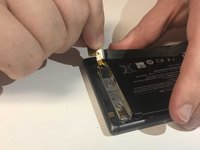
      • Unclip the black wire.

      Ask FixBot

      Add Comment

    5. Nokia Lumia 925 Battery Replacement: step 16, image 1 of 2 Nokia Lumia 925 Battery Replacement: step 16, image 2 of 2
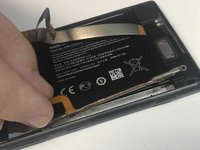
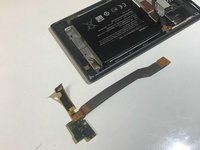
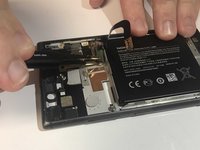
      • Peel off the electronic strip.

      • Be careful not to tear.

      Ask FixBot

      Add Comment

    6. Nokia Lumia 925 Battery Replacement: step 17, image 1 of 2 Nokia Lumia 925 Battery Replacement: step 17, image 2 of 2
      Tool used on this step:
      Tweezers
      $4.99
      Buy
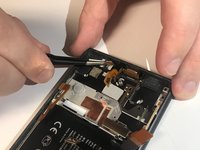
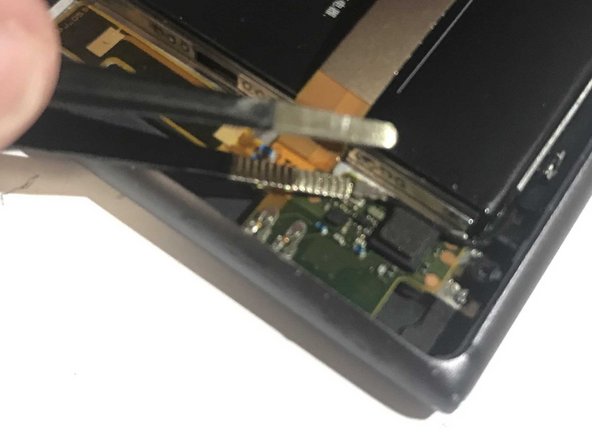
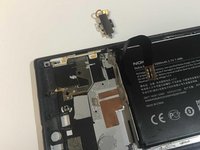
      • Pry off the metal vibrating unit using tweezers.

      • This requires a lot of force.

      Ask FixBot

      Add Comment

    7. Nokia Lumia 925 Battery Replacement: step 18, image 1 of 2 Nokia Lumia 925 Battery Replacement: step 18, image 2 of 2
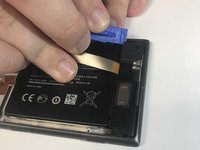
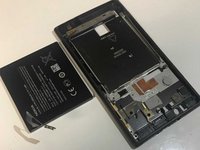
      • Insert the tweezers under the corner of the battery, and lift out.

      • You have successfully removed the battery.

      Ask FixBot

      Add Comment

Conclusion

To reassemble your device, follow these instructions in reverse order.

Cancel: I did not complete this guide.

3 other people completed this guide.

2 Guide Comments

Add markers to steps 10 and 11 for clarity. Add the battery to the “parts” section. For step 5 make sure the bullet color matches the marking color. Remember to add an introduction.

Jackson Reynolds - Reply Share

\Some steps unnecessary e.g. remving the screen.

Also some other parts.

Use your brain.

malcolm redwood - Reply Share

Add Comment

View Statistics:

Past 24 Hours: 1

Past 7 Days: 18

Past 30 Days: 50

All Time: 2,840