
Nokia Lumia 900 Screen Replacement

Tyler Bui and 5 other contributors
Last updated on May 7, 2024
Views: 1.4K
View statistics:
- Past 24 Hours:
- 2
- Past 7 Days:
- 17
- Past 30 Days:
- 93
- All Time:
- 1,390
Comments: 1
1 comment on steps.
Completed: 1 2
1 person has marked this guide "completed." Will you be next?
2 people have marked this guide "completed." Including you — great job!
Favorites: 2 3
2 people have favorited (and subscribed to) this guide. Will you be next?
3 people have favorited (and subscribed to) this guide — including you!
Introduction
Go to step 1 ↓This guide does not require any prerequisite information to complete. It can be completed by anyone given the proper tools. Screen replacement should be done for any device that has a broken screen or has an unresponsive screen that may need to be changed out. This guide will detail how to do it. There are small parts involved in this replacement, so care should be taken not to lose some of the pieces.
What you need
Tools
-
-
Spudger4.9
-
-


-
-
-
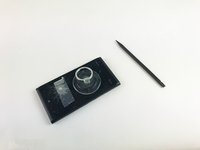
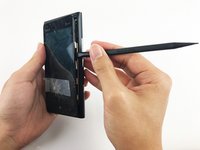
Insert the pointed end of the spudger into the sim card port indicated by the picture. Then proceed to remove the sim card port entirely.
 Ask FixBot
-
-
Tool used on this step:Tweezers$4.99
-
Use tweezers to remove the small rod in the port indicated in the picture.
-
-
-
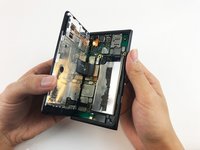
Separate the screen from the motherboard by prying it open with the spudger along with pulling upwards with the suction cup.
-
-
-
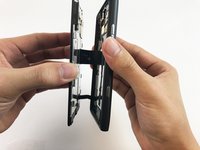
Gently pull apart the screen from the motherboard, with only the ribbons connected from the motherboard to the screen.
-
-
-
-
Disconnect the No-fuss cables from the motherboard by gently prying them up using the flat end of the black stick spudger. Make sure not to bend or crease the cable.
-
Remove the screen.
-
-





To reassemble your device, follow these instructions in reverse order.
Cancel: I did not complete this guide.
One other person completed this guide.

Team

USF Tampa, Team 10-6, Remmell Spring 2017 Member of USF Tampa, Team 10-6, Remmell Spring 2017
USFT-REMMELL-S17S10G6
3 Members
12 Guides authored
