Free Shipping on Domestic Orders $75+

Nokia Lumia 620 Volume and Power Button Replacement

What you need

    1. Nokia Lumia 620 Volume and Power Button Replacement, Volume and Power Button: step 1, image 1 of 1
      • Check condition of switches on logicboard

      • Rule out failure of cover

      Ask FixBot

      Add Comment

    2. Nokia Lumia 620 Volume and Power Button Replacement: step 2, image 1 of 1
      • Torx 6 screwdriver

      • Soldering iron (thin tip)

      • Decent quality solder (thin wire)

      Ask FixBot

      Add Comment

    3. Nokia Lumia 620 Volume and Power Button Replacement: step 3, image 1 of 1
      • Remove cover, battery and SIM

      • Remove 6 torx screws

      • Note: Green is fine thread

      • Note: Red is coarse thread

      Ask FixBot

      Add Comment

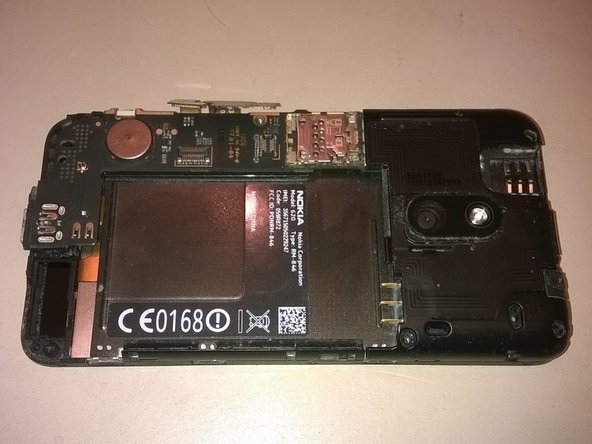
    4. Nokia Lumia 620 Volume and Power Button Replacement: step 4, image 1 of 2 Nokia Lumia 620 Volume and Power Button Replacement: step 4, image 2 of 2
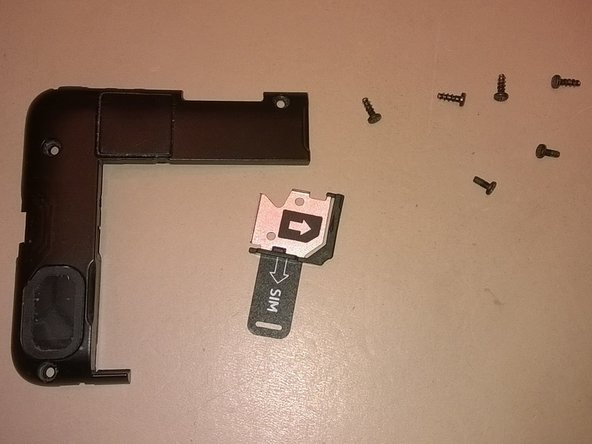
      • Remove plastic clover near battery

      • Keep track of all parts

      Ask FixBot

      Add Comment

    5. Nokia Lumia 620 Volume and Power Button Replacement: step 5, image 1 of 1
      • Gently release logicboard connectors

      Ask FixBot

      Add Comment

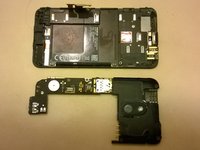
    6. Nokia Lumia 620 Volume and Power Button Replacement, Remove logic board: step 6, image 1 of 2 Nokia Lumia 620 Volume and Power Button Replacement, Remove logic board: step 6, image 2 of 2
      • There is a clip that needs to be moved out of the way before the board will move.

      • Start by lifting long side of logicboard

      • Gently wiggle and lift

      • Undo plastic clips near battery with force

      Ask FixBot

      Add Comment

    7. Nokia Lumia 620 Volume and Power Button Replacement: step 7, image 1 of 1
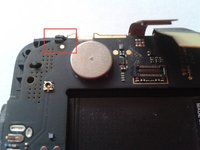
      • Check connections of failed buttons

      Ask FixBot

      Add Comment

    8. Nokia Lumia 620 Volume and Power Button Replacement: step 8, image 1 of 1
      • Resolder broken connections

      • Make sure the pads do not short

      Ask FixBot

      Add Comment

    9. Nokia Lumia 620 Volume and Power Button Replacement: step 9, image 1 of 1
      • Put back logicboard

      • Make sure pins near camera line-up

      • Note: Plastic clips need quite some force

      Ask FixBot

      Add Comment

    10. Nokia Lumia 620 Volume and Power Button Replacement: step 10, image 1 of 1
      • Reconnect logicboard connectors

      Ask FixBot

      Add Comment

    11. Nokia Lumia 620 Volume and Power Button Replacement: step 11, image 1 of 1
      • Put back plastic cover

      Ask FixBot

      Add Comment

    12. Nokia Lumia 620 Volume and Power Button Replacement: step 12, image 1 of 1
      • Gently tighten screws

      • Put back SIM card and battery

      • Close cover

      • Enjoy the result ;)

      Ask FixBot

      Add Comment

Finish Line

Cancel: I did not complete this guide.

11 other people completed this guide.

Anne

Member since: 10/17/14

456 Reputation

1 Guide authored

4 Guide Comments

Realmente funcionó el tutorial, sirven de nuevo los dos botones que fallaban.

Gaia501 - Reply Share

Only the 2 middle screws are fine threaded. And you can see in the pictures here, that there are 4 coarse threaded ones and 2 fine threaded ones. The green one in the corner should be red

shadow118 - Reply Share

hafıza kart okuyucu çalışmıyor ne yapmam lazım

davutcigir - Reply Share

Omg it looks complicated

Maz Hanvey - Reply Share

Add Comment

View Statistics:

Past 24 Hours: 3

Past 7 Days: 35

Past 30 Days: 145

All Time: 10,876