Free Shipping on Domestic Orders $75+

Nokia E90 QWERTY Keyboard Replacement

What you need

  1. Nokia E90 QWERTY Keyboard Replacement, Battery Cover and Battery: step 1, image 1 of 1
    • In order to remove the back cover, you must press the indicated button.

    Ask FixBot

    Add Comment

  2. Nokia E90 QWERTY Keyboard Replacement: step 2, image 1 of 2 Nokia E90 QWERTY Keyboard Replacement: step 2, image 2 of 2
    • With the button pressed, apply light pressure and slide the back cover off.

    • This will allow you to access the battery

    Ask FixBot

    Add Comment

  3. Nokia E90 QWERTY Keyboard Replacement: step 3, image 1 of 1
    • In order to remove the battery, pull it out from the same side that the rubber button is on.

    Ask FixBot

    Add Comment

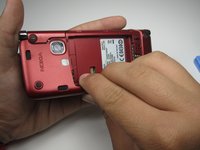
  4. Nokia E90 QWERTY Keyboard Replacement, Back Cover: step 4, image 1 of 3 Nokia E90 QWERTY Keyboard Replacement, Back Cover: step 4, image 2 of 3 Nokia E90 QWERTY Keyboard Replacement, Back Cover: step 4, image 3 of 3
    • Using a plastic opening tool, separate the back cover from the phone.

    Ask FixBot

    Add Comment

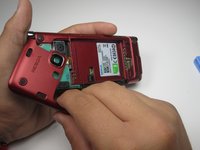
  5. Nokia E90 QWERTY Keyboard Replacement: step 5, image 1 of 2 Nokia E90 QWERTY Keyboard Replacement: step 5, image 2 of 2
    • Continue along the edge with the plastic opening tool.

    Ask FixBot

    Add Comment

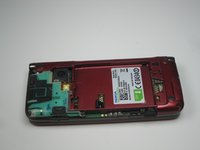
  6. Nokia E90 QWERTY Keyboard Replacement: step 6, image 1 of 3 Nokia E90 QWERTY Keyboard Replacement: step 6, image 2 of 3 Nokia E90 QWERTY Keyboard Replacement: step 6, image 3 of 3
    • Gently, remove the back cover.

    Ask FixBot

    Add Comment

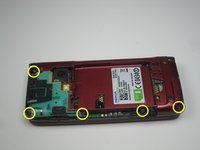
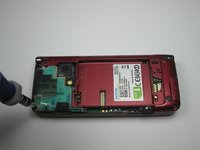
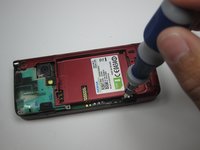
  7. Nokia E90 QWERTY Keyboard Replacement, QWERTY Keyboard: step 7, image 1 of 3 Nokia E90 QWERTY Keyboard Replacement, QWERTY Keyboard: step 7, image 2 of 3 Nokia E90 QWERTY Keyboard Replacement, QWERTY Keyboard: step 7, image 3 of 3
    • Unscrew the indicated screws using the T5 screwdriver.

    Ask FixBot

    Add Comment

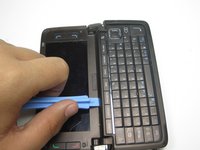
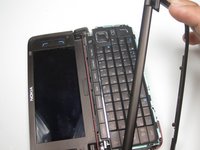
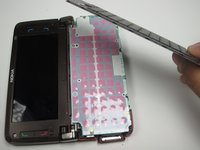
  8. Nokia E90 QWERTY Keyboard Replacement: step 8, image 1 of 2 Nokia E90 QWERTY Keyboard Replacement: step 8, image 2 of 2
    • Open the phone up and use the plastic opening tool to remove the cover to the keyboard.

    • Be careful not to break the plastic during this step; do your best not to force anything.

    Ask FixBot

    Add Comment

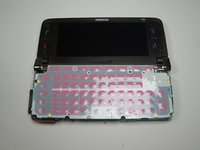
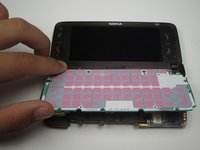
  9. Nokia E90 QWERTY Keyboard Replacement: step 9, image 1 of 2 Nokia E90 QWERTY Keyboard Replacement: step 9, image 2 of 2
    • The button board will be loose once the cover is removed.

    • Lift it up to reveal the sensor board.

    Ask FixBot

    Add Comment

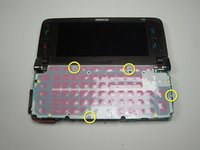
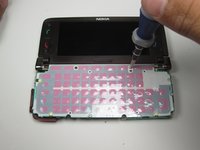
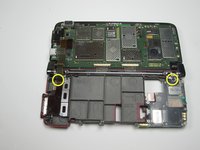
  10. Nokia E90 QWERTY Keyboard Replacement: step 10, image 1 of 2 Nokia E90 QWERTY Keyboard Replacement: step 10, image 2 of 2
    • With the T5 Screwdriver, remove the marked screws.

    Ask FixBot

    Add Comment

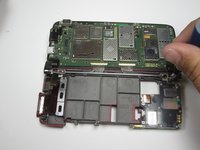
  11. Nokia E90 QWERTY Keyboard Replacement: step 11, image 1 of 2 Nokia E90 QWERTY Keyboard Replacement: step 11, image 2 of 2
    • With the screws removed, the sensor board should be free to flip up.

    Ask FixBot

    Add Comment

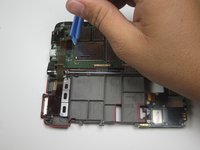
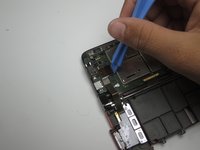
  12. Nokia E90 QWERTY Keyboard Replacement: step 12, image 1 of 2 Nokia E90 QWERTY Keyboard Replacement: step 12, image 2 of 2
    • Disconnect the wire with the plastic opening tool.

    Ask FixBot

    Add Comment

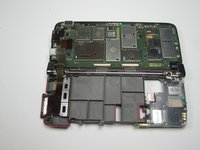
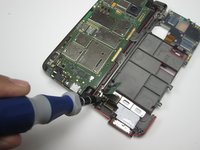
  13. Nokia E90 QWERTY Keyboard Replacement: step 13, image 1 of 3 Nokia E90 QWERTY Keyboard Replacement: step 13, image 2 of 3 Nokia E90 QWERTY Keyboard Replacement: step 13, image 3 of 3
    • Remove the screws marked.

    • The Screw on the left is located underneath the cable.

    • With those screws removed, the circuit board and sensor board will be detached from the rest of the phone.

    Ask FixBot

    Add Comment

Conclusion

To reassemble your device, follow these instructions in reverse order.

Cancel: I did not complete this guide.

4 other people completed this guide.

Cameron Weinberg

Member since: 04/12/11

591 Reputation

6 Guides authored

Team

Cal Poly, Team 18-21, Garner Spring 2011 Member of Cal Poly, Team 18-21, Garner Spring 2011

CPSU-GARNER-S11S18G21

3 Members

16 Guides authored

0 Guide Comments

Add Comment

View Statistics:

Past 24 Hours: 1

Past 7 Days: 7

Past 30 Days: 37

All Time: 6,927