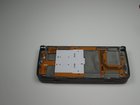
Nokia E90 Inside Screen Replacement

Cameron Weinberg and 3 other contributors
Last updated on Jan 28, 2014
Views: 6.1K
View statistics:
- Past 24 Hours:
- 3
- Past 7 Days:
- 16
- Past 30 Days:
- 98
- All Time:
- 6,085
Comments: 0
No one has left comments on this guide. Will you be first?
Go to guide commentsCompleted: 5 6
5 people have marked this guide "completed." Will you be next?
6 people have marked this guide "completed." Including you — great job!
Favorites: 4 5
4 people have favorited (and subscribed to) this guide. Will you be next?
5 people have favorited (and subscribed to) this guide — including you!
Incorrect Tools
Help make this guide better by using the correct tools in images and/or text.
Action Shots
Be an action hero! This guide needs images that better demonstrate how to perform specific actions.
What you need
Parts
Tools


-
-
-
Start with the phone in the flipped open position.
-
You must remove the sticker in the center, below the screen to reveal the center screw.
-
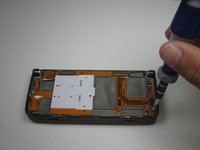
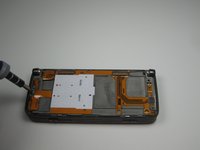
Use a T5 screwdriver to remove all three screws, loosening the front screen.
 Ask FixBot
-
-
-
Flip the phone to the closed position and turn to the front screen.
-
The front cover will now be loose enough for you to remove by grabbing the edges and lightly pulling the cover off.
-
-
-
-
-
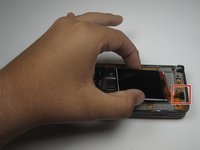
With the front cover off, the screen and keypad should be loose.
-
-
-
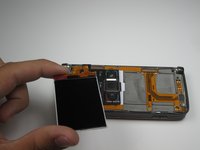
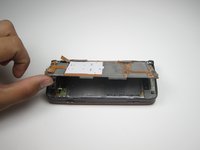
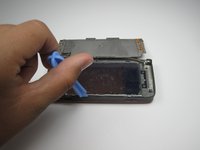
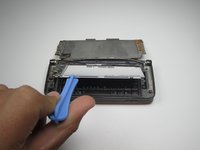
Using a plastic opening tool pry up the cable connecting the LCD screen to the rest of the phone.
-
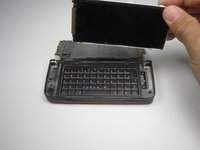
With the cable disconnected, the screen should be free for removal or replacement.
-
-
-
-
-
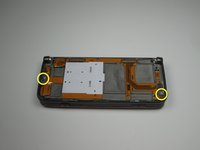
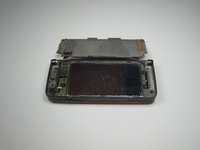
After removing the front screen and front keypad, your device should look like this.
-
-
-
-
Make sure to remove the connection shown by gently easing the plastic opening tool underneath the connection and lightly prying the connection apart.
-
-








In order to install a new screen, simply follow the steps in reverse order with the new screen.
Cancel: I did not complete this guide.
5 other people completed this guide.

Team

Cal Poly, Team 18-21, Garner Spring 2011 Member of Cal Poly, Team 18-21, Garner Spring 2011
CPSU-GARNER-S11S18G21
3 Members
84 Guides authored
