Introduction
The circuit board processes all the information the phone uses. Removing the circuit board allows access to several underlying components.
What you need
-
-
-
Locate the small button on the top of the phone.
-
Depress the button.
-
With your other hand, pull the front cover away from the phone.
 Ask FixBot
-
-
-
-
-
-
Remove all six 5.3 mm long T6 screws.
-
Remove the circuit board/faceplate sub-assembly from the back of the phone.
-
-
-
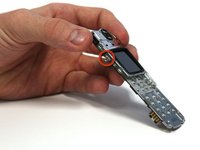
Using your fingers, pull the small plastic tab away from the circuit board/faceplate sub-assembly.
-
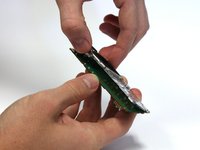
Rotate the faceplate away from the circuit board.
-
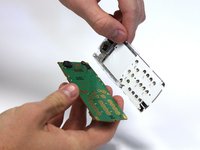
Gently remove the faceplate from the circuit board, taking care to not break the small plastic tab on the other side of the sub-assembly.
-
-


To reassemble your device, follow these instructions in reverse order.

Team

Clemson, Team 15-3, Benson Fall 2012 Member of Clemson, Team 15-3, Benson Fall 2012
CLEM-BENSON-F12S15G3
3 Members
132 Guides authored
