
Nokia 8290 Antenna Replacement

Austin Culberson and 5 other contributors
Last updated on Oct 10, 2017
Views: 1.1K
View statistics:
- Past 24 Hours:
- 2
- Past 7 Days:
- 19
- Past 30 Days:
- 93
- All Time:
- 1,098
Comments: 0
No one has left comments on this guide. Will you be first?
Go to guide commentsCompleted: 0 1
No one has marked this guide "completed." Will you be the first?
1 person has marked this guide "completed." It's you — great job!
Favorites: 0 1
No one has favorited (and subscribed to) this guide. Will you be the first?
1 person has favorited (and subscribed to) this guide — and that's you!
Introduction
Go to step 1 ↓Installing a new antenna may be necessary if you are having trouble sending and receiving calls. Installation should only be done as a last resort, after trying all other possible solutions as listed in the Nokia 8290 Troubleshooting Guide. Installation requires no prior knowledge of mobile phone antennas.
What you need
Tools


-
-
-
Locate the small button on the top of the phone.
-
Depress the button.
-
With your other hand, pull the front cover away from the phone.
 Ask FixBot
-
-
-
-
-
Remove all six 5.3 mm long T6 screws.
-
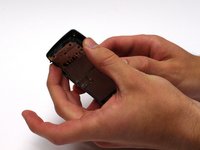
Remove the circuit board/faceplate sub-assembly from the back of the phone.
-
-
-
-
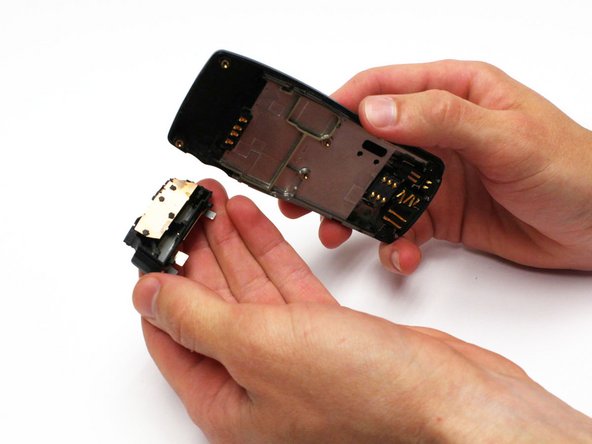
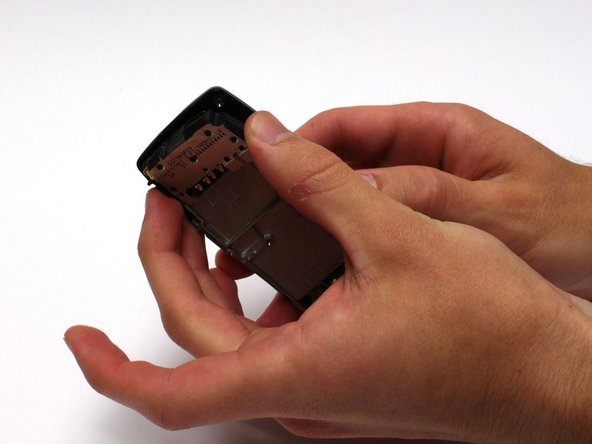
After removing the circuit board/faceplate sub-assembly, locate the antenna.
-
Remove the antenna by prying it out with your fingers or a prying tool. It may help to turn the back portion of the phone over to allow the antenna to fall away.
-
-


To reassemble your device, follow these instructions in reverse order.

Team

Clemson, Team 15-3, Benson Fall 2012 Member of Clemson, Team 15-3, Benson Fall 2012
CLEM-BENSON-F12S15G3
3 Members
132 Guides authored
