This translation was generated by a machine and has not been reviewed by a person yet. Speak this language? Review it.

Nokia 6630 Battery Replacement

Piero Sabino and one other contributor
Last updated on Sep 22, 2026
Views: 134
View statistics:
- Past 24 Hours:
- 3
- Past 7 Days:
- 14
- Past 30 Days:
- 85
- All Time:
- 134
Comments: 0
No one has left comments on this guide. Will you be first?
Go to guide commentsCompleted: 0 1
No one has marked this guide "completed." Will you be the first?
1 person has marked this guide "completed." It's you — great job!
Favorites: 0 1
No one has favorited (and subscribed to) this guide. Will you be the first?
1 person has favorited (and subscribed to) this guide — and that's you!
Community-Contributed Guide
An awesome member of our community made this guide. It was not created by iFixit staff.
Introduction
Go to step 1 ↓In this guide, we will show you how to safely replace the Nokia 6630 battery. The operation is simple and only takes a few minutes. Before you start, ensure you are using a compatible battery and working on a clean, stable, and well-lit surface.
-
-
-
Completely power off the Nokia 6630 before you begin the replacement. If the phone is connected to a charger, disconnect the cable.
 Ask FixBot
-
-
-
Turn the phone over with the display facing down. Locate the rear cover latch, then press or slide the release mechanism and gently remove the cover.
-
-
-
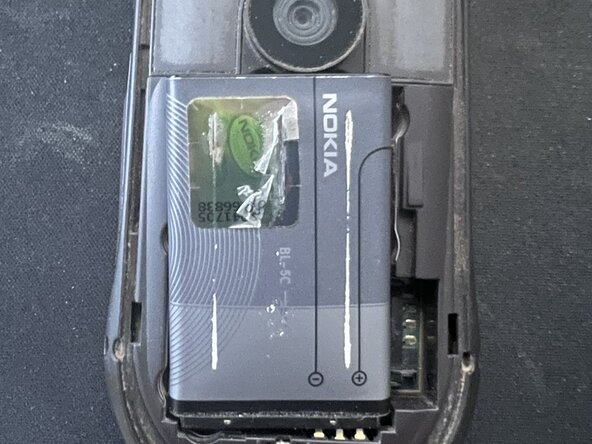
Lift the battery using the pull tab or the recess on the edge.
-
-
-
-
Place the new battery into the recess, making sure it is oriented correctly. The metal contacts on the battery must align with the corresponding contacts in the phone.
-
-



To reassemble your device, follow these instructions in reverse order.

