Free Shipping on Domestic Orders $75+

Nokia 6230b SIM Card Replacement

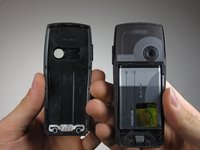
  1. Nokia 6230b SIM Card Replacement, Back Cover: step 1, image 1 of 1
    • Press down the button on the back panel.

    Ask FixBot

    Add Comment

  2. Nokia 6230b SIM Card Replacement: step 2, image 1 of 2 Nokia 6230b SIM Card Replacement: step 2, image 2 of 2
    • Push the back cover upwards.

    Ask FixBot

    Add Comment

  3. Nokia 6230b SIM Card Replacement: step 3, image 1 of 2 Nokia 6230b SIM Card Replacement: step 3, image 2 of 2
    • Remove the back cover from the phone.

    Ask FixBot

    Add Comment

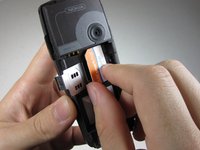
  4. Nokia 6230b SIM Card Replacement, SIM Card: step 4, image 1 of 1
    • Press your thumb nail against the metal latch.

    Ask FixBot

    Add Comment

  5. Nokia 6230b SIM Card Replacement: step 5, image 1 of 1
    • Pull the metal latch open.

    Ask FixBot

    Add Comment

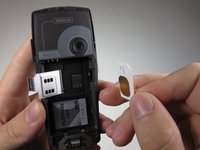
  6. Nokia 6230b SIM Card Replacement: step 6, image 1 of 2 Nokia 6230b SIM Card Replacement: step 6, image 2 of 2
    • The SIM card, now released, can easily be lifted out of the phone.

    Ask FixBot

    Add Comment

Conclusion

To reassemble your device, follow these instructions in reverse order.

Cancel: I did not complete this guide.

One other person completed this guide.

Christopher McKee

Member since: 10/04/10

46 Reputation

4 Guides authored

Team

Cal Poly, Team 3-27, Regan Fall 2010 Member of Cal Poly, Team 3-27, Regan Fall 2010

CPSU-REGAN-F10S3G27

4 Members

26 Guides authored

1 Guide Comment

Very helpful. Thankyou

Wrinkle2 (Laity) - Reply Share

Add Comment

View Statistics:

Past 24 Hours: 0

Past 7 Days: 9

Past 30 Days: 39

All Time: 3,040