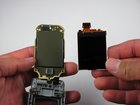
Nokia 6086 Screen Replacement

Caitlin Rahm and 5 other contributors
Last updated on Jan 28, 2014
Views: 4K
View statistics:
- Past 24 Hours:
- 2
- Past 7 Days:
- 17
- Past 30 Days:
- 101
- All Time:
- 4,044
Comments: 0
No one has left comments on this guide. Will you be first?
Go to guide commentsCompleted: 1 2
1 person has marked this guide "completed." Will you be next?
2 people have marked this guide "completed." Including you — great job!
Favorites: 0 1
No one has favorited (and subscribed to) this guide. Will you be the first?
1 person has favorited (and subscribed to) this guide — and that's you!
Introduction
Go to step 1 ↓Replacing a damaged screen.
What you need
Tools


-
-
-
Turn off the phone.
-
Check if there is a microSD card in the slot behind the door on the side. If so, remove it by first pushing it in, then pulling it out.
-
Position the phone so that the back side is in view.
 Ask FixBot
-
-
-
Remove the back battery cover.
-
Apply pressure on the cover while simultaneously sliding the cover downward.
-
-
-
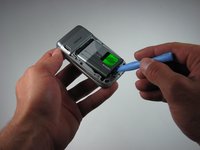
Insert the iPod opening tool between the base of the phone and the phone battery.
-
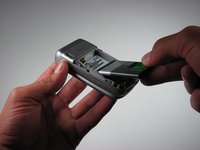
Position the phone so that the battery won't fall out of the phone.
-
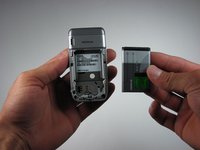
Carefully lift the battery out of the phone.
-
-
-
-
-
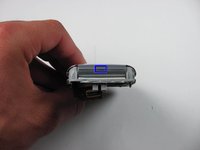
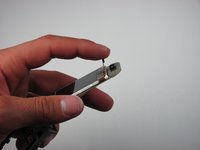
Locate the 4.5 mm notch at the top of the phone.
-
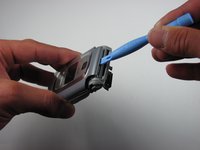
Place the iPod opening tool into the opening.
-
Slightly prop up the top section by lifting the tool.
-
-
-
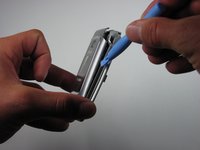
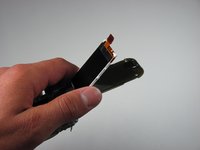
Wedge the iPod opening tool between the top cover and the phone.
-
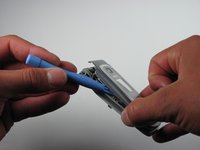
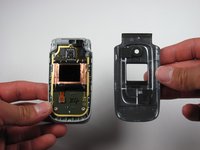
Gently lift the top cover away from the phone using the iPod opening tool.
-
This unlatches each hook that connects the top cover to the phone.
-
Place the top cover aside once the top cover is completely disconnected from the phone.
-
-
-
-
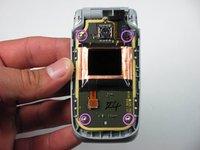
Locate the four screws on the phone.
-
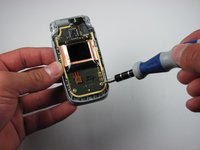
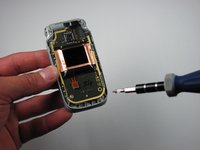
Take the T6 driver and remove the screws.
-
-
-
-
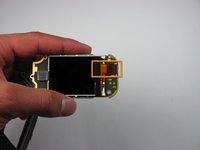
Find the orange slip on the motherboard.
-
Peel back the orange slip to expose the screen.
-
-
-
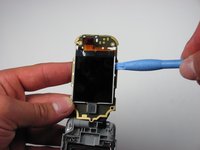
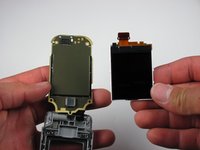
Place the ipod opening tool under the screen.
-
Remove the damaged screen with the ipod opening tool.
-
-












To reassemble your device, follow these instructions in reverse order.
Cancel: I did not complete this guide.
One other person completed this guide.

Team

Cal Poly, Team 26-30, Regan Spring 2010 Member of Cal Poly, Team 26-30, Regan Spring 2010
CPSU-REGAN-S10S26G30
4 Members
108 Guides authored
