
Nokia 6086 Keypad Replacement

Caitlin Rahm and 5 other contributors
Last updated on Jan 28, 2014
Views: 1.8K
View statistics:
- Past 24 Hours:
- 3
- Past 7 Days:
- 17
- Past 30 Days:
- 93
- All Time:
- 1,824
Comments: 0
No one has left comments on this guide. Will you be first?
Go to guide commentsCompleted: 0 1
No one has marked this guide "completed." Will you be the first?
1 person has marked this guide "completed." It's you — great job!
Favorites: 0 1
No one has favorited (and subscribed to) this guide. Will you be the first?
1 person has favorited (and subscribed to) this guide — and that's you!
Introduction
Go to step 1 ↓Replacing a faulty keypad.
What you need
Tools
-
Spudger4.9
-


-
-
-
Turn off the phone.
-
Check if there is a microSD card in the slot behind the door on the side. If so, remove it by first pushing it in, then pulling it out.
-
Position the phone so that the back side is in view.
 Ask FixBot
-
-
-
Remove the back battery cover.
-
Apply pressure on the cover while simultaneously sliding the cover downward.
-
-
-
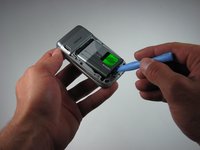
Insert the iPod opening tool between the base of the phone and the phone battery.
-
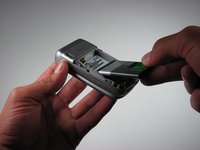
Position the phone so that the battery won't fall out of the phone.
-
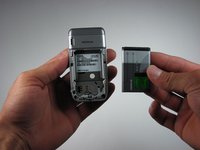
Carefully lift the battery out of the phone.
-
-
-
-
-
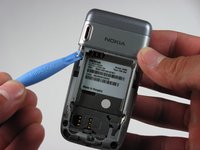
Turn the phone so that the back of the phone is facing forward.
-
The picture to the left shows the location of the plastic tabs that attach to the upper cover of the phone.
-
-
-
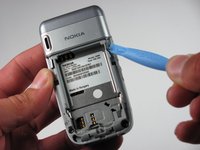
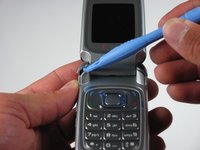
Place the iPod opening tool under the tabs near the top of the phone.
-
Slide the iPod Opening Tool upwards.
-
This will pop the tabs and release the upper part of the phone.
-
-
-
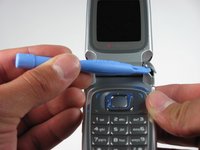
Place the iPod opening tool at the top area of the bottom section of the phone (indicated in picture).
-
Lift the iPod opening tool to pop open the clips.
-
This will release the upper back cover of the phone.
-
-
-
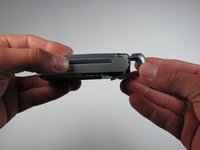
Push upward on the top back cover using two thumbs.
-
This will remove the top back cover from the phone.
-
-
-
-
-
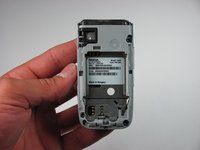
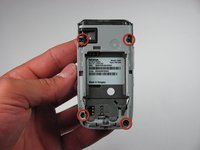
Locate the four screws.
-
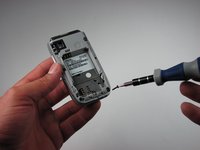
Remove the screws using a T6 Torx screwdriver.
-
-
-
Turn the phone over.
-
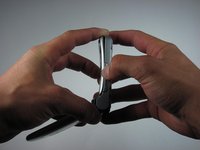
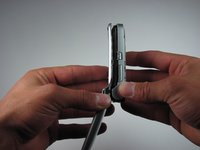
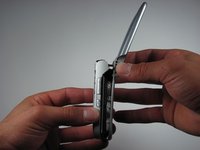
Gently pull apart the phone.
-
Start at the bottom of the phone and pull outward.
-
There are plastic catches on the middle of each side. These should pop free as you pull.
-
-
-
-
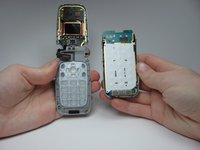
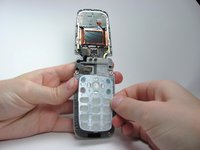
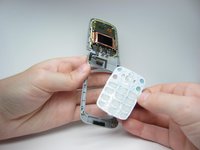
The phone should now be in two different sections.
-
1) The logic board and the back cover
-
2) The keypad and the rest of the phone
-
-
-


















To reassemble your device, follow these instructions in reverse order.

Team

Cal Poly, Team 26-30, Regan Spring 2010 Member of Cal Poly, Team 26-30, Regan Spring 2010
CPSU-REGAN-S10S26G30
4 Members
108 Guides authored
