
Nokia 6030 Keypad Replacement

Spencer Woodworth and 4 other contributors
Last updated on May 24, 2022
Views: 3.5K
View statistics:
- Past 24 Hours:
- 3
- Past 7 Days:
- 25
- Past 30 Days:
- 101
- All Time:
- 3,470
Comments: 0
No one has left comments on this guide. Will you be first?
Go to guide commentsCompleted: 1 2
1 person has marked this guide "completed." Will you be next?
2 people have marked this guide "completed." Including you — great job!
Favorites: 0 1
No one has favorited (and subscribed to) this guide. Will you be the first?
1 person has favorited (and subscribed to) this guide — and that's you!
Student In Progress
This guide is being worked on by hardworking students.
Introduction
Go to step 1 ↓If your Nokia 6030’s keypad works inconsistently, you may need to replace the old keypad with a new one.
After extended use, cell phone keypads become unresponsive. A faulty keypad causes frustrating experiences when attempting to type something on the device or to call someone.
This guide provides step-by-step instructions on replacing your Nokia 6030’s keypad, without the need for any special skills or tools.
-
-
-
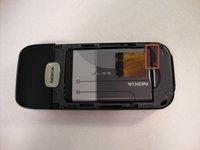
Press down on the grip on the back of the phone and slide the rear housing down towards the bottom of the phone.
 Ask FixBot
-
-
-
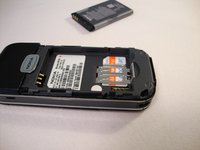
Use your finger to gently pull the bottom of the battery up by using the slip found at the bottom of the phone.
-
Lift out battery and remove.
-
-
-
-
-
-
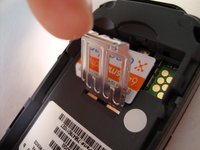
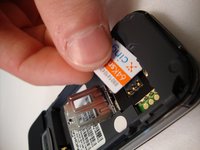
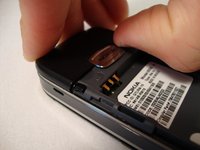
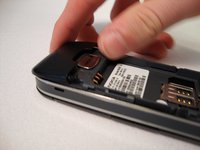
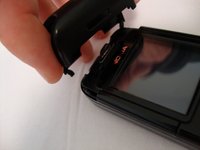
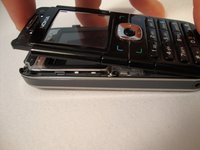
Insert your two fingers under the two tabs found at the top of the phone underneath the black casing, then pull the casing up and slide it out slowly.
-
-
-
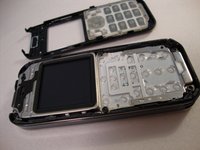
After removing the top cover, turn the phone over so the screen is facing upwards.
-
-
-
-
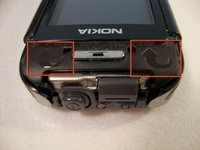
Use your fingers to slowly lift the screen back towards the bottom of the phone using the arrows found at the top of the phone.
-
-
-
-
-
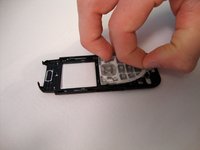
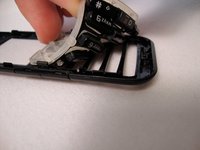
Gently pull the rubber away from the front screen and the buttons will detach from the plastic case.
-
-















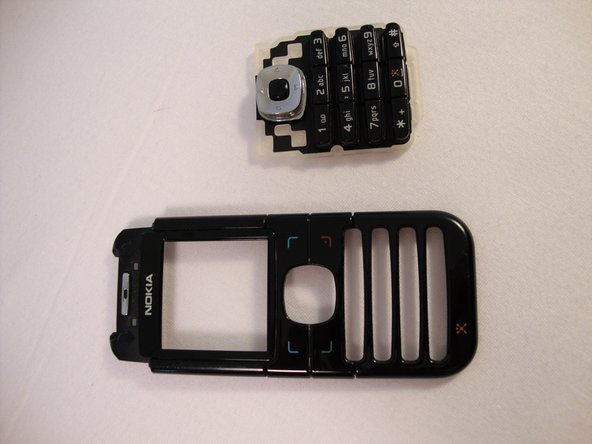
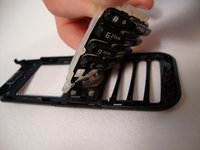
To reassemble your device, follow these instructions in reverse order.
Cancel: I did not complete this guide.
One other person completed this guide.

Team

Cal Poly, Team 23-63, Johann Spring 2010 Member of Cal Poly, Team 23-63, Johann Spring 2010
CPSU-JOHANN-S10S23G63
3 Members
108 Guides authored
