
Nokia 6030 Front Cover Replacement

Spencer Woodworth and 8 other contributors
Last updated on Jan 10, 2025
Views: 3.7K
View statistics:
- Past 24 Hours:
- 2
- Past 7 Days:
- 19
- Past 30 Days:
- 92
- All Time:
- 3,699
Comments: 0
No one has left comments on this guide. Will you be first?
Go to guide commentsCompleted: 0 1
No one has marked this guide "completed." Will you be the first?
1 person has marked this guide "completed." It's you — great job!
Favorites: 0 1
No one has favorited (and subscribed to) this guide. Will you be the first?
1 person has favorited (and subscribed to) this guide — and that's you!
Student In Progress
This guide is being worked on by hardworking students.
Introduction
Go to step 1 ↓The front cover of the Nokia 6030 serves as a protector for the front part of the phone, including the screen. The Nokia 6030 can undergo malfunctions and/or the glass protector can break which may require the removal of the front cover for inspection or for replacement purposes.
Follow this guide to help you remove the glass/front cover of your Nokia 6030.
-
-
-
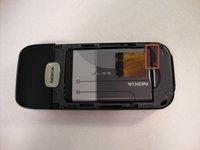
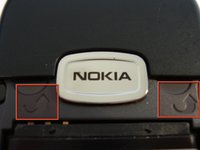
Press down on the grip on the back of the phone and slide the rear housing down towards the bottom of the phone.
 Ask FixBot
-
-
-
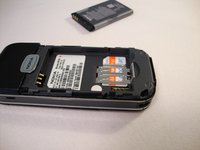
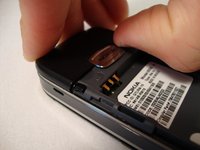
Use your finger to gently pull the bottom of the battery up by using the slip found at the bottom of the phone.
-
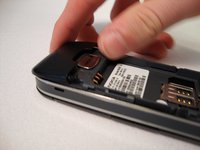
Lift out battery and remove.
-
-
-
-
-
-
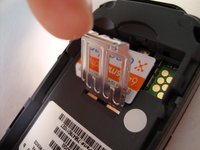
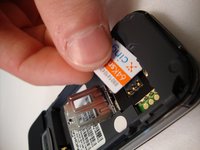
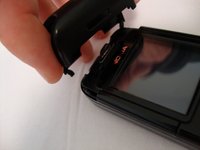
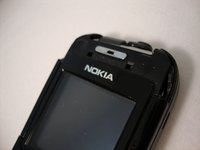
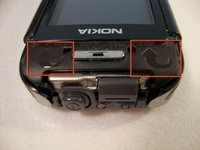
Insert your two fingers under the two tabs found at the top of the phone underneath the black casing, then pull the casing up and slide it out slowly.
-
-
-
-
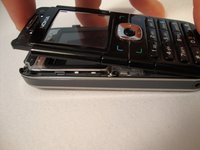
After removing the top cover, turn the phone over so the screen is facing upwards.
-
-
-
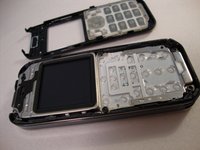
Use your fingers to slowly lift the screen back towards the bottom of the phone using the arrows found at the top of the phone.
-
-










To reassemble your device, follow these instructions in reverse order.

Team

Cal Poly, Team 23-63, Johann Spring 2010 Member of Cal Poly, Team 23-63, Johann Spring 2010
CPSU-JOHANN-S10S23G63
3 Members
108 Guides authored
